
How to Set Up Google Shopping the Right Way
Google Shopping sits in a part of the customer journey where intent is already taking shape. People using it aren’t exploring broadly. They’re comparing products, checking availability and narrowing their decision. For many e-commerce businesses, this makes it one of the most reliable channels for capturing high-intent demand.
Even with its potential, Shopping often feels more complicated than it appears. The outcomes are shaped almost entirely by the information feeding into the system. Product data, structure and eligibility determine whether Google can recognise what you sell and place your products in the searches that matter.
When those fundamentals are strong, Shopping becomes more predictable and easier to integrate within broader digital programs. The setup stops feeling like a checklist and more like a system that steadily improves over time. A clear structure gives Google what it needs to learn, and the channel becomes far easier to manage, optimise, and scale.
TL;DR
- Google Shopping relies on strong product data to understand what you sell.
- Feed quality shapes eligibility, visibility and long-term performance.
- A simple, well-structured setup creates more predictable outcomes.
- Most early issues come from data inconsistencies, not campaign settings.
- Stability comes from accurate inputs, realistic expectations, and steady monitoring.
Understanding How Google Shopping Interprets Your Catalogue
Shopping works differently from keyword-led search campaigns. Instead of selecting terms manually, you give Google structured information and allow it to map your products to real search behaviour. The system becomes more confident as your feed becomes more complete.
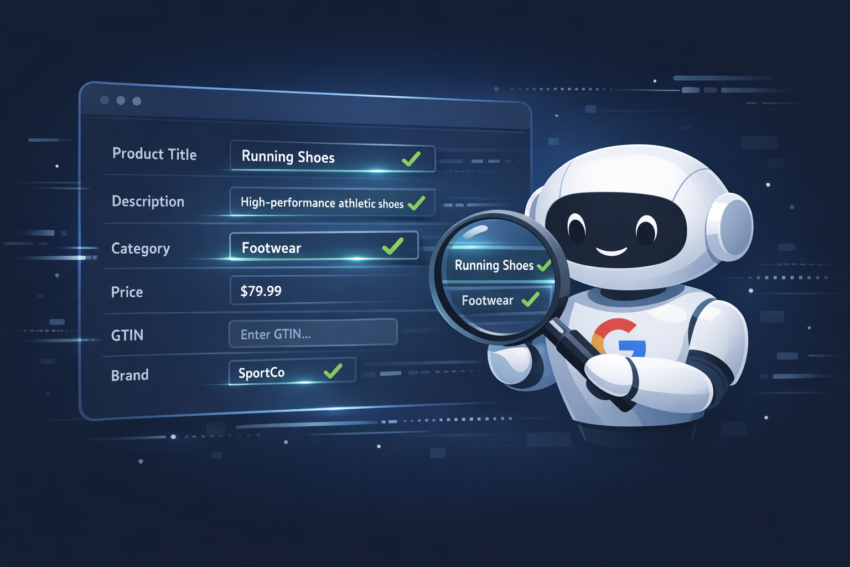
Google evaluates product titles, categories, attributes, and pricing to decide when and where items should appear. When this data is clear and technically consistent, Google can recognise what your product represents and connect it to queries most likely to convert.
What Google Sees in Your Product Feed
Every Shopping impression begins with a comparison between a user’s search and the information in your product feed. Shopping placements appear in several high-visibility areas, including the Shopping tab and the product carousel in Search. When a user searches for a product, Google evaluates your feed to see whether your item is a strong match.
Titles that describe what the user is looking for, accurate categories, and complete attributes all strengthen Google’s interpretation of intent. Mobile behaviour makes this even more significant. Searches are often brief, and users rely on product details to confirm relevance. When these details are present in your feed, Google can recognise relevance even when the query is short.
A strong feed reduces uncertainty and allows Google to enter auctions confidently. This stabilises learning and helps performance develop steadily over time.
Why Google Shopping Matters for Performance-Led Businesses
Shopping sits close to the point where users are ready to make decisions. They are already evaluating alternatives, comparing specifications and checking availability, which leads to clearer conversion behaviour.
For growth-focused teams, Shopping’s stability is often its greatest advantage. It supports clearer reporting because performance is tied directly to individual products.
Clear data and structure allow Google to detect patterns sooner, allocate spend more precisely and optimise without unnecessary fluctuation. These patterns become particularly useful when shaping a broader digital marketing strategy. They help clarify how channels support one another throughout the full customer journey.
When the Shopping setup is right, optimisation becomes a process of refinement rather than recovery. Insights become more practical, and the channel contributes more reliably to long-term growth.
How to Set Up Google Shopping the Right Way
Each step in the setup process influences how well your campaign performs later. Building your Shopping platform becomes easier once you understand how each component influences Google’s ability to interpret your catalogue and connect it to real search behaviour.
Step 1: Establish a Clean Merchant Center Setup
Merchant Center holds your product data and prepares it for your Shopping campaigns.
Begin by creating your account, verifying your website and entering your business information. Then configure your shipping settings and returns policy so everything matches what appears on your site.
Even small inconsistencies can cause delays. Pricing mismatches or unclear return details are common reasons products get paused. Focusing on accuracy at this stage creates a smoother launch and fewer disruptions later.
Step 2: Build a High-Quality Product Feed
Your product feed is one of the most important components of Shopping. It should include:
- clear product titles
- accurate descriptions
- high-quality images
- consistent pricing
- identifiers like GTINs
- relevant categories
Across many accounts, feed quality is the difference between limited visibility and stable delivery. This becomes even more important when your feed stays aligned with the product information on your website, applying robust e-commerce SEO techniques to product information further helps search engines interpret its meaning.
Missing data, unclear titles or inconsistent details make it harder for Google to recognise relevance. When these gaps are corrected, visibility and performance typically improve quickly as Google gains clearer signals.
Step 3: Link Merchant Center to Google Ads
This step is straightforward but essential. Linking the two accounts ensures your campaigns can access your catalogue, allowing you to monitor how Shopping interacts with your Google Ads activity throughout your campaign. Make sure the correct permissions are in place to avoid delays and ensure a smooth launch.
Step 4: Choose the Right Campaign Type for Your Needs
Most advertisers choose between two types of campaigns:
- Standard Shopping — More control and clearer segmentation
- Performance Max — Automation across multiple surfaces
Interestingly, most Performance Max conversions still come from Shopping placements. This means a strong product feed is essential, whether you lean toward automation or prefer more control.
Step 5: Structure Your Campaign for Clarity
To build an effective Google Shopping strategy, it is important to structure your campaign around clean data and structured segmentation so that Google can reliably interpret your catalogue.
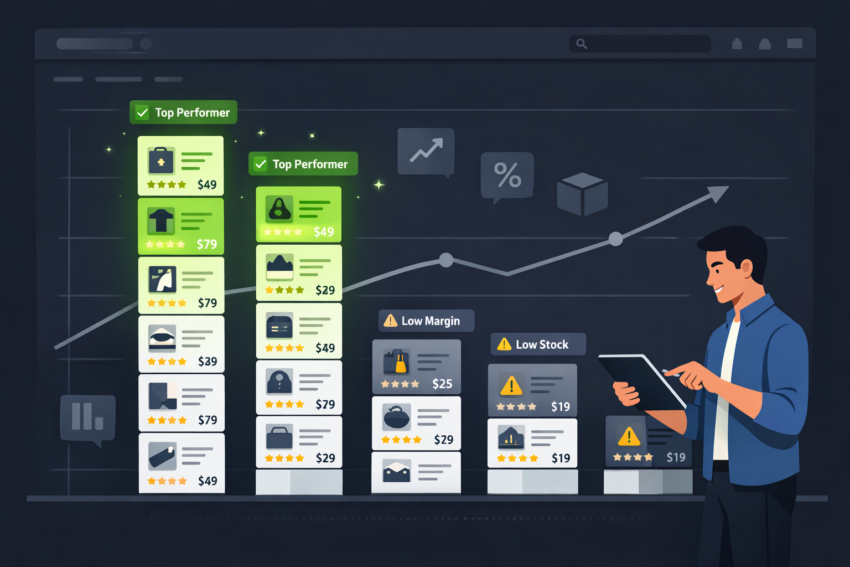
Grouping products logically, such as by category, seasonal behaviour or margin tiers, generally supports more stable early performance and clearer analysis.
Step 6: Set Budgets and Bidding Strategies That Support Learning
Bid strategies shape the pace of optimisation. Many advertisers begin with Maximise Conversion Value to gather early data, then move to Target ROAS after the system has enough conversions to stabilise.
Setting realistic ROAS targets helps Google enter auctions consistently, which is especially important early on. Stable budgets allow Google to learn without interruption and reduce the chances of performance volatility.
Step 7: Launch, Monitor and Assess Early Signals
Early signals appear in Merchant Center diagnostics and impression patterns. Approved products, data consistency, and emerging visibility trends indicate how effectively Google is reading your catalogue.
Early fluctuations are normal. Google typically needs a period of stable signals to recognise patterns and allocate spending more precisely. As this stabilises, it becomes easier to see how Shopping interacts with the rest of your digital ecosystem
What Makes a Good Google Shopping Campaign?
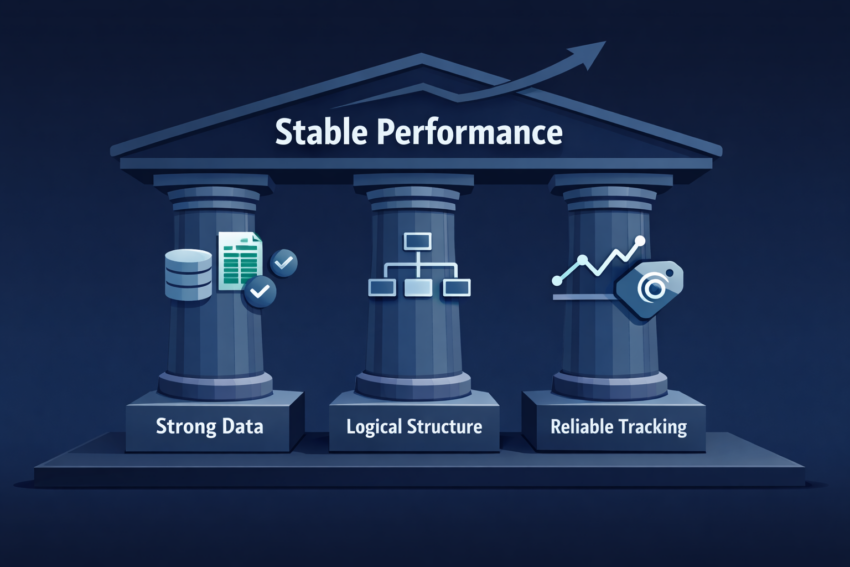
High-performing Shopping campaigns share three essential foundations:
1. Strong Data
Clear titles, accurate categories and complete product attributes help Google correctly interpret your products.
2. Logical Structure
A meaningful segmentation model provides clarity for Google and helps internal teams understand performance drivers.
3. Reliable Tracking
Accurate conversion tracking allows Google to optimise towards valuable outcomes, improving spend efficiency and predictability.
When these elements work together, Google can understand your products, recognise demand signals and refine delivery.
Common Issues With Google Shopping — And How to Resolve Them
Many Shopping issues, including Merchant Center disapprovals and limited delivery, are more straightforward than they appear. They usually stem from feed inconsistencies or incomplete data.
Merchant Center disapprovals often occur when
- Pricing differs between your site and your feed
- Identifiers like GTINs are missing
- Product availability does not match what Google detects
Even small timing gaps between website updates and feed updates can cause temporary pauses.
Limited delivery often comes from restrictive bidding targets or vague product titles that prevent Google from matching your items to relevant searches. Reviewing Merchant Center’s Diagnostics tab usually reveals the cause and helps resolve the issue quickly.
How CCM Approaches Google Shopping With Clarity and Stability
CCM’s approach to Google Shopping focuses on clear data, meaningful structure and dependable measurement. These same foundations support stable PPC strategies, where predictable learning and commercially aligned decision-making are essential for long-term success.
This means prioritising accurate feed data, meaningful segmentation, and dependable measurement. By prioritising clarity over complexity, CCM builds Shopping environments that scale more comfortably and provide more reliable insight to support ongoing performance decisions.
Closing Thoughts: A Clearer Path to Better Shopping Performance
Google Shopping becomes significantly easier to manage once its underlying structure is built with clarity. Strong data, clean architecture and realistic expectations allow Google to recognise relevance, stabilise pacing and produce more predictable outcomes.
For many businesses, meaningful improvements appear once the initial foundation is refined. From there, progress becomes incremental, insights become more actionable, and the channel supports long-term growth more consistently.
For organisations seeking clearer direction on how structured data and campaign architecture shape Shopping performance, the next step is to speak with our team about building a more stable and commercially aligned foundation for long-term growth.