
5 UX Mistakes That Are Costing You Customers (and How to Fix Them)

In a world where attention spans are short and competition is fierce, a poorly designed user experience (UX) can silently sabotage your business. You might have great products, strong SEO, and a polished ad campaign, but if visitors land on your website and can’t find what they need, they’ll leave before you ever have a chance to win them over.
Let’s break down the five most common UX mistakes that drive customers away — and what you can do to fix them.
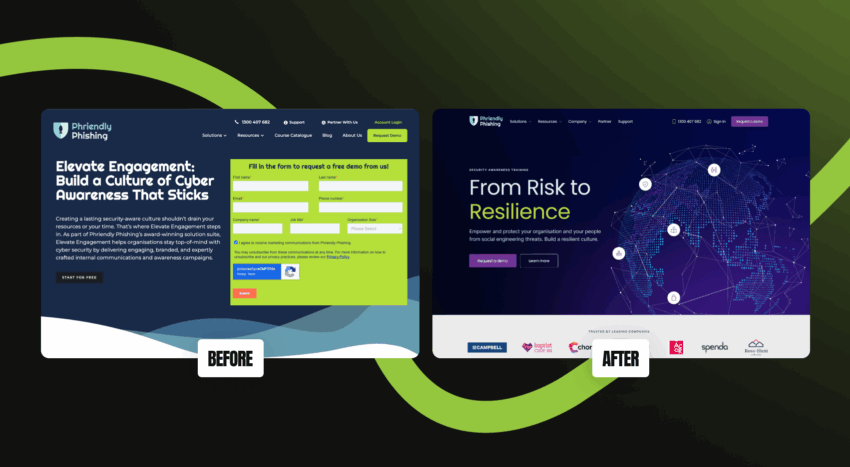
1. Confusing Navigation That Creates Friction
Your navigation is the backbone of your user experience. It’s how people move, explore, and make decisions on your site. When it’s cluttered, inconsistent, or vague, visitors feel lost, and lost users don’t convert.
What This Looks Like in Practice
Imagine landing on a website where the menu has ten options, half of which use jargon like “Solutions,” “Insights,” or “Resources.” You’re not sure where to find the product, how to contact the business, or even what the company does. You hesitate, click back, and look elsewhere.
Or picture a mobile menu with overlapping dropdowns or missing links. What feels like a small design flaw quickly becomes a dealbreaker for users on the go.
Why It’s a Problem
When navigation creates friction, users expend mental effort to find what they want, something the human brain instinctively avoids. In fact, usability studies show that every extra second of “thinking” increases the likelihood of drop-off.
A confusing navigation also hurts SEO. When users can’t find what they need, they leave quickly, signaling poor engagement metrics like high bounce rates and low dwell time.
How to Fix It
Start with a navigation audit:
- Map out your key pages and group them logically (e.g., Home, About, Services, Projects, Contact).
On mobile, test your menu’s behaviour across multiple devices. Ensure the hamburger icon is visible, the menu slides smoothly, and there’s an easy way to close it without confusion. If users often tell you, “I couldn’t find it on your site,” your navigation is due for a redesign.
2. Slow Load Times That Break Trust
Speed is one of the biggest silent killers of user experience. Even the most elegant design loses its impact if users are staring at a loading spinner. In fact, 53% of visitors abandon a mobile page that takes longer than three seconds to load (Google, 2023).
Why This Happens
Slow sites are usually a mix of technical and design inefficiencies:
- Uncompressed, oversized images and videos
Why It’s So Damaging
A slow website doesn’t just hurt UX, it hurts your brand credibility. Users subconsciously associate load speed with professionalism and reliability. A fast site feels modern and trustworthy; a slow one feels neglected.
It also affects Google rankings. Site speed is a known ranking factor, and slower pages are crawled less frequently, reducing visibility across search results.
How to Fix It
- Run a performance test using Google PageSpeed Insights, GTmetrix, or Pingdom.
If you’re using WordPress, tools like WP Rocket or NitroPack can make a dramatic difference. But even better — have a developer audit your theme for bloat and outdated code. If your site “looks fine” but analytics show high bounce rates on first click, speed could be the culprit.
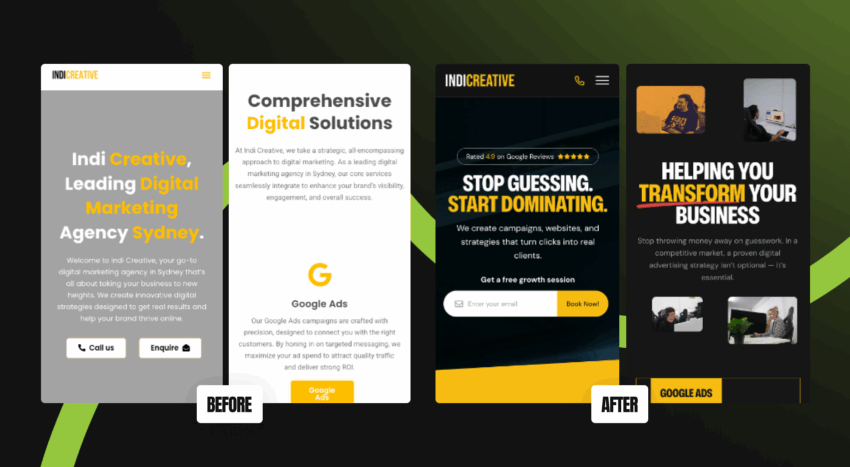
3. Poor Mobile Experience
Mobile-first isn’t a buzzword anymore, it’s reality. More than 60% of global web traffic now comes from mobile devices, and Google’s indexing prioritises mobile versions of websites. Yet, many brands still design for desktop first and adapt for mobile later.
What Poor Mobile UX Looks Like
- Buttons too small or too close together
These issues are frustrating enough to drive visitors away, especially those browsing while commuting or multitasking.
Why It Hurts Your Business
Poor mobile UX kills conversions. When users have to pinch, zoom, or fight pop-ups, they simply leave. For e-commerce, that means abandoned carts. For service businesses, that means lost enquiries.
And the damage goes beyond that. A bad mobile experience leaves a lasting impression that your brand is “behind the times.”
How to Fix It
Design with mobile-first principles:
- Simplify layouts — stack content vertically, not horizontally.
Don’t rely solely on a “responsive theme.” Real mobile optimisation requires intentional design choices made from the smallest screen up. If your site’s mobile conversion rate is lower than desktop, it’s time for a mobile UX overhaul.
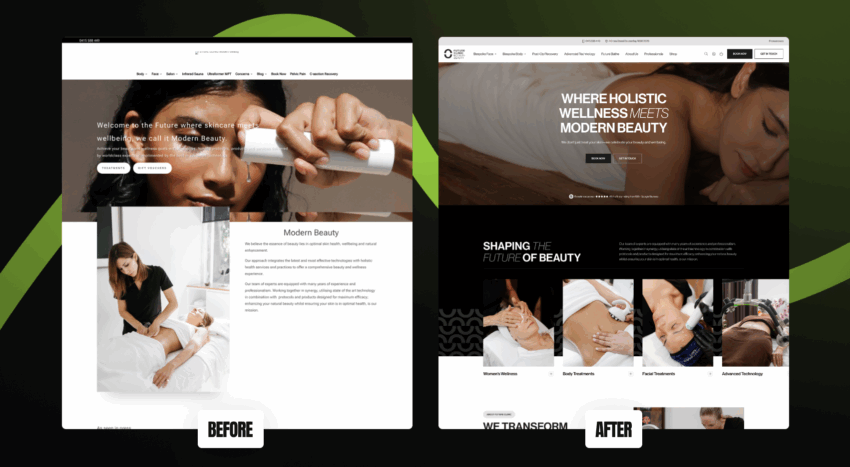
4. Weak Visual Hierarchy and Cluttered Design
Your website has only seconds to make an impression, and your visual hierarchy determines what users notice first. If everything looks important, nothing feels important.
How This Happens
- Using too many colours, fonts, or competing elements
A cluttered layout doesn’t just look messy; it makes users feel overwhelmed. They lose focus, miss the CTA, and leave before converting.
Why It’s Critical
Good design guides users like a tour guide — showing them where to look, when to scroll, and what to do next. Without that structure, even the most valuable content gets ignored. Colour does part of this work too, and colour psychology shapes trust, guides attention and steers clicks towards the actions that matter.
The principle is simple: users don’t read websites — they scan them. If your layout doesn’t direct their eyes in a logical flow, you lose attention and sales.
How to Fix It
- Create a visual hierarchy — one main heading (H1), clear subheadings (H2s), and short, scannable paragraphs.
If you’re unsure, look at your site for 5 seconds and ask: Where do my eyes go first? If the answer isn’t your CTA or key value proposition, your hierarchy needs adjustment. If your design feels “busy,” it probably is. A simpler layout often converts better. Our checklist for high-converting homepage design runs through what makes a homepage clear and trustworthy enough to convert.
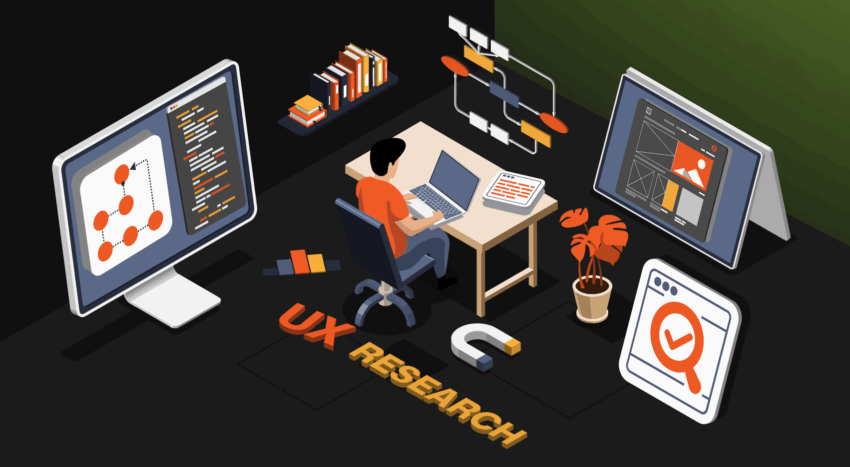
5. Ignoring User Feedback and Data
You can’t improve what you don’t measure. One of the biggest UX mistakes businesses make is assuming they know what users want, without ever checking.
The Hidden Cost of Assumption
Without data, you’re flying blind. You might be:
- Spending on design elements users don’t interact with
Ignoring UX data doesn’t just stall growth; it leads to decision paralysis. You keep redesigning based on opinion rather than evidence.
What You’re Missing
Modern tools like Hotjar, Crazy Egg, or Microsoft Clarity show exactly how users behave on your site. You can see where they click, scroll, or rage-click in frustration. Combine this with GA4 data (like exit rates, scroll depth, and conversions) to uncover patterns that explain performance drops.
Even customer support inquiries are UX gold. If multiple users ask where to find something, that’s a UX issue in disguise.
How to Fix It
- Install heatmaps and session recordings to visualise behaviour.
If you haven’t run a usability test in over six months, you’re operating on guesswork, not insight.
Turning UX into a Growth Engine
Great UX doesn’t just make a website easier to use. It makes it more profitable. When users enjoy their experience, they stay longer, explore deeper, and trust your brand more.
The businesses that win online today are the ones that treat UX as an ongoing investment, not a one-time design project.
If your analytics show high bounce rates, short sessions, or low conversions, it’s not your ads. It’s your UX.
Talk to our team about a full UX and Conversion Audit. We’ll uncover where customers drop off, what’s holding back conversions, and how to turn your website into a sales-generating asset.
Every pixel, line of copy, and button position sends a signal to your visitors. A site that feels intuitive and effortless builds trust. One that frustrates or confuses erodes it instantly. Trust also grows when a business is open about what went wrong, which is why owning your mistakes wins loyal customers.
Get your UX right and you won’t just have a better website. You’ll have a better-performing business.