
How to Scale Your Google Ads Budget Without Losing ROI
Scaling your Google Ads budget sounds straightforward. Find something working, spend more on it, get more results. In practice, the moment most businesses try to scale their Google Ads spend, performance falls apart. CPA climbs, ROAS drops, and the campaigns that were profitable at $3,000 a month start bleeding money at $6,000. Having managed over $115 million in Google Ads spend for Australian businesses, our team at Click Click Media (CCM) sees this pattern regularly. The fix is not complicated, but it does require a specific sequence.
Scaling Google Ads is Not the Same as Spending More
The distinction matters. Scaling means increasing investment while maintaining or improving your return on that investment. Simply raising the budget without the right conditions in place is not scaling. It is spending more to learn the same lesson you already paid for.
There are two dimensions to scaling Google Ads, and understanding both changes how you approach the decision.
| Dimension | What it means | Risk level |
| Vertical scaling | More budget into campaigns and keywords that are already working | Lower. You are expanding what is proven. |
| Horizontal scaling | New keyword themes, audience segments, or geographic markets | Higher. Two variables change at once: more spend and new targeting. |
Vertical scaling is almost always the right first move. Horizontal scaling introduces new unknowns alongside increased spend, which makes it much harder to diagnose what is driving performance changes. Start by exhausting what works before opening new territory. When you do expand horizontally, adjacent channels are often the lowest-risk path. Microsoft Ads lets you reuse proven keywords and negative lists at lower CPCs, while YouTube Ads can warm new audiences before they ever hit a search results page.
The other thing that catches businesses off guard is how Google’s machine learning interacts with budget changes. Today’s Google Ads is built on Smart Bidding, and Smart Bidding is sensitive to sudden shifts. When you dramatically increase a campaign budget, you are pushing the algorithm into auction environments it has not been trained on. The result is a temporary spike in CPA while the system recalibrates. That spike is normal. The mistake is panicking, reverting the budget, and repeating the cycle every two weeks.
Three Signals that Tell You You’re Ready to Scale
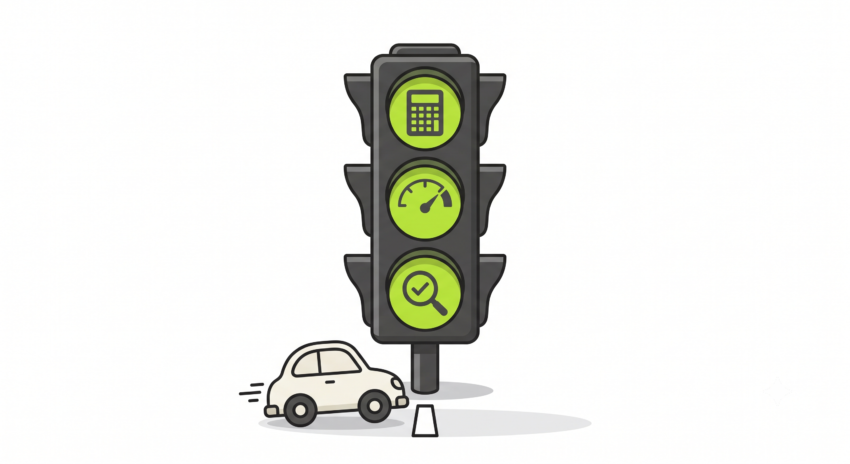
Scaling before your account is ready is the most common mistake businesses make with Google Ads. More spend amplifies whatever is already happening. If the foundation is solid, scaling works. If it is not, scaling just accelerates the problem.
These three signals confirm you are in a position to increase budget confidently:
- Validated CPA within unit economics — You know what it costs to acquire a customer through Google Ads, and that number is at or below what your margins can sustain. If your CPA ceiling is $200 and you are consistently sitting at $130, you have room to scale. If you are at $280, scaling makes no sense until you fix the efficiency first.
- Top campaigns showing “Limited by budget” — This status means Google has more profitable search inventory available than your budget allows. It is the clearest possible signal that there is uncaptured demand ready to convert, and that the algorithm knows where to find it. This is the most natural and lowest-risk scaling trigger available.
- Conversion tracking confirmed accurate — Platform-reported conversions in Google Ads often overclaim. Our Google Ads audit data shows tracking issues in roughly 67 percent of accounts reviewed. Cross-reference against GA4 and your CRM before you trust the numbers. Scaling on bad data amplifies bad decisions.
If all three conditions are met, you are ready to move. If even one is missing, fix that first.
The 20-30% Rule: How to Increase Budget Without Breaking Smart Bidding
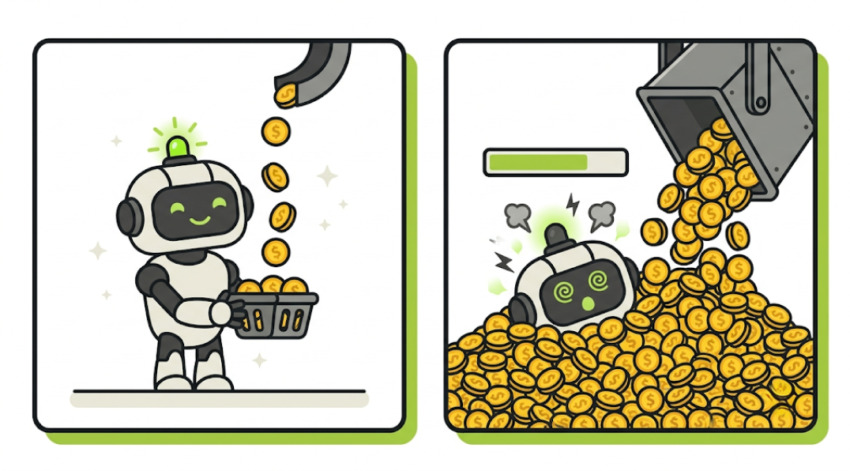
Google’s own documentation recommends keeping budget and bid changes to increments of no more than 20 percent at a time for Smart Bidding campaigns. Larger jumps can destabilise the algorithm’s bid targets and push your campaigns back into the learning phase, temporarily spiking CPCs and CPA.
According to Google’s learning phase guidance, it can take up to three weeks or one to two conversion cycles for a bid strategy to calibrate after a significant change. The more conversion data your campaigns hold, the faster they exit learning. That is one more reason to validate CPA before you scale rather than after.
The principle is simple in practice. Work in small increments and give the algorithm time to settle before making another change.
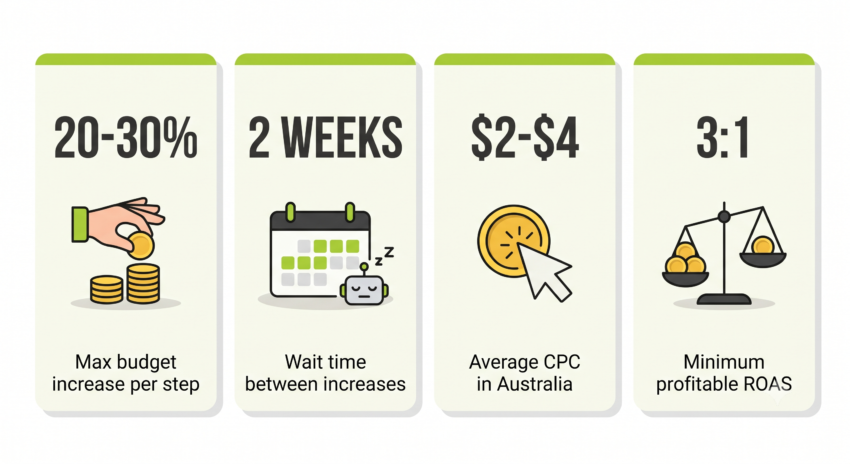
- Increase by 20-30% of current daily budget — If a campaign is spending $1,000 per day, your next increase is $1,200, not $2,000. This sits inside the tolerance window of Smart Bidding and avoids triggering a full learning reset.
- Wait two weeks before evaluating — After each budget increase, allow at least two weeks before assessing performance. CPA often spikes briefly after an increase, then stabilises as the algorithm finds new optimal bid levels. Pulling back too early is one of the most expensive mistakes in Google Ads management.
- Repeat only when performance has stabilised — Once CPA has returned to your target range and held for at least a week, you can consider the next increment. If you need to double your spend quickly, do it in two or three steps spaced two to three weeks apart, not in a single jump.
- Set automated alerts before you scale — Configure CPA and ROAS threshold alerts inside Google Ads. An alert at 90 percent of your CPA ceiling gives you time to react before real damage is done, rather than discovering a problem during a weekly review when the budget has already run for days over target.
A note on mid-month budget changes: When you increase a budget mid-month, Google recalculates its pacing from the change date and can temporarily allow daily spend up to twice the new budget limit to compensate. This is by design, not a glitch. Be aware of it before making changes close to a billing cycle reset.
What to Watch After Every Budget Increase
Once budgets are rising, measurement discipline matters more than ever. Small attribution errors that were manageable at $3,000 a month become significant at $10,000 a month. Track these four metrics after every increase.
CPA and ROAS are your primary health indicators. CPA should return to your target range within two weeks of any budget increase. ROAS should hold broadly steady. A rising CPA that does not recover after two to three weeks is a stop signal, not a patience test.
Impression share tells you how much of the available search volume you are capturing. If impression share is climbing toward 100 percent on your key campaigns, you have exhausted the vertical scaling ceiling and it is time to consider horizontal expansion. If it stays low despite a budget increase, the constraint is likely bid competitiveness rather than budget. Expansion into product listings needs clean data and structure first, so it pays to set up Google Shopping the right way from the start.
Quality Score directly affects how much you pay per click. A higher Quality Score means Google rewards your ads with lower CPCs and better placement. Ads with strong click-through rates and landing pages that directly match search intent tend to hold their Quality Score through a scaling phase. If Quality Score drops after a budget increase, it is often a sign you are now appearing in auctions your ad copy was not written for.
Conversion rate on your landing pages is the metric most businesses forget to check. Scaling ad spend onto a poorly converting page actively wastes money. Our senior Google Ads team always includes landing page assessment before recommending a budget scale. The Dupe Spot fragrance brand is a good example: we validated conversion tracking against the Shopify backend before scaling spend, which is how they held 20+ ROAS as budget increased, rather than watching efficiency erode as spend grew.
If traffic is arriving but visitors leave without acting, the problem usually sits in one of four places. Our guide to reducing bounce rate breaks down each cause and the fix that goes with it.
Five Scaling Mistakes that Cost Australian Businesses Real Money
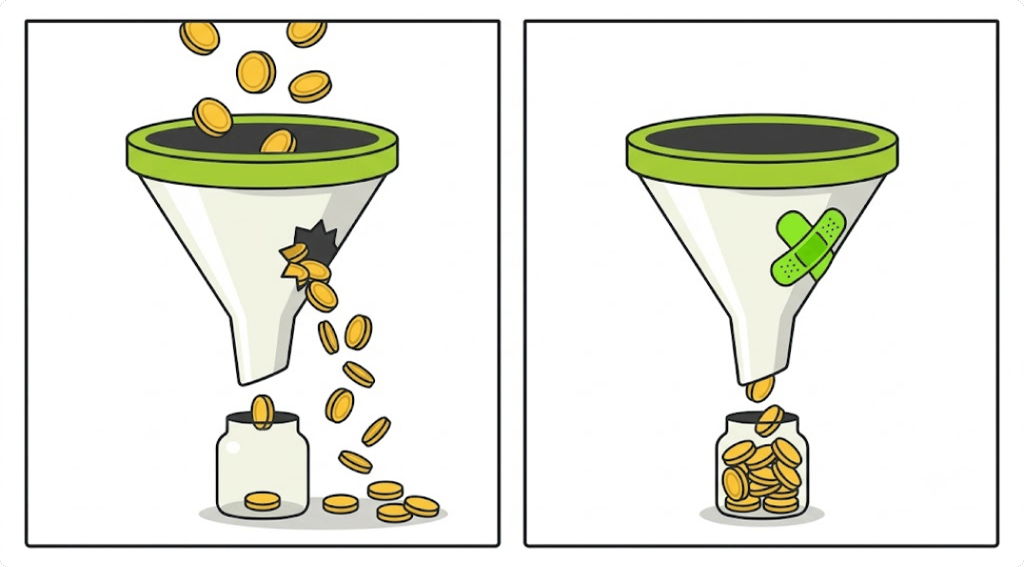
1. Scaling before CPA is validated. If you do not know your true cost per acquisition, you have no baseline to measure against. Scaling without a validated CPA is guesswork with a larger budget attached.
2. Doubling budget in a single jump. A 100 percent overnight increase does not just change your spend. It resets the learning phase of your Smart Bidding strategy and forces the algorithm to restart from scratch. You lose accumulated signal and efficiency in one move.
3. Panicking during the learning phase. CPA spikes in the two weeks after a budget increase are expected. Reverting the budget or making further changes during this window resets the learning phase again and traps you in a cycle of instability. Set the budget, set the alerts, and let the algorithm work.
4. Scaling spend without fixing the landing page first. More traffic to a page with a 1 percent conversion rate produces proportionally more wasted spend. Improving conversion rate before scaling is one of the highest-return things you can do. A lift from 1 to 2 percent doubles your results without spending a cent more, which is exactly what a purpose-built custom landing page is designed to achieve. This applies equally to Google Shopping campaigns, where feed quality and product page experience drive conversion rate as much as the campaign itself.
5. Treating platform ROAS as ground truth. Google Ads reports conversions using its own attribution model, which often claims credit for sales influenced by other channels. Cross-reference platform data against GA4 and your CRM before making scaling decisions. Self-reported platform ROAS flatters the platform, not your business.
How a Well-Managed Account Scales Differently
The businesses that scale Google Ads successfully are not necessarily those with the biggest budgets. They are the ones with clean tracking, validated CPA, and the discipline to move in increments rather than leaps. Smaller operators thrive by staying agile rather than copying the big players, so there is little to gain from running a small business like a giant.
As a Google Premier Partner since 2013, CCM sits in the top 3 percent of Google Ads agencies in Australia. That status comes with direct access to Google account support, beta features before general release, and benchmarking data across thousands of campaigns. When we look at accounts that scale well, the pattern is consistent: conversion tracking validated from the start, a methodical approach to budget increases, and landing pages treated as part of the campaign rather than an afterthought.
Paid search rarely works best in isolation. Businesses that pair a strong organic search strategy with their Google Ads investment tend to lower their cost per acquisition over time as SEO reduces dependence on paid spend. Similarly, paid social campaigns can build top-of-funnel demand that makes your search campaigns more efficient, because warmer audiences convert at higher rates.
If your campaigns are profitable but you are unsure whether you are ready to scale, or if you have tried to scale before and watched performance drop, a free Google Ads audit is the right starting point. We will show you exactly where the account stands and what to prioritise before the next budget increase.
For a broader look at what a well-structured paid search strategy looks like across Search, Shopping, Performance Max, and YouTube, our PPC agency page covers the full picture.
FAQs
What does it mean to scale Google Ads?
Scaling Google Ads means increasing your investment in the channel while maintaining or improving your return on that investment. It is not simply raising the daily budget. Done correctly, scaling means more conversions, more revenue, and a CPA that stays within the range your business can sustain.
How much should I increase my Google Ads budget at a time?
Google’s own guidance recommends keeping budget changes to increments of no more than 20 percent at a time for Smart Bidding campaigns. Larger increases can push your campaigns into a new learning phase, temporarily spiking your CPA. Smaller, incremental steps with two weeks between each increase give the algorithm time to stabilise.
Why does my CPA go up when I increase my budget?
When you increase your budget, Google’s Smart Bidding algorithm enters a learning phase as it competes in new auction environments. Your CPA often spikes temporarily during this period before settling. If CPA does not recover within two to three weeks of a budget increase, that is a signal to pause scaling and audit the account before continuing.
What is the Google Ads learning phase?
The learning phase is the period after a significant change to a campaign, such as a budget increase, bid strategy change, or new ad, during which Google’s algorithm is recalibrating. Performance may be less predictable during this window. According to Google, it can take up to three weeks for a bid strategy to fully calibrate after a significant change, depending on how much conversion data the campaign holds.
How do I know if my Google Ads account is ready to scale?
Three signals confirm readiness: your CPA is validated and sits within what your business unit economics can sustain; your best campaigns show “Limited by budget” in the status column; and your conversion tracking is confirmed accurate in GA4 or your CRM, not just platform-reported.
What is impression share and why does it matter for scaling?
Impression share is the percentage of auctions your ads appeared in versus the total number they were eligible for. If impression share is low due to budget, Google has profitable search volume available that you are not capturing. Near-100 percent impression share on a campaign is the ceiling signal for vertical scaling and the trigger to consider horizontal expansion.
What is vertical vs horizontal scaling in Google Ads?
Vertical scaling means putting more budget into campaigns and keywords that are already proven. It is lower risk because you are expanding what you know works. Horizontal scaling means opening new keyword themes, audience segments, or geographic markets. It introduces more variables and is best attempted only after vertical scaling has been exhausted on existing campaigns.
How long should I wait before increasing my Google Ads budget again?
Allow at least two weeks between budget increases for Smart Bidding campaigns. This gives the algorithm enough time to exit the learning phase and show you stable CPA and ROAS data. If performance has not stabilised after two weeks, wait until it does before making another change.
What is a good ROAS for Google Ads in Australia?
A 3:1 return on ad spend is generally considered profitable after accounting for product costs and overheads, though this varies significantly by industry. eCommerce businesses often target 4:1 or higher, while service businesses focus on cost per lead rather than ROAS. The right benchmark depends on your margins, average order value, and customer lifetime value.
Should I scale Google Ads or SEO first?
Google Ads can generate leads from day one, making it the faster channel for immediate volume. SEO builds long-term organic authority that reduces dependence on paid spend over time. Most businesses benefit from running both in parallel, using Google Ads to generate revenue while SEO builds organic share as a lower-cost acquisition channel.
Ready to Scale, But Not Sure Where to Start?
A free Google Ads audit from Click Click Media shows you exactly where your account stands, what is ready to scale, and what needs to be fixed first. No lock-in contracts. Just a clear picture of what is possible.