
SEO for Medical Practices and GPs in Australia: Compliance, Local Search and Google Ads
Written by Andrei Jach, Senior Manager, SEO and Analytics Specialist at Click Click Media · Research led by Phillip Wendell · Published 13 October 2026
Australia’s GP bulk billing rate reached 84.1% nationally in the June 2026 quarter. Since bulk billing incentives were extended to all Medicare card holders in November 2025, more than 3,800 practices have moved to fully bulk billing. The government aims for 9 in 10 GP visits to be bulk billed by 2030, which keeps changing how practices compete. Good SEO for medical practices therefore starts with stating your billing model accurately.
GP practices also face a search problem few businesses share. Some patients are thinking “I need to see a doctor this week“, while others are thinking “I need urgent medical help“. A website can accidentally lead that second group to delay calling an ambulance or going to an emergency department. A good practice website answers the questions new patients ask: whether you bulk bill, whether you take new patients and how to book. It does this without acting as a triage service, sorting patients by urgency, which it cannot safely provide.
For that reason, this guide covers compliance and patient privacy before any keywords. Local search, your Google Business Profile and online booking come next, followed by Google Ads, health content and tracking.
Implement this playbook with AI
Opens your assistant with this playbook and seven questions about your business: services, area, website and ads. It then writes your keyword map, page plan and Google Ads starter build with your details filled in.
Copy the prompt for Gemini, Grok or any assistant that cannot open a prefilled link. The prompt points at this page, which is also served as Markdown to assistants that ask for it.
CCM Research: What GP Searches and Ads Showed
In CCM’s Sydney captures of bulk billing doctors near me on 3 September 2026, a desktop search showed a map pack of three practices and no AI Overview.
What it shows: a phone search 14 seconds later showed an AI Overview naming three different practices and no map pack. Repeat captures later that day and on 5 September showed the same split.
For your practice: do not assume you will show up the same way on every device. Keep your details identical on your website, Google Business Profile, booking platforms and schema, and check mobile and desktop now and then.
Source: CCM search captures, Sydney, 3 and 5 September 2026
In CCM’s analysis of Semrush ad history for GP searches from September 2025 to July 2026, HealthEngine accounted for 11 of the 20 ad records, and GP practices for only 3.
What it shows: booking platforms and government lead the paid results here. The federal Health Department advertised on bulk billing doctors near me in the February, March and April 2026 snapshots.
For your practice: look up nearby practices in Google’s Ads Transparency Center to see what they promise today. Then write an honest message about your own billing and availability.
Source: CCM analysis of Semrush ad history, September 2025 to July 2026
In CCM’s Sydney captures on 3 September 2026, Myhealth Medical Group clinics held 5 of the 15 map-pack places across four GP searches on desktop and mobile.
What it shows: a group with several nearby clinics can fill more than one map place, so a single practice competes with its whole network.
For your practice: keep each location’s Business Profile complete, with accurate bulk billing details, hours and a booking link.
Source: CCM search captures, Sydney, 3 September 2026
How we ran it: CCM captured Google’s first page on 3 September 2026 with the DataForSEO search results API. “gp near me” and “bulk billing doctors near me” (desktop and mobile) and “after hours doctor sydney” and “medical centre sydney” (desktop) were set to a Sydney location, while “what is bulk billing” and the owner search “medical practice marketing” were captured Australia-wide on desktop. “Bulk billing doctors near me” was captured again that evening and on 5 September. For ads, CCM analysed Semrush ad history from monthly snapshots between September 2025 and July 2026 for nine searches; five returned ads, giving 20 ad records (one per advertiser per month), 3 of them on the agency search “medical marketing agency”.
Compliance First: AHPRA Rules and Bulk Billing Accuracy
Start here, because every page, profile and ad that follows has to meet these rules. GPs are registered through AHPRA (the Australian Health Practitioner Regulation Agency) and the Medical Board of Australia. The AHPRA advertising guidelines cover your website, Google Ads and every other public message. For GP ads, these rules carry the most weight:
| Rule | What it means | How to meet it |
|---|---|---|
| Bulk billing claims | Advertising bulk billing without its conditions is misleading under the AHPRA guidelines and the Australian Consumer Law. If you charge a gap for some patients, visit types or GPs, you cannot simply say “bulk billing”. | State the exact conditions, using the wording set out in Billing Claims, Triage Safety and Online Booking below, and update every listing as soon as your billing changes. |
| No testimonials about results | AHPRA bans testimonials about the clinical side of a health service. A review saying a doctor “cured” or “fixed” a condition is a testimonial about a result. | The rule covers reviews you feature, quote or repost rather than what patients leave on Google. “The staff were so caring and efficient” is fine to quote, while “Dr [name] completely resolved my chronic back pain” is not. |
| No health data in ad platforms | Patient health details must never reach ad platforms. Patient Privacy: Keeping Health Data Out of Ad Platforms sets out this rule in full. | Track a plain “appointment booked” event with no clinical detail. |
| Emergency signposting | If you use urgent wording such as “same day appointments available”, make clear that people with life-threatening emergencies should call 000 rather than wait for a GP. | Add this line wherever urgent wording appears: “For medical emergencies, call 000 or attend your nearest hospital emergency department.” Put it on the homepage, the urgent appointments page and any ad asset that suggests urgent care. |
Patient Privacy: Keeping Health Data Out of Ad Platforms
Privacy is the second compliance check, and it needs to be settled before any tracking or remarketing goes live. Remarketing means showing ads to people who visited your site. The OAIC, the national privacy regulator, treats health information as sensitive information under the Privacy Act 1988. State health records laws add their own rules.
Never send health information to Google Ads, Google Analytics 4 (GA4) or any other ad platform. That includes appointment type, reason for visit, condition or any other health detail. It covers conversion data, remarketing lists, customer match lists and anything else that flows from your practice software. A conversion is the result you count, such as a booking. The one you use to guide your ads must not reveal the visit type. Make it a plain “booking confirmed” event with no clinical detail, with patient consent where required. Other sections of this guide refer back to this rule.
In practice, that means three checks:
- Ask your booking platform (HotDoc, HealthEngine or your practice software) exactly which fields its confirmation page and tracking code pass on.
- Turn off remarketing on pages about specific conditions.
- Never upload patient lists to customer match.
If you are unsure what your system sends to analytics, work through a GA4 self-audit checklist before you switch on any tracking.
Billing Claims, Triage Safety and Online Booking
Online booking for GP appointments
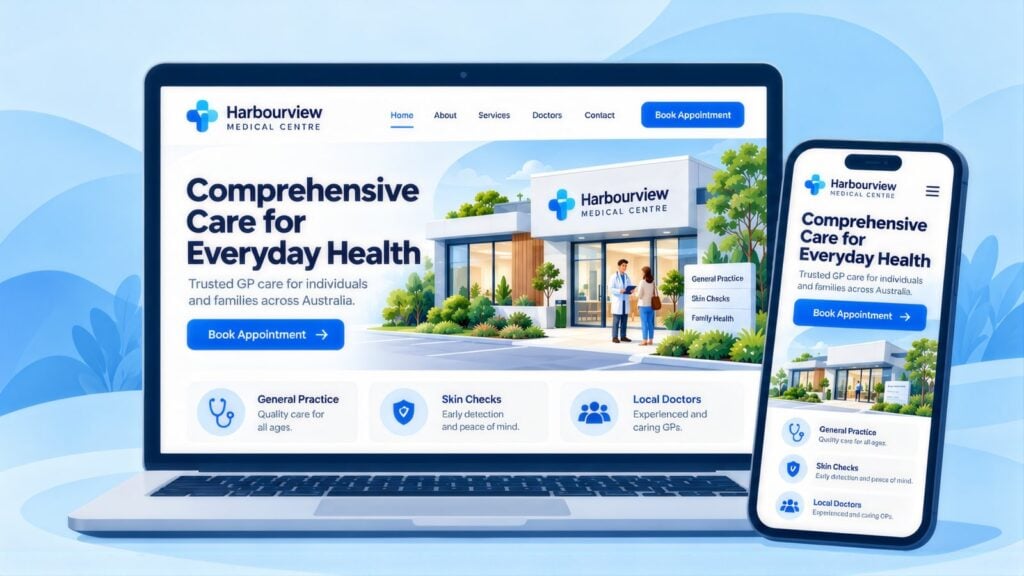
Most practice and booking systems support online booking, including Best Practice, Medical Director, Cliniko, HotDoc and HealthEngine. Online booking lets a patient book at 9pm without waiting to call in business hours. Turn it on and make the button easy to find. Link straight to the booking system, or to a custom booking system built for your practice. Avoid a contact form that sits unread in an inbox until the morning.
The bulk billing wording rule in full
State your bulk billing status accurately on every page where it matters. Many practices changed their billing after November 2025. If you bulk bill some patients, some visit types or some GPs but not others, say exactly which. Cover these three points:
- Which GPs bulk bill.
- Which appointment types are covered, such as standard visits or mental health plans.
- Whether it applies to all Medicare card holders or only concession card holders.
“Bulk billing available for eligible patients” with no detail falls short. “Bulk billing for all patients with a Medicare card for standard weekday consultations with [GP names]” is accurate where it is true. Other sections of this guide refer back to this rule.
No medical advice through website forms
Contact and booking forms must not invite patients to describe symptoms as if the practice will give advice through the form. A “please describe your symptoms” field with no instruction to call 000 or go to an emergency department creates safety and legal risk. Use any symptom field only to pick the right appointment type.
Common mistakes on practice websites
- “Bulk billing” in the header, with the conditions buried further down or missing.
- A Google Business Profile that still shows the billing model from before November 2025.
- Featured Google reviews that praise a clinical result.
- A booking event that passes the appointment type to Google Ads or GA4.
- “Same day appointments” with no 000 line nearby.
- Slow mobile pages, judged by Google’s Core Web Vitals on loading, responsiveness and layout stability. A booking page that jumps around as it loads can lose patients.
How Patients Choose a GP: Billing, Distance and AI Answers
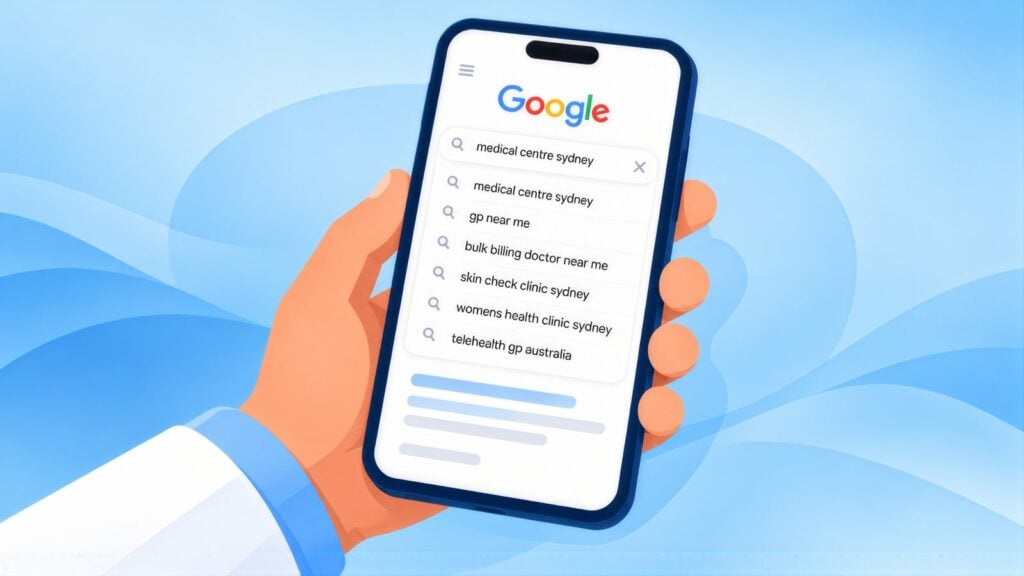
Once compliance and privacy are in place, the next task is making the practice easy to find. Three forces shape GP search in Australia:
- The bulk billing expansion, which has made billing a common search filter now that most GP visits are bulk billed.
- AI overviews, the AI summaries Google shows at the top of some local health searches.
- The gap between what patients search for and what a practice can safely offer online.
Google’s guide to AI features and your website says a page must be indexed and eligible to show a snippet to appear as a link in an AI overview. CCM’s captures above also found a phone search showing an AI overview where the desktop search showed the map pack, so the practices a patient sees can change with the device. This guide to which pages AI overviews cite shows what they pick up.
If you want AI search visibility, keep every source consistent and current. Your website, Google Business Profile, MyMedicare details and directory listings should all show the same name, address, bulk billing status and hours. Where they differ, AI overviews can show patients the wrong details before they reach your site.
Getting Into the Local Pack for GP Searches
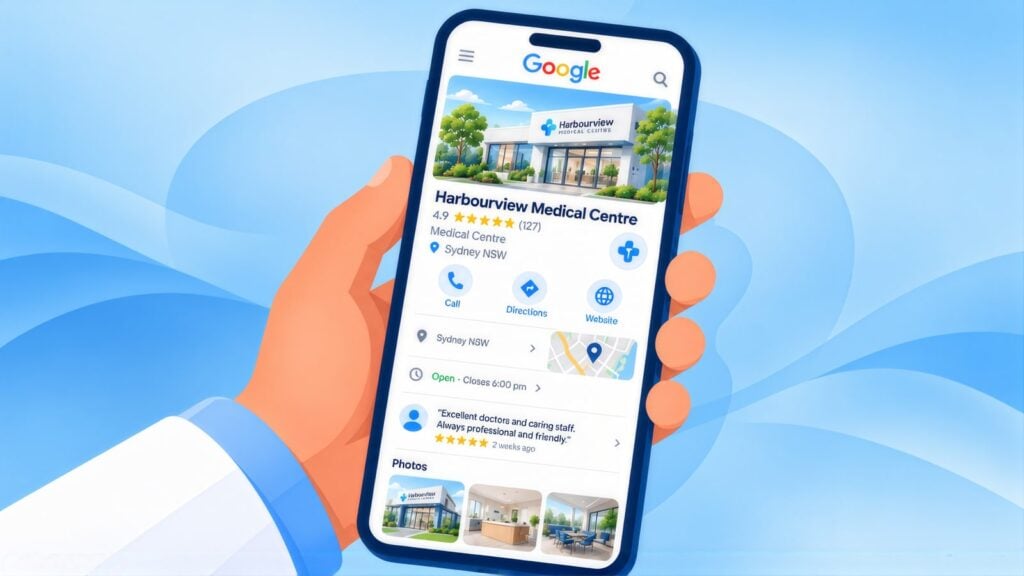
The local pack is the map and three practices Google shows above the other results for searches such as “gp near me”. Google says local results depend on relevance, distance and popularity. To rank, you need a complete, accurate and recently updated Google Business Profile, with the same details everywhere else.
| Field | What to do |
|---|---|
| Primary category | Choose Doctor or General practitioner rather than a general health centre category. |
| Attributes | Set only the attributes that are true for you, such as online appointments or telehealth. Google says some attributes are only available in certain countries or categories, so check what your profile offers. |
| Hours | Show exact opening and closing times for each day. Update public holidays ahead of time. List after-hours cover only if it is real. |
| Booking link | Link straight to HotDoc, HealthEngine or your own booking page so new patients can book from the map result. |
| Bulk billing in the description | State your bulk billing conditions plainly (see Billing Claims, Triage Safety and Online Booking above). The description is public advertising, so AHPRA and consumer law rules apply. |
Reviews count towards popularity, and a simple routine keeps you within AHPRA’s rules:
- Ask every patient the same way, with a link or QR code at reception or in the after-visit SMS. That way you do not pick and choose who gets asked.
- Never offer anything in return, because Google’s review guidance treats paid-for reviews as fake and misleading.
- Reply without confirming that the reviewer is a patient or discussing their care, since that would reveal health information.
- Do not repost reviews that describe a clinical result in your own ads.
Matching details across your website and every listing is central to local SEO for medical practices, and it leaves AI tools only one version of your details to repeat.
Schema Markup for Practices and GPs
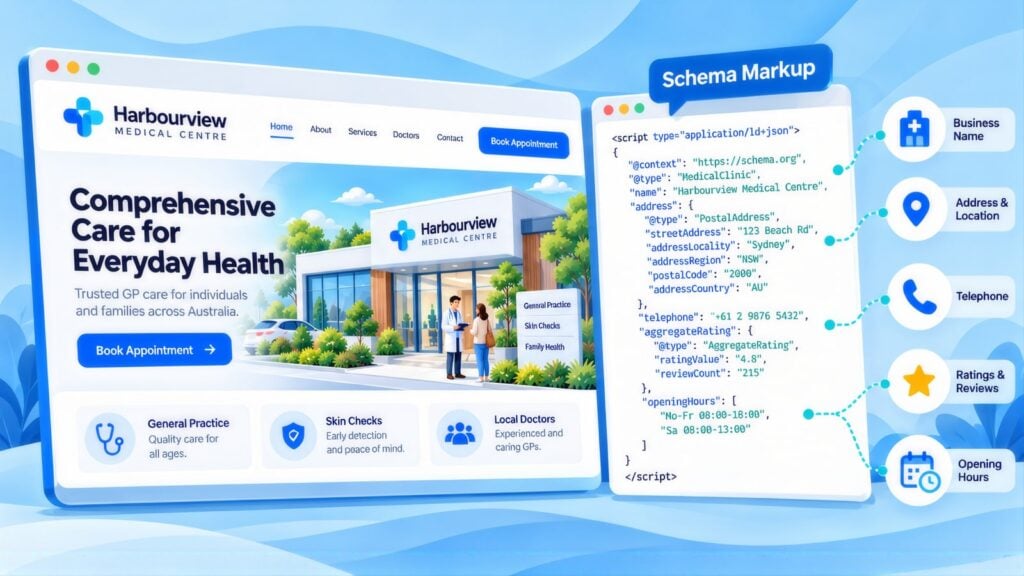
Practice schema is structured data that marks up the practice as a medical business and each GP as a person. Schema.org defines Physician as a doctor’s office treated as a medical organisation, so use it for the practice rather than a doctor’s profile.
| Schema type | Where to use it |
|---|---|
| Physician / MedicalClinic (LocalBusiness) | Your homepage and main practice page. |
| MedicalBusiness or MedicalOrganization | Your about and team pages. |
| Person | Each GP’s profile page. Add their AHPRA number and name the practice in worksFor. |
| FAQPage | New patient, bulk billing and after-hours pages. |
| BreadcrumbList | Any page that sits below the homepage. |
Health sites were among the few still able to show FAQ drop-downs after Google cut back FAQ rich results in August 2023. The Search Central updates log shows Google dropped them for everyone on 7 May 2026. On new patient, bulk billing and after-hours pages, the markup still shows search engines and AI tools which answer goes with which question.
SEO for Medical Practices: Keyword Clusters
New patients search by suburb, by billing, by availability and by the kind of GP they want. Beyond the “gp near me” demand in the key data above, “medical centre near me” averages 49,500 searches a month (CCM analysis of Google Keyword Planner data, Australia, 12 months to August 2026). Each group below needs its own page or section.
GP Discovery
GP [suburb]
doctor near me
general practitioner [area]
medical centre [suburb]
Bulk Billing
bulk billing GP [suburb]
bulk billing doctor near me
bulk billing medical centre [area]
Medicare bulk billing [suburb]
New Patients
GP accepting new patients [suburb]
new patient doctor [area]
new patients welcome [suburb]
find a GP [area]
After Hours and Urgent
after hours GP [suburb]
urgent GP appointment [area]
same day doctor [suburb]
GP open late [area]
Women's and Men's Health
female GP [suburb]
women's health doctor [area]
men's health GP [suburb]
GP mental health [area]
MyMedicare and Continuity
MyMedicare GP [suburb]
register with GP [area]
GP registration [suburb]
regular GP bulk billing
The Pages a GP Practice Site Needs
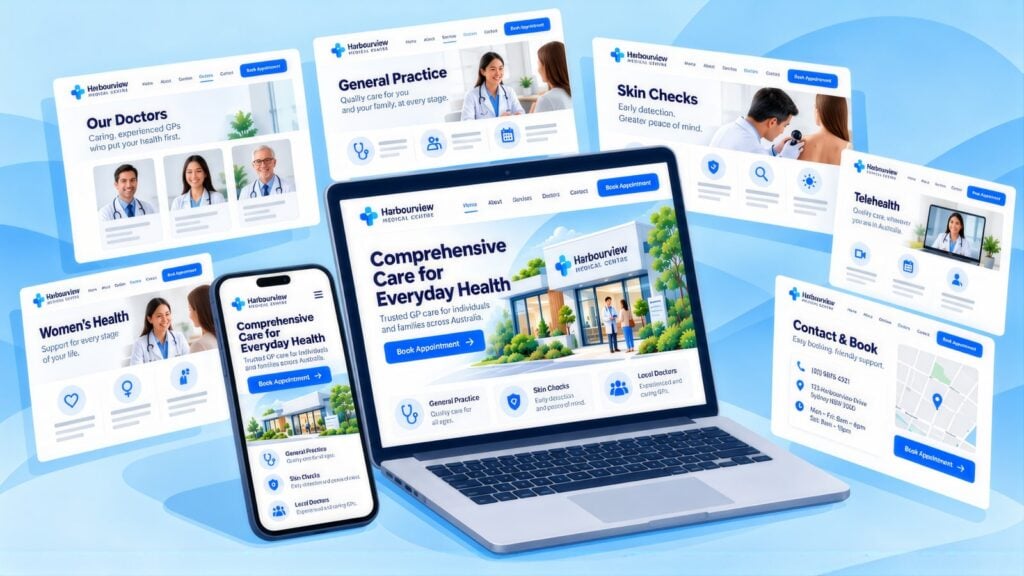
A practice site needs a main page, a new patients page, an after-hours page, a services page and a profile for each GP. Each one should state billing accurately.
| Page | Focus keyword | What to include |
|---|---|---|
| Main practice page | GP or bulk billing doctor | Bulk billing status with its conditions, whether you take new patients, your GPs, hours, a booking link, the emergency line and an FAQ. |
| New patients | GP accepting new patients | How new patients register, what to bring to the first visit, bulk billing with its conditions and that MyMedicare registration is available. |
| After hours and urgent | after hours GP or urgent GP [area] | Your real after-hours cover, and any linked after-hours service such as National Home Doctor Service. Tell people with serious symptoms to go to an emergency department, and include the 000 line. |
| Services overview | medical centre or GP services [area] | The types of visits and referrals you offer, chronic disease care, mental health plans, women’s health, men’s health and immunisations. |
| Our GPs | [doctor name] GP or doctor | A profile for each GP with their AHPRA number, medical qualifications, areas of interest, languages spoken and bulk billing status where it varies by GP. |
Practice Title Tags and Meta Descriptions
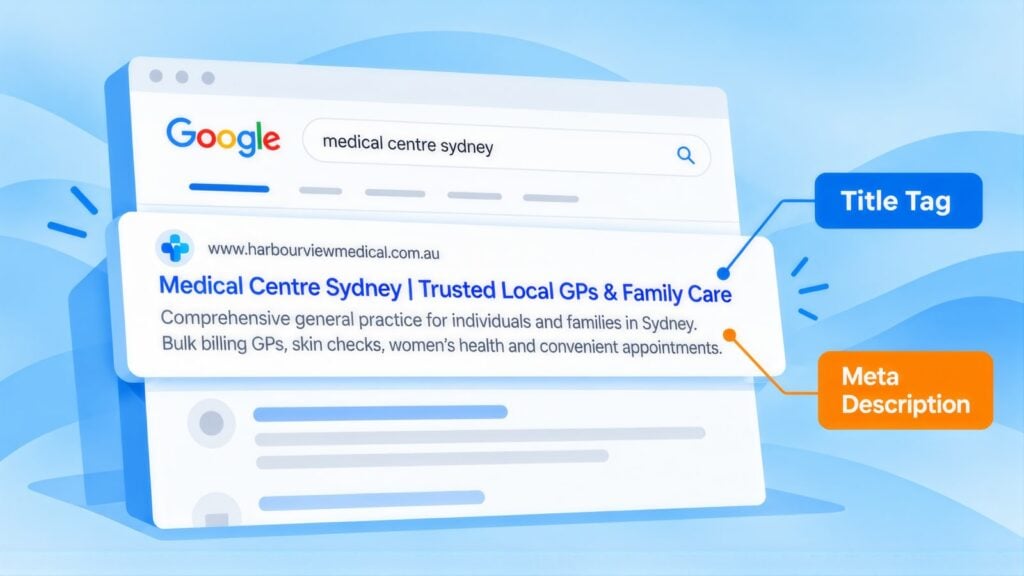
Start each title with GP and the suburb. Next, add the detail patients filter on, such as bulk billing or new patients, where it is true.
| Page | Example title tag | Characters |
|---|---|---|
| Main practice | Bulk Billing GP in [Suburb] | New Patients Welcome | 50 |
| New patients | GP Accepting New Patients [Suburb] | Book Online | 48 |
| After hours | After Hours GP in [Suburb] | Book Online | 40 |
| Doctor profile | Dr [Name], General Practitioner in [Suburb] | 43 |
A practice name such as “[Suburb] Family Medical Centre” can use up much of a title, so the examples leave it off. Add yours only if the full title stays at 55 characters or under. Otherwise drop it, because Google normally shows your site name with the listing.
AHPRA-compliant meta description example
For the main practice page, 146 characters with the placeholder: “GP in accepting new patients. Bulk billing for eligible standard consultations (conditions apply). For emergencies call 000. Book online.” The billing claim is qualified, and the 000 line sits before the call to action.
Health Content That Meets YMYL Standards
Health content falls under what Google calls Your Money or Your Life topics, where trust carries the most weight. Each health article needs a named, AHPRA-registered GP as author or reviewer, plus publish and review dates. Those signals support Google’s E-E-A-T for health content standard, short for experience, expertise, authority and trust.
Three kinds of article suit a practice:
- Patient process guides carry the least clinical risk. Examples: what to expect at a first visit, how to prepare for a mental health care plan appointment and how MyMedicare registration works.
- Health literacy pieces need GP review before they go live. Examples: when to see a GP rather than an urgent care clinic, and how to make the most of a standard visit.
- Preventive health pieces also need GP review. Examples: health checks for adults in their 40s, the National Cervical Screening Program and immunisations.
Do not publish diagnosis guides, symptom checkers or treatment protocols without clear GP authorship and a review date. They also need a plain statement that the content is general health information and does not replace professional advice. AHPRA’s ad rules apply to anything the practice publishes that promotes its services. Physios and other AHPRA-registered allied health clinics answer to the same advertising rules, covered in our playbook on SEO for allied health.
How to Link Booking, New Patient and GP Pages
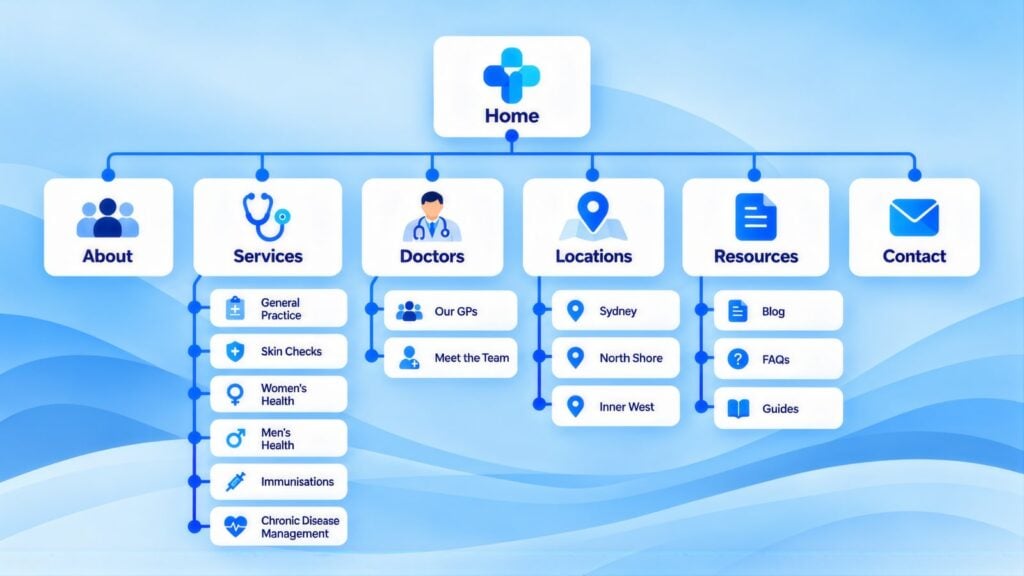
Every page should lead to online booking in one click. Each GP profile should link to the new patients page and back to the services that GP offers.
- Booking: “book an appointment”, “check available times”, “book a long consultation”.
- New patients page: “register as a new patient”, “new patient information”, “your first appointment”.
- GP profiles: “meet our GPs”, “Dr [Name]’s profile”, “our doctors’ clinical interests”.
Booking Pages That Convert New Patients
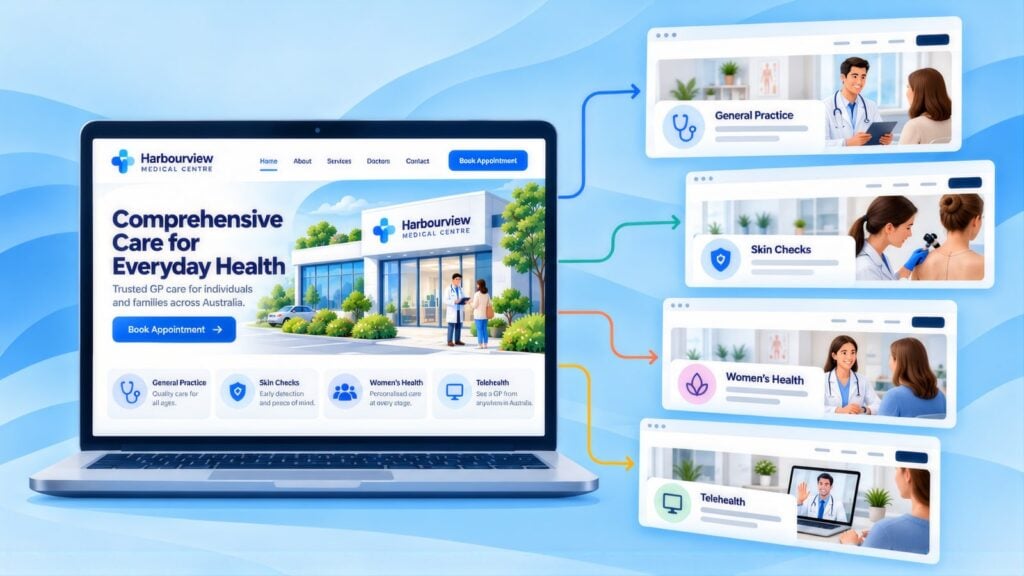
A dedicated landing page for each campaign lets you put these things where a patient on a phone sees them first:
- Bulk billing status with its conditions (see Billing Claims, Triage Safety and Online Booking above), stated clearly and accurately, because patients search for it.
- A plain “new patients welcome”, so a patient does not have to ring to find out.
- The online booking link at the top of the mobile screen, pointing to your booking platform rather than a contact form.
- Your hours and location, including any Saturday morning or late weekday sessions that set you apart.
- The emergency line on the homepage and on every page with urgent wording: “For medical emergencies, call 000 or attend your nearest hospital emergency department.”
- Your GPs’ names, photos and AHPRA registration. A named GP with credentials tells patients who they will see, which “our team” does not.
CCM has no GP client results to publish, so the two closest examples are set out here. For the 1300 Smiles dental group, CCM rebuilt the site across 26 locations, connected the Centaur booking system and reworked the path to an appointment. Bookings rose 66%, as the CCM client results page records. Kidz Teeth is a specialist children’s dental practice in Auckland, New Zealand. A GP referral page and new patient tracking were part of SEO work that lifted key events by 83.7% between March and May 2026. In this case, key events meant referral form downloads and new patient enquiries. The Kidz Teeth case study has the detail.
Google Ads for GPs: Setup and Click Costs
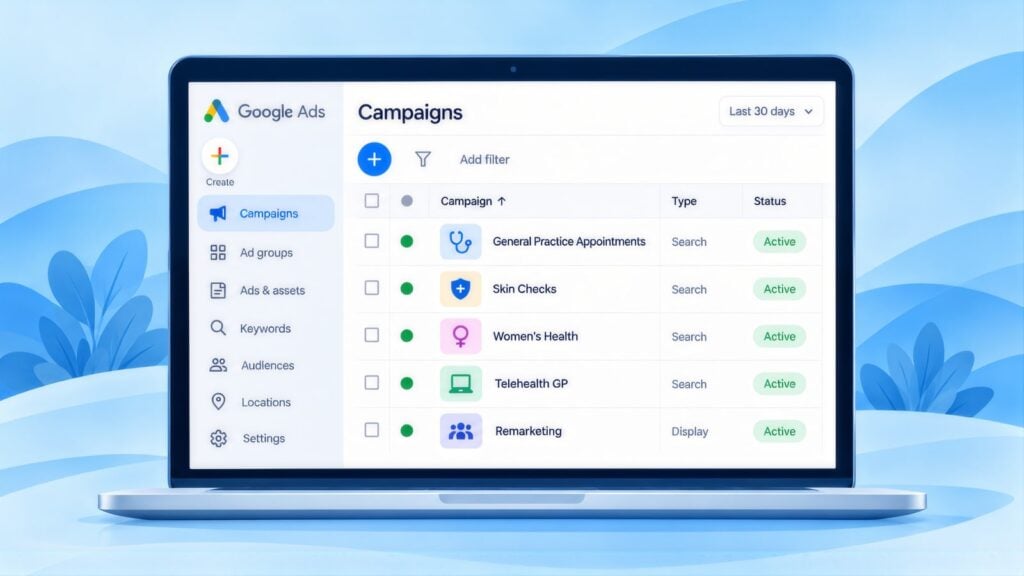
Most GP clicks cost under $5 at national top-of-page bids, so the main work is getting verification right and turning each click into a booking. The table below gives starting settings.
| Practice account setting | Our starting advice |
|---|---|
| Campaign and account checks | Run a Search campaign, and launch it only once Google’s advertiser verification is done and your account is in good standing. Telehealth needs extra certification (see the note below). |
| Location targeting | Show ads to people in or often in your area. Start with a tight radius of a few kilometres around the practice. Widen it only if the location report shows patients coming from further away. |
| Ad schedule | Run ads in business hours, when reception can answer booking enquiries. If you have online booking, longer hours may work. |
| Bidding | Start with manual CPC, where you set the most you will pay for each click (cost per click). Google Keyword Planner ranges for four GP terms are in the FAQ below. Work out your cost per new registered patient before you spend more. |
Every advertiser must complete Google advertiser verification, which confirms who is running the ads. Google’s healthcare and medicines policy adds rules for some services. In Australia, telemedicine providers must be certified through LegitScript, and ads cannot use prescription drug terms. A telehealth campaign needs that certification, while standard in-clinic GP visits do not. Confirm your verification, and any certification you need, before launch. Good Google Ads management includes this check.
Telehealth and after-hours campaigns
Keep telehealth and after-hours work apart from your standard new patient campaign, each with its own settings:
- Telehealth: get LegitScript certification first, then send ads to a telehealth page. Explain on that page how a video or phone visit works, who it suits and how billing applies.
- After hours: schedule ads only for the hours you or your linked service can really see patients, and send them to your after-hours page.
- Both: put the 000 line in the ad copy or an asset, and on the landing page, because both campaigns suggest urgent care.
Keywords, Negatives, and Ad Copy
Bid on suburb, billing and new patient searches. Use negative keywords, which stop your ad showing for those words, to block the job, course and supplier searches that share medical words. Every ad that suggests urgency also needs the 000 line.
| Bid on | Add as negative keywords |
|---|---|
| “GP “, “bulk billing doctor [area]”, “GP accepting new patients “, “medical centre “ | medical school, medical equipment, pharmacy, nurse course, hospital jobs, GP jobs, locum, medical supplies, specialist (if you are a GP practice only), emergency department (a different service) |
AHPRA-compliant ad copy with emergency statement
Use “Bulk Billing Available” only when the landing page states the conditions. Put the 000 line in a description or asset wherever the ad suggests urgency.
| Component | Example |
|---|---|
| Headline 1 | GP [Suburb] |
| Headline 2 | Bulk Billing Available |
| Headline 3 | New Patients Welcome |
| Headline 4 | Book Online |
| Description | Bulk billed weekday consults for Medicare card holders. Emergencies: call 000. |
Conversion Tracking: Booking to Attended Appointment
Track bookings, attendance and MyMedicare registration by source, staying inside the health data rule in Patient Privacy: Keeping Health Data Out of Ad Platforms above.
| Stage | What to record | Why it matters |
|---|---|---|
| Booking made online | The date and source. Never pass the appointment type to Google Ads. | This is the event Google Ads learns from. |
| Appointment attended | Whether the new patient came and the date, with no clinical detail. | This is the visit that earns the practice revenue. |
| MyMedicare registration | Whether the new patient registered with the practice through MyMedicare. | It shows the patient plans to stay with you long term. |
A Three-Phase Plan for a General Practice
Phase 1: Compliance and privacy
- Check the website and any live ads against AHPRA rules: bulk billing conditions, featured reviews and emergency lines.
- Check what the booking system passes to Google Ads and GA4, and remove any appointment type or clinical detail.
- Update the Business Profile description and attributes to match your billing since November 2025. Confirm your MyMedicare registration is current.
Phase 2: Local presence and booking
- Make your name, address, hours and bulk billing status the same on your website, Business Profile, HotDoc or HealthEngine, MyMedicare and directories.
- Turn on online booking, build the new patients page and add MedicalClinic and Person schema.
- Start the review routine, with the same request to every patient.
Phase 3: Campaigns and measurement
- Confirm advertiser verification, plus LegitScript certification if you will advertise telehealth. Then launch one new patient campaign for your main suburb.
- Check search terms each week and compare your cost per new registered patient with organic and referral sources.
- Use the share of new patients who register through MyMedicare as a guide to retention. It can also help you decide whether a telehealth page is worth building.
GP and Medical Practice Marketing: Common Questions
What is the best way to advertise a medical practice?
Start with a complete Google Business Profile, a clear new patients page and a small Google Ads search campaign for your suburb. State your billing model accurately in all three, because many patients search for bulk billing by name.
How long does SEO take for a GP practice?
The map results tend to move first for a practice with an older domain and identical details across its website, Business Profile, HotDoc or HealthEngine and MyMedicare. Progress is slower for a new practice or in a suburb crowded with medical centres. A plan built on GP-reviewed articles also takes longer, because each article waits for a doctor’s sign-off. The cost comparison linked in the next answer sets out the usual stages. Expect early movement in 3 to 4 months. Online bookings from search should rise steadily by 6 to 9 months, and gains keep building after the first year.
How much does SEO cost for a medical practice in Australia?
For a general practice, the cost depends on how many GPs and locations you market. It also depends on how many service pages you need, such as new patients, after hours, chronic disease care, and women’s and men’s health. The amount of health content a named GP must check before it goes up affects it as well. Your suburb matters too, because a practice surrounded by bulk billing clinics needs more work than one with few nearby. Agency fees run from $1,500 to $10,000+ a month, and an in-house specialist costs $80,000 to $170,000+ a year with tools and training. Those figures come from this post on what agency and in-house SEO cost. A single practice in one suburb usually sits near the bottom of the agency range. An SEO ROI calculator helps you compare that with what a new registered patient is worth.
What are the best SEO strategies for doctors?
Start by stating billing and new patient status accurately and keeping practice details identical everywhere. Next, complete your Google Business Profile, give each GP a profile page with their AHPRA registration and have a named GP check every health article. Those steps also help AI tools describe your practice correctly.
What do Google Ads clicks cost for GPs?
GP clicks are cheap by local service standards, mostly under $5 at national top-of-page bids. Google Keyword Planner shows “gp near me” at $0.83 to $3.62 and “medical centre near me” at $0.84 to $3.75. It shows “doctor near me” at $1.30 to $5.04 and “bulk billing doctor near me” at $0.57 to $4.10 (CCM analysis of Google Keyword Planner data, Australia, 12 months to August 2026).
What is a sensible starting Google Ads budget for a GP practice?
A modest budget is enough to start. Keyword Planner shows an average cost per click of $1.82 for “gp near me”. That average is Google’s historical figure and can sit above the top-of-page bid range. At that price, each $500 buys roughly 270 clicks. Run one new patient campaign for your main suburb for a month. Measure the cost per new patient who attends before you spend more.
Can a practice advertise bulk billing?
Yes, as long as you state the conditions accurately. If you bulk bill only some patients, visit types or GPs, say exactly which. A plain “bulk billing” claim with no conditions can mislead under the AHPRA guidelines and the Australian Consumer Law. Update every listing when your billing changes.
Does a GP practice need LegitScript certification for Google Ads?
You need it only if you advertise telehealth. Google’s healthcare and medicines policy requires telemedicine providers in Australia to be certified through LegitScript. Standard in-clinic GP visits do not need it. Every advertiser still has to complete Google’s advertiser verification.
Andrei Jach is Senior Manager, SEO and Analytics Specialist at Click Click Media in Sydney. He has over 15 years in digital marketing and strategy, has led SEO for health businesses as well as retail, professional services and manufacturing, and oversees strategic SEO planning, analytics implementation and technical audits. His earlier roles were in digital strategy at Agent 6 Marketing and Red Propaganda.
Research led by Phillip Wendell, with Google search, advertising and keyword data first captured on 3 September 2026. Written by Andrei Jach between 15 September and 2 October 2026, and published on 13 October 2026.
Figures are a snapshot: rankings, click prices and market conditions change.
Implement this playbook with AI
Opens your assistant with this playbook and seven questions about your business: services, area, website and ads. It then writes your keyword map, page plan and Google Ads starter build with your details filled in.
Copy the prompt for Gemini, Grok or any assistant that cannot open a prefilled link. The prompt points at this page, which is also served as Markdown to assistants that ask for it.
Work with Click Click Media
Our free audit first checks whether every listing reflects any change to your billing model since November 2025. It also looks at featured reviews, 000 lines and what your booking system sends to analytics. Then it sets out local search and booking priorities across your website, Google Ads account and Business Profile. You are not obliged to take it further.
Click Click Media has worked in search since 2008, is a Google Premier Partner and has managed more than $115 million in Google Ads spend for Australian businesses. For practices, we settle compliance and privacy before any campaign grows. One senior strategist looks after your practice from the first week, with no lock-in contract.
Verified Sources and References
- Minister for Health: Strengthening Medicare, bulk billing on the up (August 2026)
- Department of Health: Bulk billing incentives in general practice
- Minister for Health: Delivering bulk billing for all Australians (2030 target)
- Department of Health: MyMedicare
- ABC News: Cleanbill report on bulk billing rates (January 2026)
- AHPRA: Guidelines for advertising a regulated health service
- AIHW: General practice and primary health care data
- OAIC: Health information
- ACCC: False or misleading claims
- Google Ads Policies: Healthcare and medicines
- Google Ads Policies: Advertiser verification
- Google Business Profile Help: Improve your local ranking
- Google Business Profile Help: Manage your business attributes
- Schema.org: Physician type
- Google Search Central: AI features and your website
- Google Search Central: Core Web Vitals
- Google Business Profile Help: Get reviews from customers
- Click Click Media: SEO cost, agency vs in-house
- Google Search Central: Documentation updates (FAQ rich result removed, May 2026)
- Google Search Central Blog: Changes to HowTo and FAQ rich results (August 2023)
- Google Search Central: Creating helpful, reliable, people-first content
- Click Click Media: Local SEO services
- Click Click Media: Google Ads management
Last checked October 2026 · next review January 2027
