
Written by Andrei Jach, Senior Manager, SEO and Analytics Specialist at Click Click Media · Research led by Phillip Wendell · Published 13 October 2026
Australia has 20,919 dental businesses and about 28,100 registered dental practitioners. Together they earn around $13 billion a year, and most of it is private money. Patients pay 61% themselves and health funds pay another 20%. Medicare’s Child Dental Benefits Schedule (CDBS) covers basic care for eligible children. Dental SEO and Google Ads are the two ways a practice gets in front of new patients at the moment they search.
Dental searches show unusually clear intent, because someone who types dentist near me has already decided to go and is now choosing a practice. They weigh up location, available times, fees, how the practice looks and their first view of its website. To be in the running, appear in the map results with recent reviews, state your fees and CDBS status plainly, and let people book in a few taps.
This guide follows that patient from the first search and the choice of practice through to booking and a second visit. It covers keywords and map results, AHPRA and CDBS wording, Google Ads and landing pages, and tracking that shows which patients come back.
Implement this playbook with AI
Opens your assistant with this playbook and seven questions about your business: services, area, website and ads. It then writes your keyword map, page plan and Google Ads starter build with your details filled in.
Copy the prompt for Gemini, Grok or any assistant that cannot open a prefilled link. The prompt points at this page, which is also served as Markdown to assistants that ask for it.
CCM Research: What Dental Searches and Ads Showed
In CCM’s Australia-wide capture of dental implants cost on 3 September 2026, all 10 top organic results were practice pages, and 9 of them were cost guides.
Read it as: patients who research cost are reading practice pages, and Google’s AI Overview on that search cited 5 of the same practices.
Try this: publish a cost guide for each major treatment that gives a fee range, explains what changes the price and shows how to book a consult.
Source: CCM search captures, Australia, 3 September 2026
In CCM’s captures of emergency dentist sydney on 3 September 2026, the map pack listed a practice with 694 reviews first, then one with 5 reviews, then one with 54, on desktop and mobile.
Review count alone did not set the order, and the same order held when CCM repeated the search 27 hours later.
For your practice: keep your Business Profile category, hours and address accurate, and keep asking patients for reviews, because reviews still help them choose.
Source: CCM search captures, Australia, 3 and 4 September 2026
In CCM’s analysis of Semrush ad history for three patient searches from September 2025 to August 2026, 22 of 37 distinct ads from dental practices and booking platforms asked for an online booking.
Read it as: online booking is standard in dental ads, while only 3 of the 37 quoted a dollar price.
Try this: if your fees compare well, test an ad with an honest fee line against your usual booking ad.
Source: CCM analysis of Semrush ad history, September 2025 to August 2026
How we ran it: on 3 September 2026 CCM captured Google’s top ten Australia-wide for five patient searches, using the DataForSEO search results API. These were “dentist sydney” and “emergency dentist sydney” on desktop and mobile, and “dentist near me”, “dental implants cost” and “does medicare cover dentist” on desktop, giving seven captures and 69 top-ten places. The owner search “dental marketing” was also captured but left out of these counts. For ads, CCM analysed Semrush ad history for “dentist sydney”, “dentist near me” and “dental implants” from monthly snapshots between September 2025 and August 2026, counting each distinct headline and description from one advertiser as one ad.
The New Patient Journey: Search, Choose, Book, Return
Most of Australia’s 20,919 dental businesses compete suburb by suburb. Australians search dentist near me about 135,000 times a month (CCM analysis of Google Keyword Planner data, Australia, 12 months to August 2026). Keyword Planner groups close variants, such as “dentists near me”, into that figure. Google answers searches like that with a local pack: a map and three practices, shown above the normal results. From there, a new patient moves through four stages, and this playbook follows the same order:
- Search: the keywords, map results, schema and AI answers that put your practice in front of them.
- Choose: the treatment pages, fees, CDBS wording and trust signals they weigh up.
- Book: Google Ads, landing pages and an online booking path that works at 9pm on a phone.
- Return: tracking that follows a booking to a kept appointment and a second visit.
Patients ask much the same things each time, so put the service, the practice, the suburb and how to book in the first few lines of each page. They want to know if the practice is close and taking new patients, what it costs, whether it takes their health fund and how to book.
Search: Dental SEO Keywords That Bring New Patients
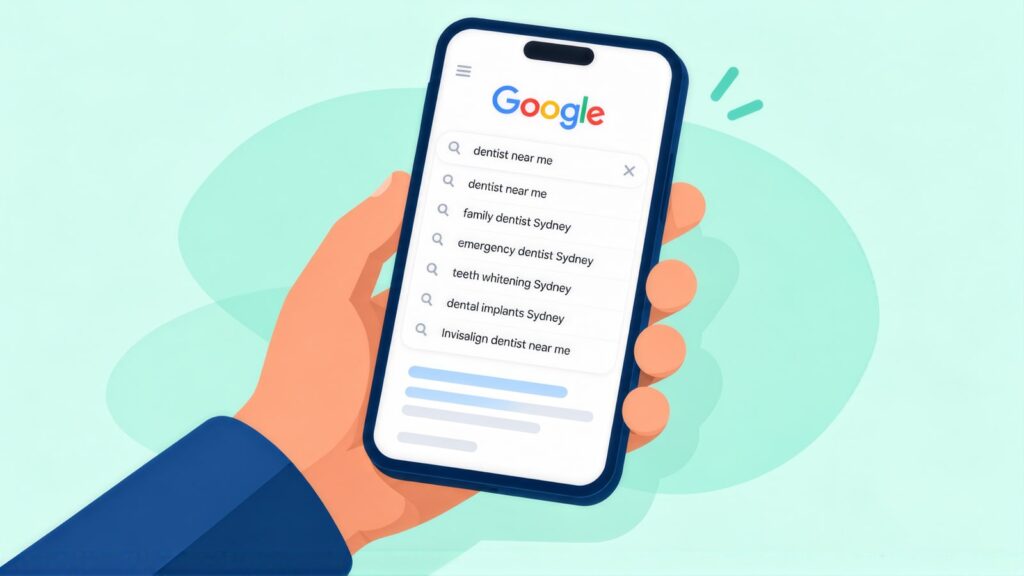
New patients search in six main ways: by suburb, by urgency, by treatment, for their children, for implants and surgery, and by price or funding. Each group needs its own page.
Dentist Discovery
dentist [suburb]
dentist near me
local dentist [area]
dental clinic [suburb]
Emergency
emergency dentist [suburb]
toothache dentist near me
broken tooth dentist
urgent dental [area]
Cosmetic
teeth whitening [suburb]
dental veneers [area]
invisalign [suburb]
cosmetic dentist [area]
Family and Children
family dentist [suburb]
children's dentist [area]
CDBS dentist [suburb]
bulk billing dentist children
Implants and Oral Surgery
dental implants [suburb]
tooth extraction [area]
wisdom tooth removal [suburb]
dental implants cost [city]
Fee and Funding
bulk billing dentist [suburb]
affordable dentist [area]
dentist cost [suburb]
gap free dental [area]
Most patients search the brand name, and Invisalign draws about 27,100 Australian searches a month, against 2,900 for clear aligners (CCM analysis of Google Keyword Planner data, Australia, 12 months to August 2026; click costs are in the FAQ below). If you are a certified provider, give Invisalign its own page that targets invisalign [suburb]. Do not fold it into a general orthodontics or cosmetic page. Answer what people want to know before they book a consult:
- whether a dentist or a specialist orthodontist manages the case
- how the scan works and how long treatment usually takes
- the cost range and any payment plans
- whether health fund orthodontic cover applies.
Search: Getting Into the Local Pack for Dentist Searches
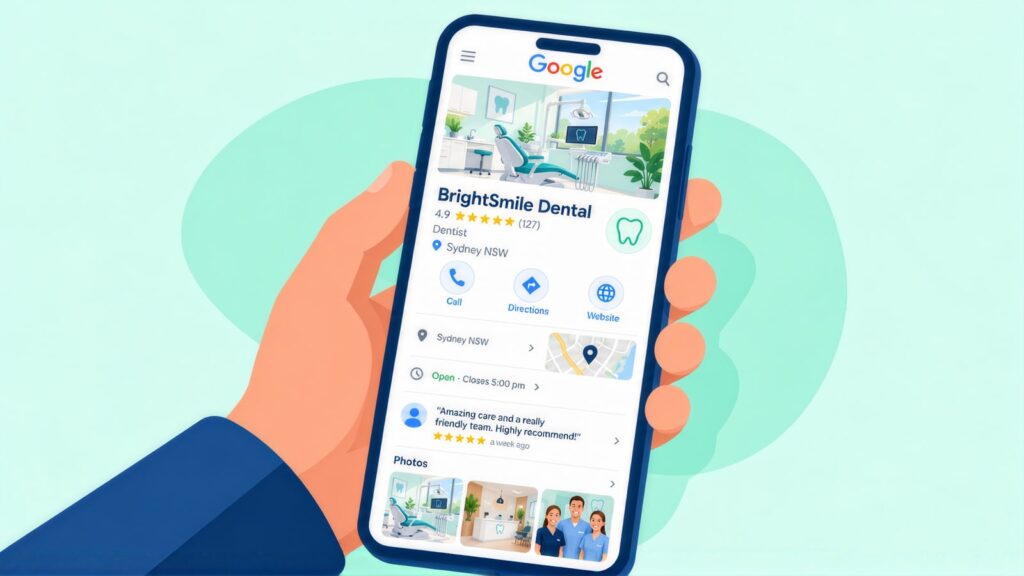
The local pack, the map results with three practices, is where a practice can appear for “dentist ” without paying for the click. Getting into the pack takes a complete Google Business Profile that follows Google’s profile guidelines. It also takes a steady flow of fresh reviews and the same details on every other listing.
| Field | What to do |
|---|---|
| Primary category | Choose Dentist rather than a general health or medical category. |
| Services | List each service: general dentistry, cosmetic, orthodontics, Invisalign (if you are a certified provider), implants, children’s dental and emergency. Each one helps Google match you to more searches. |
| Hours | Show exact opening and closing times, including Saturday or late hours. Mark public holiday closures ahead of time. |
| Booking link | Link straight to your online booking or your HotDoc or HealthEngine profile so patients can book from the map result. |
| Reviews | Send a neutral review request after each visit. Do not ask patients to mention a treatment or result. Reply politely to each review within 48 hours. |
New patient searches are so tied to place that local SEO for dental practices tends to bring a steady return in suburban markets. A real test of that claim is the Kidz Teeth dental SEO case study, which follows one keyword from position 93 to 3 within 90 days.
Kidz Teeth is a specialist children’s dental practice in Meadowbank, Auckland, so its market differs from an Australian suburb. Between March and 31 May 2026, “paediatric dentist” moved from position 10 to 3 and kids dentist auckland from position 93 to 3. Key events, which here were referral form downloads and new patient enquiries, grew 84%. The Kidz Teeth case study sets out the method.
Search: Schema Markup for Dentists and Practitioners
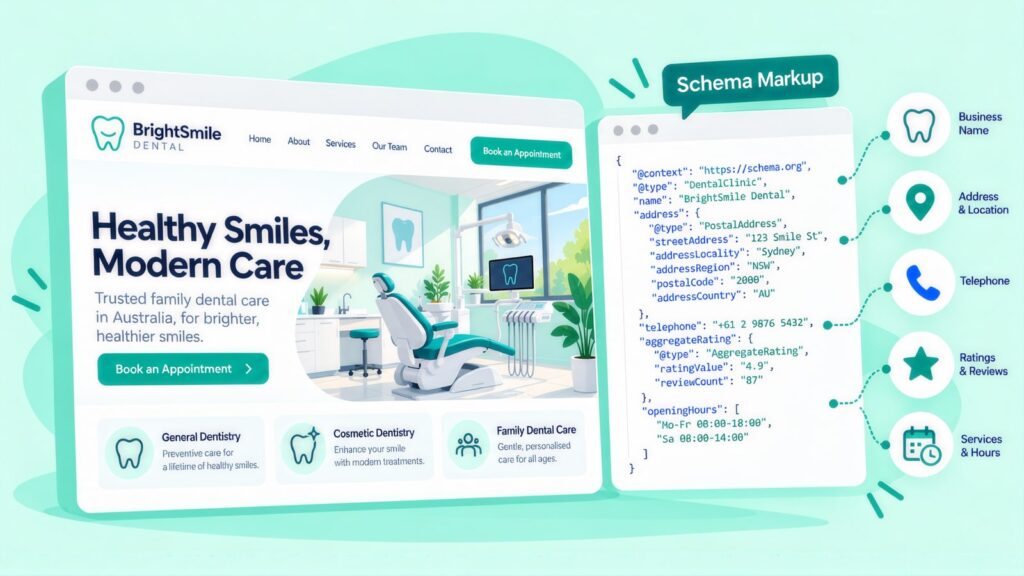
Schema markup labels your site, in code, as a dental practice and names the dentists who work there. Use the Dentist type for the practice, because Dentist is a business type, and use Person for each dentist.
| Schema type | Where to use it |
|---|---|
| Dentist (a type of LocalBusiness) | Your homepage and all service pages. |
| Person | Each dentist’s profile page. Add their AHPRA number and name the practice in worksFor. |
| FAQPage | Service pages, the CDBS page and the emergency page. |
| BreadcrumbList | Each page beneath your homepage. |
Your CDBS and emergency questions will not show as drop-down answers under your listing. Dental practices counted as health sites when Google cut back FAQ rich results in August 2023. Google’s Search Central updates log shows the feature ended for all sites on 7 May 2026. The FAQPage markup is still worth keeping because it tells search engines and AI tools exactly where each patient question is answered.
Search: Being Named in AI Overviews, ChatGPT and Gemini
Some patients now ask an AI tool which dentist to see. Others read a Google AI Overview, the AI summary at the top of the results, before they reach the map. Google’s guide to AI features and your website says a page must be indexed and eligible to show a snippet before an AI Overview can link to it. Meeting that bar does not guarantee a mention. On the dental implants cost search in CCM’s research above, the AI Overview cited practices that also ranked in the organic top ten.
Three habits make your practice easier for them to quote:
- Give each treatment page a short, plain answer near the top: what it is, who does it, the cost range and how to book.
- Name the dentist behind each clinical page, with their AHPRA registration.
- Keep fees, hours and CDBS wording the same on your website, HotDoc, HealthEngine and Google, so a tool has only one version to repeat.
AI tools tend to quote short blocks that answer one question, and this checklist on earning AI Overview citations shows how to write them. Wider AI search optimisation covers the rest, from listings to schema.
Choose: AHPRA Rules, CDBS Wording and Trust Signals
Dental ads in Australia must follow the AHPRA guidelines for advertising a regulated health service. AHPRA is the Australian Health Practitioner Regulation Agency. Its rules apply to each registered dental practitioner and to the business they work in. Dentistry is health content, so meeting them also builds the trust signals in Google’s E-E-A-T guidelines. These are the areas that matter most:
| Rule | What it means | How to meet it |
|---|---|---|
| No testimonials about results | AHPRA does not allow testimonials about clinical aspects of care in ads. “My teeth look amazing” is a testimonial about a result. “The staff were so friendly and professional” is not. | Check each testimonial and Google review you use in your ads. Drop any that mention a treatment result. The rule covers what you republish on your website, ads and social posts, but not what patients post on Google themselves. |
| Specialist titles | Dental specialist titles are protected. They include orthodontist, oral and maxillofacial surgeon, periodontist and prosthodontist. A dentist with extra training but no specialist registration cannot use one. | Use the title that matches the dentist’s AHPRA registration. Avoid “specialist in cosmetic dentistry” or “specialist implant dentist” unless the dentist is registered as a specialist in that field. |
| Invisalign and aligner claims | A general dentist can be a certified Invisalign provider, which means completing a course run by the maker rather than holding a specialist registration. Align Technology owns the Invisalign brand and awards tiers such as Diamond or Platinum. Those tiers say nothing about AHPRA registration. | Never call a general dentist an Invisalign specialist. Present any tier as Align’s own status level. Give treatment time and results as typical ranges rather than promises. |
| CDBS wording | The CDBS covers up to $1,158 per eligible child over two calendar years in a row (the 2026 cap). The child must be eligible for Medicare and aged 0 to 17 for at least one day of the year. Their family must also get a qualifying payment. The scheme does not cover every service, and it may not cover the full fee if you charge above the Schedule. | Do not say every child gets free treatment, or call CDBS “free dental” without the conditions. State the cap, who is eligible and that a gap may apply if your fees are above the Schedule. Check the current rules on Services Australia’s CDBS eligibility page before you publish. |
| Backing up claims | Claims about how well a treatment works, a pain-free visit or the quality of care need proper evidence. The ACCC’s rules on false or misleading claims apply too. | Do not promise results, zero pain or total satisfaction. Describe the likely range instead, saying “most patients find the procedure well-tolerated” rather than “completely pain-free”. |
Choose: The Treatment Pages a Dental Site Needs
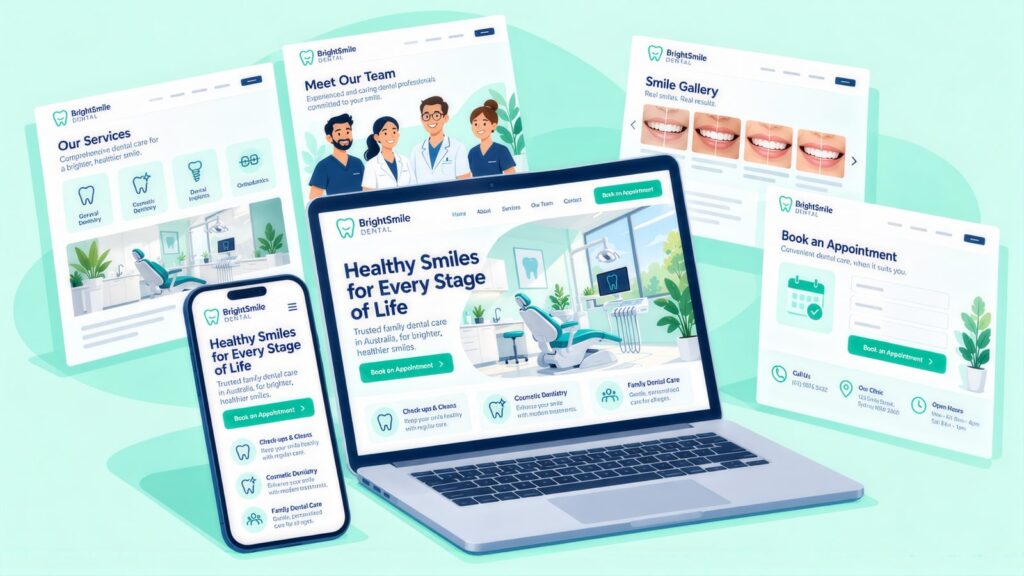
A dental site needs one page for each treatment patients search for, plus a team page that shows each dentist’s AHPRA registration. The table below lists the core pages and what each should cover.
| Page | Focus keyword | What to include |
|---|---|---|
| Main dentist page | dentist | Services, team credentials, how you handle fees and funding, hours, a booking link, an FAQ and reviews (within AHPRA rules). |
| General dental services | general dentist | Check-up and clean, fillings, extractions and mouthguards, with prices and a booking link. |
| Children and family | children’s dentist or family dentist [area] | The CDBS explained with its conditions, how you care for children, what to expect and a booking link. |
| Cosmetic dentistry | teeth whitening or dental veneers [area] | What the procedure involves, the likely range of results (not a promise), prices, how the consult works and how to book. |
| Invisalign (if offered) | invisalign | Who manages treatment (a dentist or a specialist orthodontist), how the scan and consult work, the usual treatment time, the cost range, payment plans, health fund cover and how to book. |
| Emergency dental | emergency dentist | What counts as a dental emergency, your hours, an after-hours contact and your policy on same-day visits. |
| Dental implants | dental implants | An overview of the procedure, how you check if a patient is suitable, the cost range, the timeline and the dentist’s training for implant work. |
| Team page | [dentist name] dentist or dentist team | Each dentist’s AHPRA number, degree and university, registration type (dentist or specialist) and ongoing training. |
Choose: Title Tags and Meta Descriptions for Dental Pages
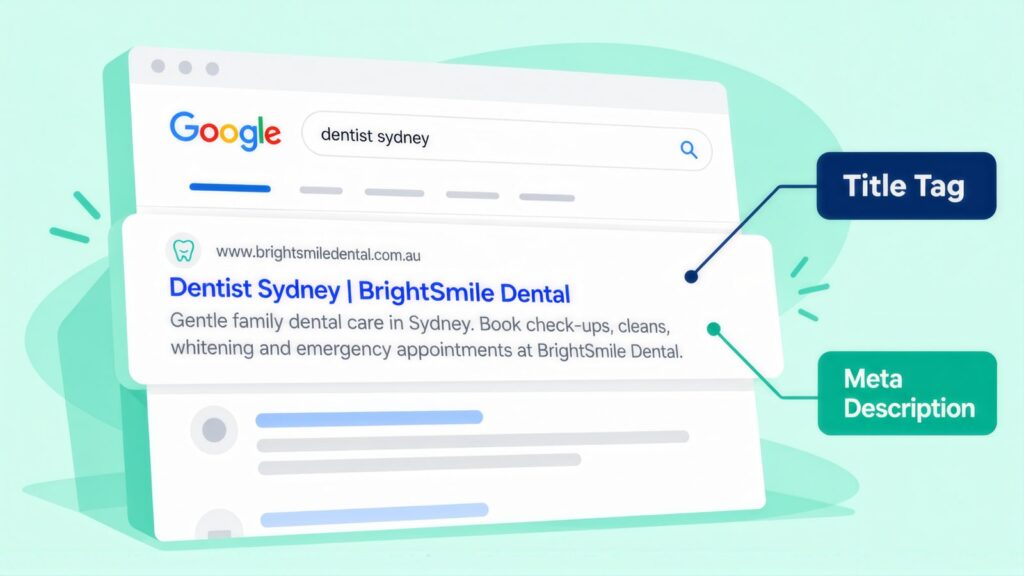
Start each title with the treatment and the suburb, then add one reason to click. A keyword and meta planner helps you keep titles unique across your service pages.
| Page | Example title tag | Characters |
|---|---|---|
| Main dentist | Dentist in [Suburb] | New Patients Welcome | 42 |
| Children’s dental | Children’s Dentist [Suburb] | CDBS Provider | 43 |
| Emergency | Emergency Dentist [Suburb] | Same-Day Care | 42 |
| Teeth whitening | Professional Teeth Whitening in [Suburb] | 40 |
| Implants | Dental Implants in [Suburb] | Book a Consult | 44 |
The examples above leave out the practice name. Add it only if the finished title is still 55 characters or fewer. Google shows the site name beside most results, so a long practice name is the first thing to cut.
AHPRA-compliant meta description example
Here is one for the main dentist page, 149 characters with the placeholder: “Dentist in for check-ups, family and children’s dental care, with CDBS accepted (conditions apply). New patients welcome. Book online today.” It names the service and suburb first, states that CDBS conditions apply and promises no clinical result. AHPRA advertising rules apply to GP practices too, and bulk billing wording needs the same care in their medical practice SEO.
Choose: Patient Guides Worth Writing
The articles that bring dental traffic answer questions patients ask before they book. Typical ones are how often to visit, what CDBS covers, what a treatment involves and what to do in an emergency.
Four groups of article cover most of it:
- Patient guides: how often to see a dentist, and what a check-up and clean involves.
- CDBS guides: whether a child qualifies, how to use the benefit before the two years end, and what it does not cover.
- Treatment guides: the implant process from start to finish, whitening options and what Invisalign treatment involves.
- Emergency guides: what to do with a knocked-out or cracked tooth, and when a toothache needs to be seen today.
A named, AHPRA-registered dentist at the practice must write or check all clinical content, and each article should show its publish date. If a change to practice guidelines or Medicare schedules makes an article out of date, update it or mark it as under review.
Choose: How to Link Your Treatment Pages
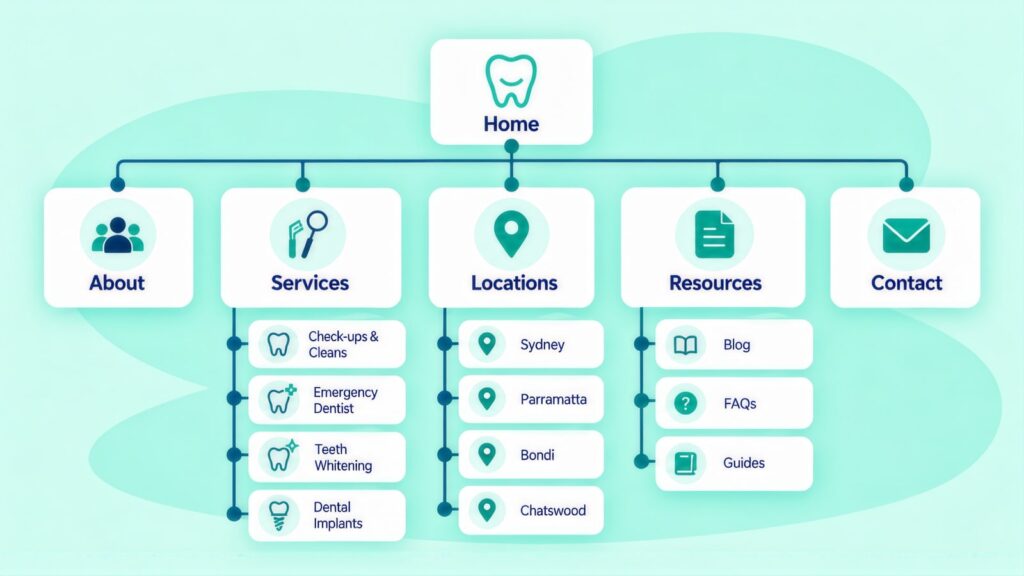
Link each treatment page to online booking and to the dentists who do that treatment. For children’s care, also link to your CDBS page. Use link text that describes the page in a patient’s words.
- Booking: “book online”, “check available times”, “schedule your check-up”.
- Children’s dental: “children’s dentistry”, “CDBS eligibility explained”, “dental care for kids”.
- Dentists: “meet our dentists”, “Dr [Name]’s profile”, “our registered team”.
On an implant page, link “Dr [Name]’s profile” where the text says who places the implant. Put “book online” beside the cost range, so a patient can book as soon as they have seen the price.
Book: Google Ads for Dentists, Campaigns and Click Costs
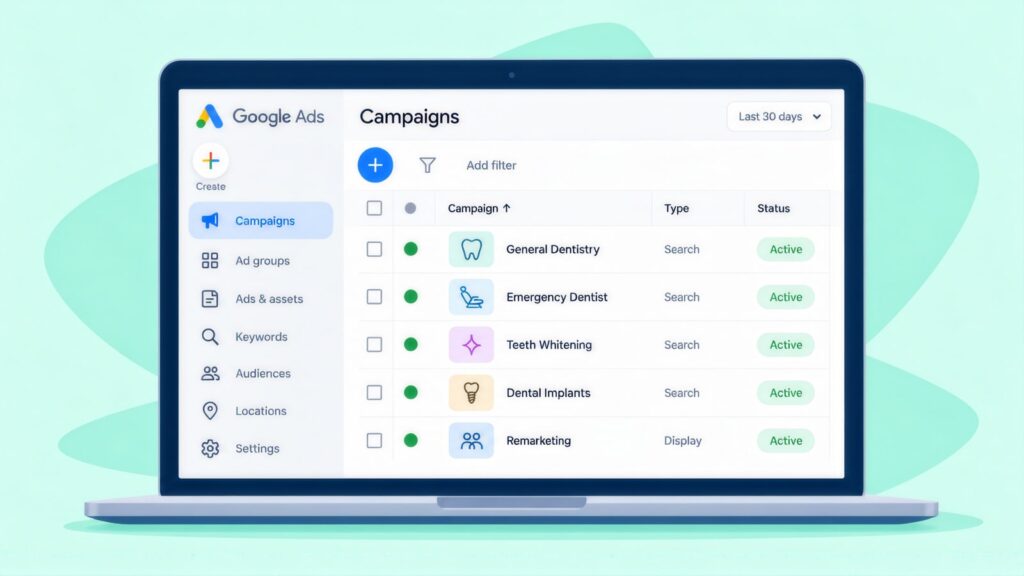
In paid search, check-ups, emergencies and implants differ in cost, timing and patient value. Keep them in separate campaigns so each has its own budget, schedule and landing page. Good Google Ads management starts with that split.
| Account setting | What a dental account needs |
|---|---|
| Campaigns | Three Search campaigns: general new patients, emergency dental, and high-value treatments such as implants, Invisalign and orthodontics. |
| Location targeting | Show ads to people who are in or often in your area. Start with a tight radius of about 5 kilometres for general dentistry and a wider one for implants and Invisalign. After a month, adjust both using the location report. |
| Ad schedule | Run general and cosmetic campaigns in business hours. Run emergency campaigns only in hours when you can really fit in a same-day patient. |
| Bidding | Begin on manual CPC (cost per click), which lets you cap what you pay for each click. Google Keyword Planner ranges for four dental terms are in the FAQ below. Prices vary by suburb, so check your own area. Know your cost per booked appointment before you spend more. |
Budgets and patient value vary too much between practices to give one split. As a starting point, fund the general new patient campaign first, since it covers the searches most patients make. Add emergency and implant budgets once you know what a new patient is worth to you over a year or more of visits.
Book: Keywords, Negatives, Ad Copy and Assets
Bid on suburb and treatment searches such as “dentist “, “emergency dentist [area]”, “teeth whitening “, “dental implants [city]”, “invisalign ” and “CDBS dentist “. Block the job, course and supplier searches that share dental words with negative keywords, which stop your ad showing for a word. Start with these:
- dental assistant course, dental nurse training, dental school
- dental equipment, dental supplies, dental jobs
- dental malpractice, dental complaints
- invisalign training, invisalign course
Add the negatives before launch, then check the search terms report each week to see the real searches that triggered your ads. If you already run ads, a Google Ads audit checklist usually finds the job seeker and student searches that slipped through.
AHPRA-compliant ad copy
| Component | Example |
|---|---|
| Headline 1 | Dentist [Suburb] |
| Headline 2 | New Patients Welcome |
| Headline 3 | Online Booking |
| Headline 4 | CDBS Provider |
| Description | Family dentist in . CDBS provider, conditions apply. Book online today. |
Assets are the extra lines and links shown under your ad. Callouts such as “HICAPS On-Site” or “Saturday Appointments” answer fee and opening-hour questions before the click. Add a call asset and switch on call reporting. Then set a minimum call length for Google Ads call conversions, long enough to count only real booking calls. This stops wrong numbers and quick hang-ups from inflating your results.
Book: Landing Pages That Turn Clicks Into Bookings
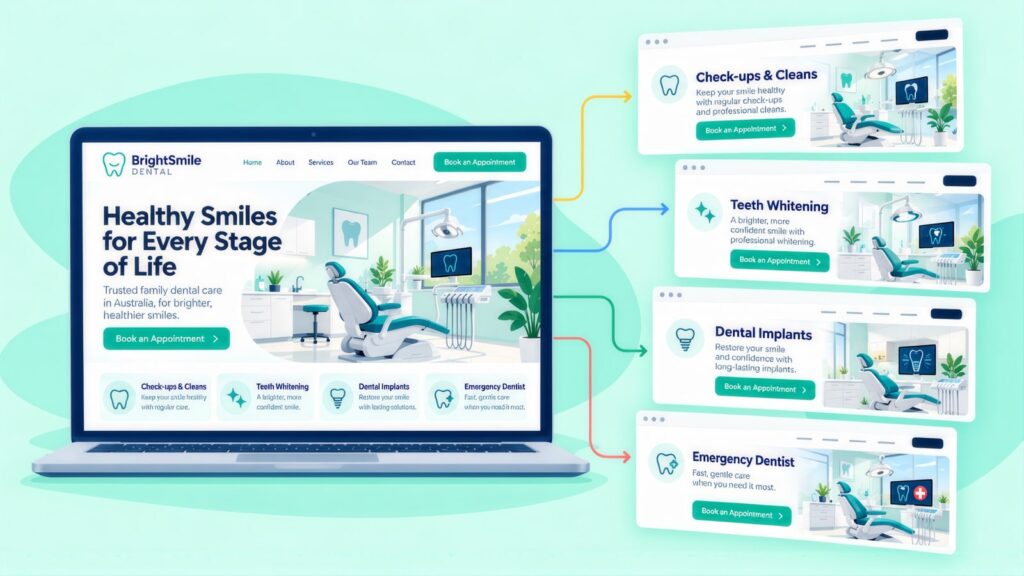
Send each campaign to a purpose-built landing page for that treatment, never the homepage. On a phone, the patient should see these within a few seconds:
- A booking button at the top of the mobile screen that goes straight to online booking rather than the contact page.
- Hours and location without scrolling, and a phone number they can tap.
- “New patients welcome”, stated plainly, so patients know you are taking them on.
- CDBS stated correctly: “We are a CDBS provider. Eligibility conditions apply and a gap payment may apply if our fees exceed the Schedule rate.” Avoid “free dental for kids”.
- The dentist’s name and photo, so patients can see who will treat them.
- A fee guide such as “Check-ups from $[X]”, or the health funds you accept, which answers the what will it cost question before they ring.
Book: Online Booking, Phone and Listing Basics
Online booking
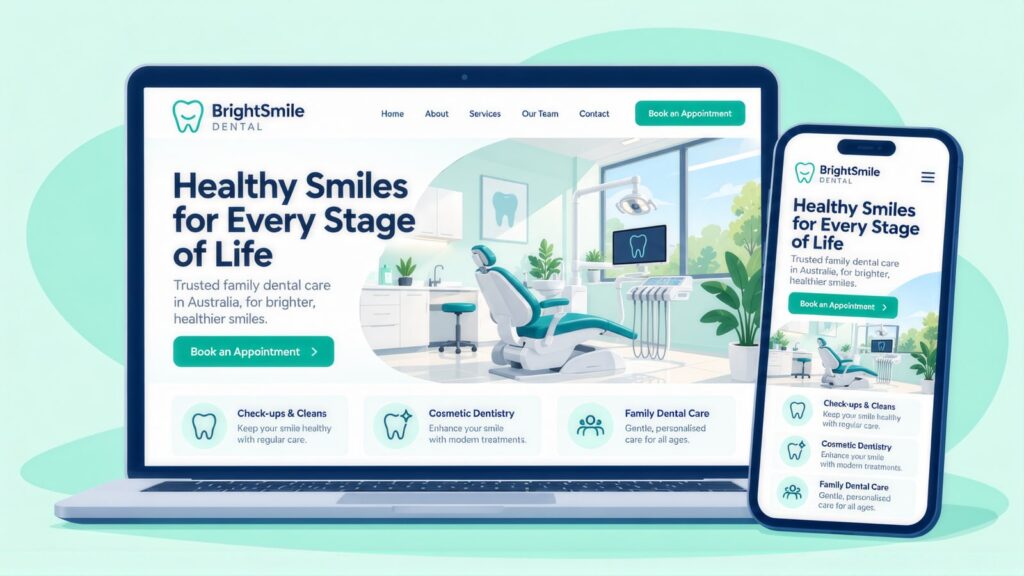
Online booking lets a patient take a Saturday slot on their phone at 9pm on Thursday without having to ring during business hours. If your practice software (Dental4Windows, Pracsoft, Centaur, Exact) supports it, switch it on and put the link on each page. Where it does not, a custom online booking system can provide it.
CCM rebuilt the 1300 Smiles dental group’s website across 26 locations. We connected the Centaur booking system and reworked the path to an appointment, and bookings rose 66%. It is listed among other CCM client results. A group like this needs one Business Profile and one location page for each clinic. Each needs its own address, hours, team and booking link, so each clinic can rank in its own suburb.
The right phone number on Google Business Profile and your site
A wrong phone number in an online listing sends patients to the wrong place. AI assistants and voice search take phone numbers from your Business Profile and your site’s schema. Make sure the number matches on your website, Business Profile, HotDoc, HealthEngine and every other directory you are listed in.
Google Search Console and indexing
Google Search Console is Google’s free tool that shows how your site appears in search. Add your domain to it and submit your sitemap, the file that lists your pages. Then confirm that your service and suburb pages are indexed, which means Google has stored them and can show them. If you share a building with other businesses, make your practice name clearly different from theirs in your schema.
Return: Tracking From Booking to Second Visit
A booking only becomes revenue when the patient turns up, so track each stage in the table below. Set up Google Analytics 4 (GA4) and Google Tag Manager so each online booking links back to the search or ad that produced it. Getting GA4 and Tag Manager tracking right lets you compare organic, paid and referral patients at every stage.
| Stage | What to record |
|---|---|
| Booking made | The appointment type, the source (organic, paid or referral) and the date. |
| Appointment attended | Whether the patient came, the treatment type, the revenue and the source. |
| Follow-up booked | Whether the patient rebooked at the visit or within 30 days. |
| 12-month retention | Whether the patient had a second visit within 12 months. |
Never send appointment type, treatment or health details to ad platforms as part of a conversion. The event you send should simply be appointment booked, with no clinical detail. Under the Privacy Act 1988, health information is sensitive information. Some states add their own health records laws.
A Three-Phase Plan: Foundations, Growth, Retention
Work in three phases and finish each one before the next starts. Ads sent to a page that breaks AHPRA rules waste money, and a retention report is of little use until bookings are tracked.
Phase 1: Foundations (first month)
- Check the site against AHPRA rules: specialist titles, CDBS wording and testimonials about results. Fix them before any paid campaign runs.
- Make the phone number, hours and fees match on the website, Google Business Profile, HotDoc, HealthEngine and other directories.
- Build or improve the main dentist page and the children’s page. Switch on online booking, add Dentist schema and set up booking tracking.
Phase 2: Growth (months two and three)
- Launch a new patient Google Ads campaign for your main suburb. Add an emergency campaign if your hours allow same-day visits.
- Check search terms each week, and ask each patient for a review with a goal of two new Google reviews a week.
- Build your highest-value treatment page next (implants, Invisalign or orthodontics), picking the one with the best margin.
Phase 3: Retention (month three onwards)
- Work out the cost per attended appointment for each campaign and for organic search.
- Compare 12-month retention for patients from search with referred patients. Set recall reminders for anyone without a second booking.
- Move budget to the treatments and suburbs that bring patients who come back.
Dental SEO and Google Ads: Questions Practices Ask
What is dental SEO?
Dental SEO, or SEO for dentists, is the work that gets a practice found in Google Maps and the normal search results. It helps you appear when people look for a dentist or a treatment near them. It covers your Business Profile, a page for each treatment, reviews and content that meets AHPRA’s ad rules.
How long does SEO take for a dental practice?
It depends on your suburb, your domain and your reviews. A practice in a quiet suburb with an older domain and a steady stream of fresh Google reviews can reach the map results quickly. A new domain, a crowded inner-city suburb or a high-value treatment such as implants takes longer. On the usual agency stages, set out in the cost comparison linked in the next answer, expect early movement by 3 to 4 months and a solid rise in new patient bookings at 6 to 9 months, with results still growing after 12 months.
How much does dental SEO cost in Australia?
Dental SEO fees depend on how many locations you market and how many treatment pages you need. Implants, Invisalign and children’s care each need their own page. Cost also depends on whether a registered dentist checks clinical copy before it goes up. A practice in a busy inner suburb faces more rivals for “dentist ” than one in a regional town. Agency work ranges from $1,500 to $10,000+ a month, and an in-house SEO costs $80,000 to $170,000+ a year with tools and training, according to this breakdown of agency and in-house SEO costs. One location with a handful of treatment pages usually lands near the lower agency figure. An SEO ROI calculator helps you weigh that against what a new patient is worth.
What do Google Ads clicks cost for dentists?
Most dental clicks cost between about $2 and $15 at national top-of-page bids. Google Keyword Planner shows “dentist near me” at $3.35 to $11.96, “dental implants” at $3.52 to $14.84, “teeth whitening” at $2.36 to $6.96 and “invisalign” at $2.00 to $8.65 (CCM analysis of Google Keyword Planner data, Australia, 12 months to August 2026). Your suburb and the time of day will move these numbers.
What is a sensible starting Google Ads budget for a dental practice?
Start with enough to buy a useful number of clicks for one campaign in one suburb. Keyword Planner shows an average cost per click of $7.64 for “dentist near me”. That average is Google’s historical figure and can sit above the top-of-page bid range. At that price, each $1,000 buys roughly 130 clicks. Run that for a month, measure your cost per attended appointment and then decide whether to add an emergency or implant campaign.
Can patients find my practice through ChatGPT or Google’s AI Overviews?
Yes, if your pages are indexed and eligible to show a snippet, which Google says is the requirement for appearing in its AI features. Treatment pages that answer a question in the opening lines are easier to cite, and your Business Profile and directory listings should give the same details. It also helps to name the AHPRA-registered dentist behind each clinical page and keep fees and hours the same everywhere.
Should a dental practice start with SEO or Google Ads?
Most practices need both, and Google Ads brings bookings sooner because ads can produce enquiries from the week they launch. Organic and map rankings build over months, then keep working with no cost per click. Fix your AHPRA wording and Business Profile first, because both channels rely on them.
Can a dental practice use patient reviews in its advertising?
You can use only reviews that say nothing about clinical results, because AHPRA bans testimonials about the clinical side of care in ads. A review saying “The staff were friendly” is fine to quote, while “My teeth look amazing” is not. Check each review before it goes on your website, ads or social posts.
Andrei Jach is Senior Manager, SEO and Analytics Specialist at Click Click Media in Sydney. In over 15 years in digital marketing and strategy he has led SEO across health, retail, professional services and manufacturing, and at CCM he oversees strategic SEO planning, analytics implementation and technical audits. His earlier digital strategy roles were at Agent 6 Marketing and Red Propaganda.
Research led by Phillip Wendell, with Google search, advertising and keyword data first captured on 3 September 2026. Written by Andrei Jach between 15 September and 2 October 2026, and published on 13 October 2026.
Figures are a snapshot: rankings, click prices and market conditions change.
Implement this playbook with AI
Opens your assistant with this playbook and seven questions about your business: services, area, website and ads. It then writes your keyword map, page plan and Google Ads starter build with your details filled in.
Copy the prompt for Gemini, Grok or any assistant that cannot open a prefilled link. The prompt points at this page, which is also served as Markdown to assistants that ask for it.
Work with Click Click Media
Our free audit for dental practices follows the same path as this guide. We check how you show up for “dentist [suburb]”, how your treatment pages read, how easy it is to book and whether you can see which patients come back. We also flag testimonial, specialist title and CDBS wording problems. You are under no obligation afterwards.
Click Click Media is a Google Premier Partner and has worked in search since 2008. We have managed over $115 million in Google Ads spend for Australian businesses, and our dental work includes the 1300 Smiles booking rebuild above. Dental ads carry AHPRA risk, so we check your wording before a paid campaign goes live. A senior strategist handles your account from the first week, and there is no lock-in contract.
Verified Sources and References
- IBISWorld: Dental Services in Australia, number of businesses (2026)
- AHPRA: Advertising hub
- AHPRA: Guidelines for advertising a regulated health service
- AHPRA: Testimonials, understand the requirements
- Dental Board of Australia: Specialist registration
- AIHW: Oral health and dental care in Australia, summary
- AIHW: Oral health and dental care in Australia, costs
- Services Australia: Who can get the Child Dental Benefits Schedule
- Services Australia: What's covered by the Child Dental Benefits Schedule
- Google Business Profile Help: Guidelines for representing your business
- OAIC: Health information and your privacy
- ACCC: False or misleading claims
- Schema.org: Dentist type
- Google Search Central: AI features and your website
- Google Ads Help: About call conversion tracking
- Click Click Media: SEO cost, agency vs in-house
- Click Click Media: Kidz Teeth dental SEO case study (Auckland, NZ)
- Google Search Central: Documentation updates (FAQ rich result removed, May 2026)
- Google Search Central Blog: Changes to HowTo and FAQ rich results (August 2023)
- Click Click Media: Local SEO services
- Click Click Media: Google Ads management
Last checked October 2026 · next review January 2027
