
SEO and Google Ads for Aged Care Providers in Australia

Written by Andrei Jach, Senior Manager, SEO and Analytics Specialist at Click Click Media · Research led by Phillip Wendell · Published 13 October 2026
Families usually start looking for aged care under pressure. A parent has had a fall, or a GP has raised concerns, and nobody in the family has dealt with the system before. Few could explain how the Commonwealth Home Support Programme differs from Support at Home, or what My Aged Care and an aged care assessment involve. Instead, they search Google in everyday words such as aged care near me, “home care provider ” or “nursing home [city]”.
SEO for aged care providers decides which providers those families find. The enquiry usually goes to a provider that appears for those searches and explains the system in plain words. That provider also shows real availability and costs and makes the next step clear.
This guide follows the path a family takes: research, shortlist, tour, admit. Each stage needs something different from your aged care marketing. Early on, families need plain explanations of Support at Home. When they are ready, they need a vacancy page and a tour booking. At the end, you need tracking that links each care commencement back to the search that started it.
Implement this playbook with AI
Opens your assistant with this playbook and seven questions about your business: services, area, website and ads. It then writes your keyword map, page plan and Google Ads starter build with your details filled in.
Copy the prompt for Gemini, Grok or any assistant that cannot open a prefilled link. The prompt points at this page, which is also served as Markdown to assistants that ask for it.
What We Found Searching for Aged Care
Q: Who holds the top organic result when families search?
A: In CCM’s eight captures of six aged care family searches on 3 September 2026, mostly in Sydney, the government’s My Aged Care site held the first organic result on 5 of 8, ahead of every provider. Government sites took 20 of the 79 page-one organic places (25%). Families often meet My Aged Care before any provider, so keep your Find a provider listing complete and consistent with your website, and aim your own pages at the places below it and at the map results.
Source: CCM search captures, Sydney and Australia, 3 September 2026
Q: Do page-one provider pages show Star Ratings?
A: Of 12 provider pages CCM checked on 4 and 5 September 2026, chosen from the top 10 results on those searches, only one mentioned Aged Care Star Ratings, and 6 of the 12 linked to neither My Aged Care nor the Aged Care Quality and Safety Commission website. Five of the 12 were home care pages, which cannot carry a rating because Star Ratings apply only to residential homes. If you run residential homes, showing your rating and linking to your My Aged Care listing will set your pages apart.
Source: CCM search captures and page checks, 3 to 5 September 2026
Q: Have aged care advertisers caught up with Support at Home?
A: In CCM’s analysis of Semrush ad history for four Australian aged care searches, none of the 22 ad records dated after Support at Home began on 1 November 2025 used the words Support at Home, and 6 of them still advertised Home Care Packages. The 22 records, from monthly snapshots between November 2025 and July 2026, held 13 distinct ads from 10 advertisers. Only 2 records fall in July 2026, so check what competitors run now, and make sure your own headlines and landing pages name Support at Home alongside the older term.
Source: CCM analysis of Semrush ad history, November 2025 to July 2026
CCM captured six family searches on 3 September 2026: aged care near me and home care package providers in Sydney on desktop and mobile, aged care sydney and emergency respite care in Sydney on desktop, and how much does aged care cost and what can i spend my aged care package on Australia-wide on desktop. The 12 provider pages were chosen from the top 10 of those captures (eight service and location pages from the Sydney searches and four answer pages from the national ones) out of about 28 provider pages on page one, and were fetched on 4 and 5 September 2026. The ad finding comes from CCM’s analysis of Semrush ad history for the Australian database, using monthly snapshots taken on the 15th from September 2025 to July 2026, on aged care near me, aged care sydney, home care package providers and respite care near me. An ad record is one advertiser’s ad in one monthly snapshot, and the Support at Home count uses only the 22 records dated after 1 November 2025.
Research: How Families Search for Aged Care
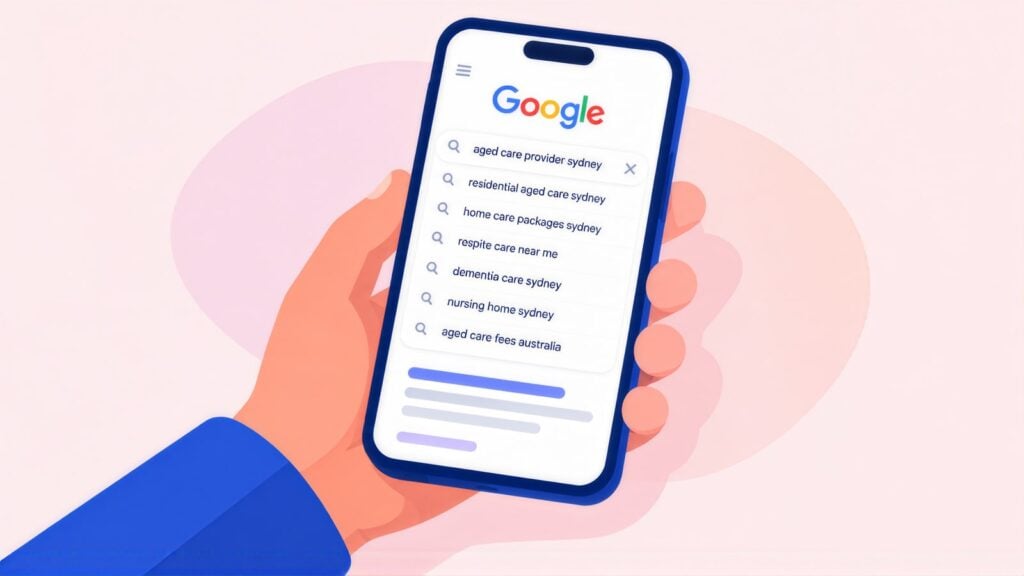
Research is the first stage, and many families start it well before they call a provider. What they find at this stage shapes their shortlist.
The scale of the system explains why so many families are searching. Governments spent $39.8 billion on aged care services in 2024-25. At 30 June 2025, AIHW aged care data showed 293,000 Australians using home care, 839,000 getting home support and 204,000 in permanent or respite residential care. Another 96,709 people were waiting for a home care package at their approved level, up 41% on the year before.
Many of these families are dealing with the system for the first time, often in a crisis, and do not know the program names, the rules or the assessment steps. They search in their own words, such as “aged care “, home care help for elderly mum, “nursing home near me”, “in-home support for elderly”.
The Australian Government’s Support at Home program replaced Home Care Packages on 1 November 2025. Plenty of families and GPs still search with the old name. If your site only says Home Care Packages, or your ads never say Support at Home, your wording no longer matches the program rules or the families who search with the new name. Use both sets of terms while the change settles in.
Smaller providers can rank alongside large groups when their pages explain the system clearly, show which services run in which areas, state costs honestly and make the first enquiry easy.
Aged Care Keywords Families Actually Use
Two groups do most aged care searching. Adult children look into options for a parent, and older Australians look for themselves. Both use everyday words rather than program names, typing nursing home near me instead of “residential aged care”.
Home Care / Support
home care provider [suburb]
in home care elderly
support at home provider
home care help near me
Residential Care
nursing home [suburb/city]
aged care facility near me
residential aged care [area]
aged care home [city]
Respite Care
respite care for elderly
aged care respite [suburb]
short term aged care
carer respite [city]
Dementia Care
dementia care facility [city]
aged care dementia support
memory care nursing home
dementia home care provider
System Navigation
how to get home care package
support at home assessment
my aged care process
ACAT assessment help
Costs and Fees
aged care costs Australia
home care package fees
nursing home costs
aged care means test explained
Why each cluster matters
Home care draws steady searches, and its waiting list (see Research: How Families Search for Aged Care above) keeps them coming. Residential care searches are fewer but more urgent. KPMG and AIHW figures put 196,313 people in permanent residential care in FY25. With occupancy high and free places falling, families looking for a placement are often in a hurry.
Searches about the system itself come earlier, such as My Aged Care, Support at Home eligibility, the means test and the aged care assessment that many families still call ACAT. They rarely lead to care straight away, but they introduce families to a provider they may contact later.
Many people still search for “home care package“, even though the program ended in November 2025. Keep the term on your site alongside Support at Home, and explain what the change means for families. Providers who switch fully to Support at Home wording will miss the many people still using the old name. Expect the shift to settle over 12 to 18 months. CCM’s analysis of Google Keyword Planner data for Australia shows monthly searches for “home care packages” falling from 14,800 in September 2025 to 3,600 in July 2026, by then level with “support at home” at 3,600.
Articles That Answer the Questions Families Ask
People researching aged care want a complex system explained simply. Most have already met confusing government wording on My Aged Care and want it explained, often late at night and well before they are ready to call.
What to write about
| Topic | Example articles |
|---|---|
| Support at Home transition | What Support at Home means for people already getting home care. How the Support at Home assessment works. What has changed from Home Care Packages. |
| Finding your way through the system | How to register with My Aged Care, step by step. What an aged care assessment involves. Why people still say ACAT, and how the single assessment system replaced RAS and ACAT. |
| Residential care decisions | How to choose an aged care home. What the Star Rating means and how to read it. What to ask on a tour. |
| Costs and funding | How the means test works, in plain words. What a RAD (Refundable Accommodation Deposit) is. What home care costs after subsidies. |
| Dementia care | Signs it may be time for memory care. How dementia care homes differ from standard residential care. Supporting a family member with dementia at home. |
| Carer support | When respite care makes sense. How to get carer support through the system. Planning ahead for future care. |
Content standards for aged care articles
Name an author with aged care credentials on every article, or have your care leaders review it. Program details such as My Aged Care steps, means testing and Support at Home pricing change often, so date these articles and review them at least every six months. A 2023 post on Home Care Package pricing that ignores Support at Home, for example, misleads the family reading it.
YMYL, E-E-A-T and the Aged Care Act 2024
Families choosing care for a parent are among the most vulnerable search audiences, and Google treats care pages as YMYL, short for Your Money or Your Life: topics that affect health, safety and quality of life. These pages are judged more strictly than pages in most other sectors. GP practices sit under the same YMYL scrutiny, and medical practice SEO there has to follow the AHPRA advertising rules too.
The rules changed on 1 November 2025, when the Aged Care Act 2024 started. Providers are now registered providers, registered with the Aged Care Quality and Safety Commission and held to the strengthened Aged Care Quality Standards. Pages that still talk about Approved Provider status look out of date to families, referrers and Google.
Google judges quality with its E-E-A-T framework: Experience, Expertise, Authoritativeness and Trustworthiness. In aged care, trust carries the most weight, and claims you cannot back up, old program details or a hidden Star Rating all work against it. Here is how to show each part:
- Experience: show how long you have operated and how many clients you support. Display staff qualifications and real photos of your homes, with permission.
- Expertise: show your registered provider status with the Commission under the Aged Care Act 2024. Name your care managers and their qualifications. Link to your service agreements and the strengthened Quality Standards.
- Authoritativeness: keep your My Aged Care listing accurate and earn links from government sources. Show industry memberships, such as Ageing Australia, the peak body formed when ACSA and LASA merged. Good Commission audit results help too.
- Trustworthiness: show current Support at Home pricing and link or explain your Star Rating. Make no availability claims you cannot keep, and keep your ads within ACCC rules.
The federal health department publishes Star Ratings for residential aged care homes. Families look them up on My Aged Care early when they compare homes. If your rating is strong, show it clearly and link to your My Aged Care listing. If it is lower, do not hide it, because families will see it on My Aged Care anyway and silence on your site looks evasive. Explain what has changed and what you are improving, and invite families to visit.
Content to avoid in aged care marketing
- Quality claims a visitor cannot check, such as “the best dementia care in Sydney” with no evidence
- Home Care Package wording on its own, with no mention of Support at Home
- Availability that nobody keeps current, like a “vacancies available” page showing beds from three years ago
- Testimonials that reveal a resident’s care details without written consent on file
- Prices that play down the co-contribution or leave compulsory fees out of the headline figure
Shortlist: Local SEO and My Aged Care Listings
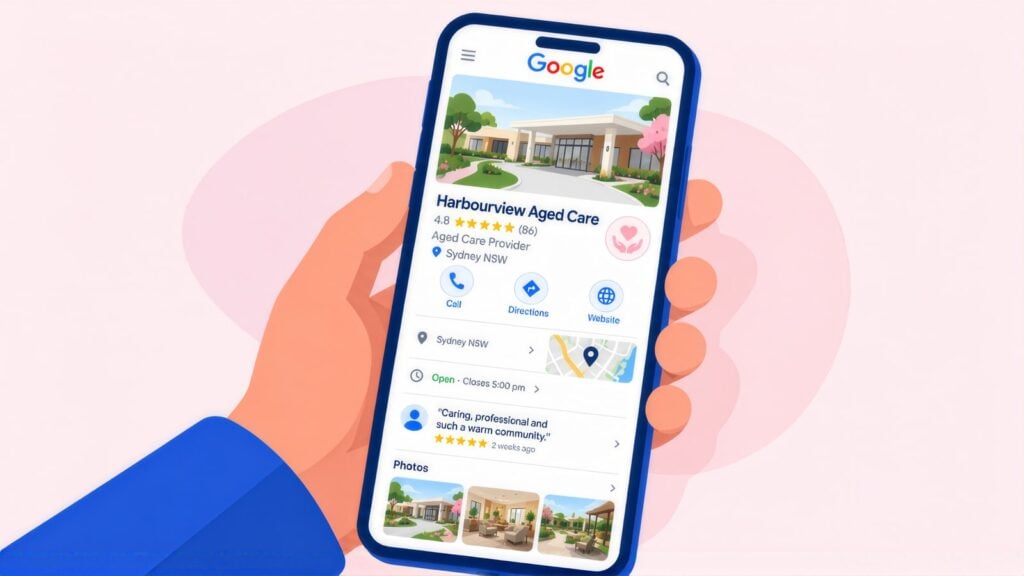
At the second stage, families build a shortlist, mostly from the map results on Google (the local pack), My Aged Care and a few provider websites. Aged care searches are local, because families want a nursing home close to a parent’s home or their own and look for home support by suburb or postcode. For both, local SEO for aged care is the fastest way to show up without paying for ads.
Google Business Profile for aged care providers
Set up one Google Business Profile per home, or one service-area profile for a home care team. Then complete these fields carefully:
- Name: your exact trading name, with no suburb or care type added.
- Main category: Nursing home for residential providers, or Home health care service for home care. Add assisted living facility, retirement home or social services organisation as extra categories where they fit.
- Address: use the home’s address for residential care. Home care providers with no office for clients should hide the address and list the suburbs or postcodes they cover.
- Services: personal care, domestic help, respite, dementia support, palliative care.
- Hours: list your intake team’s hours rather than your 24/7 care hours, so a family calling at 7pm knows whether someone will answer.
- Photos: common areas, gardens, dining rooms and staff (with consent). Never show residents who could be identified.
Reviews: a sensitive area requiring a consistent policy
Google reviews help you rank locally, and families comparing care read them closely. In aged care, how you ask matters. Never treat a death as a trigger for a review request, and do not give staff review quotas or ask for a review while a complaint is open or during a hard stretch of care.
Send the same neutral invitation at set moments, such as after a smooth intake, after a respite stay that went well or at a yearly check-in. Share a review link or QR code and leave the wording to the person. Do not screen anyone before you send the link.
When you reply to a negative review, leave out any clinical or personal care details. Never mention how the reviewer is related to a resident. A reply that reveals nothing personal could read: “Thank you for sharing your experience. We take all feedback seriously. We would welcome the opportunity to speak with you directly. Please contact our care manager at [phone].”
My Aged Care listing
After their assessment, families choose providers mainly through My Aged Care’s Find a provider tool. Keep your listing accurate, complete and in line with your website, because when the two disagree, families cannot tell which details are right.
Families who research care suburb by suburb act a lot like parents choosing a childcare centre. Integricare is a Sydney childcare and preschool group. CCM rebuilt its location pages, and that delivered +69% organic traffic growth and +23% more family enquiries. The result is listed with CCM’s location and AI search work. For an aged care provider, that means one page per home or home care region, written about that location, with what a family needs to decide whether to visit.
The Pages Every Aged Care Provider Site Needs
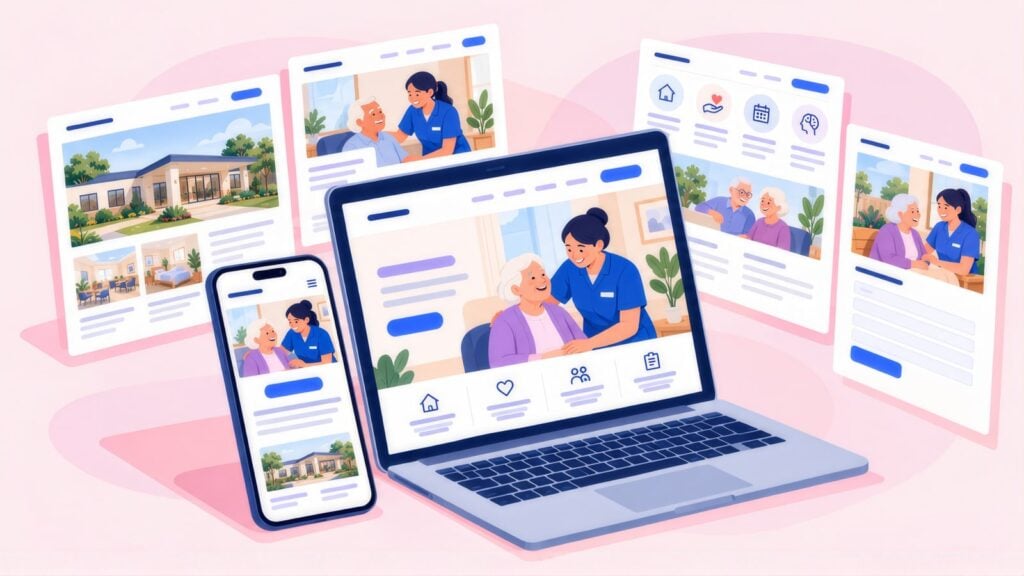
Give each main type of care its own page. Families looking for residential care ask about rooms, fees and tours. Families looking for home support ask which suburbs you cover, what hours carers work and what they will pay.
| Page | Focus keyword | What to include |
|---|---|---|
| Home Care / Support at Home [Area] | home care provider [city/suburb] | Services, the area you cover, how assessment works, costs including co-contributions, how to start, FAQs |
| Residential Aged Care [Location] | aged care facility or nursing home | Levels of care, vacancies, Star Rating (linked to the source), how tours work, fees, FAQs |
| Respite Care | respite care [city] | Who is eligible, availability, how to book, length of stay, costs, what to bring |
| Dementia Care | dementia care [city] | The specialist setting, staff training, how families stay involved, how assessment works, FAQs |
| Costs and Fees | aged care costs Australia or home care fees | What the government pays, what co-contributions apply, the means test in plain words, a link to the My Aged Care fee guidance |
| How to Get Started | how to get home care support or My Aged Care process | Each step of the single assessment system, how to register with My Aged Care, what to expect and how long it takes |
| About the Provider | [provider name] | Registered provider status, years operating, staff credentials, locations, your approach to quality and safety |
For residential providers, a vacancies page answers the first question a family in a hurry has. Families who need a placement fast look for a provider that shows current availability. Keep it up to date, because out-of-date vacancy details lead to calls that let the family down and tie up your intake team. If weekly updates are not realistic, say “contact us for current availability and a tour” instead of listing beds that may be gone.
What every page needs
- A clear statement of which type of care the page covers and who it is for
- A fee explanation that covers the government subsidy and the co-contribution, linked to current government fee estimators
- Your registered provider status, easy to see
- The steps from a family’s first contact to the day care starts
- 6 to 10 FAQs, with FAQPage schema added
- A clear next step: a phone number, a contact form or a tour booking
Title Tags and Meta Descriptions for Care Pages
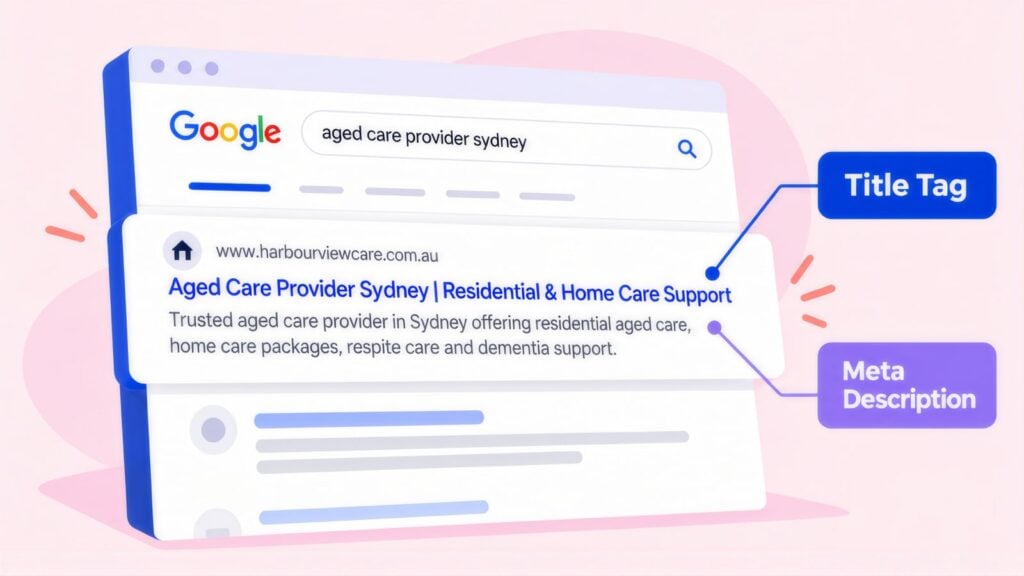
Your title tag is the clickable headline families see in Google, and the meta description is the line or two of text beneath it. The person reading them is often anxious and short on time. Tell them at a glance that you offer what they need and that the next step is simple. Drafting every home and care type side by side in a keyword and meta planner keeps the wording consistent. It also shows where two of your pages compete for the same search.
Many provider names run long once words like “Residential Aged Care” or “Retirement Living” are part of them, so these examples start with the care type and area. Add your name at the end only when the whole title stays within 55 characters. Otherwise leave it off, since Google usually shows your site name with the result.
| Page | Example title tag | Characters |
|---|---|---|
| Home care main | Home Care Provider Sydney | Support at Home | 43 |
| Residential care | Aged Care Home [Suburb] | Residential Care | 42 |
| Respite | Respite Care Sydney | Short Stays for Seniors | 45 |
| Dementia care | Dementia Care Sydney | Specialist Memory Care | 45 |
| Costs / fees | Aged Care Costs Australia | Fees Explained | 42 |
| Getting started | How to Get Aged Care Help | My Aged Care Process | 48 |
Meta description examples
| Page | Example meta description | Characters |
|---|---|---|
| Home care | Home care in Sydney under Support at Home: personal care, daily tasks and social support, subsidised or self-funded. Call our intake team today. | 144 |
| Residential care | Residential aged care in [Suburb] with 24-hour nursing and a [n]-star rating. See our rooms and gardens: book a tour or ask about availability. | 143 |
| Costs page | Aged care costs in Australia explained plainly: what the government pays, what you contribute and how the means test works. Read the fee guide. | 143 |
“Vacancies available” in a meta description may draw more clicks, but a family who clicks and finds no beds will leave with a poor view of you. Only put availability claims in metadata that someone on your team keeps current. “Enquire about current availability” still invites the call without promising something you may not have.
Website Foundations: What Google Needs First
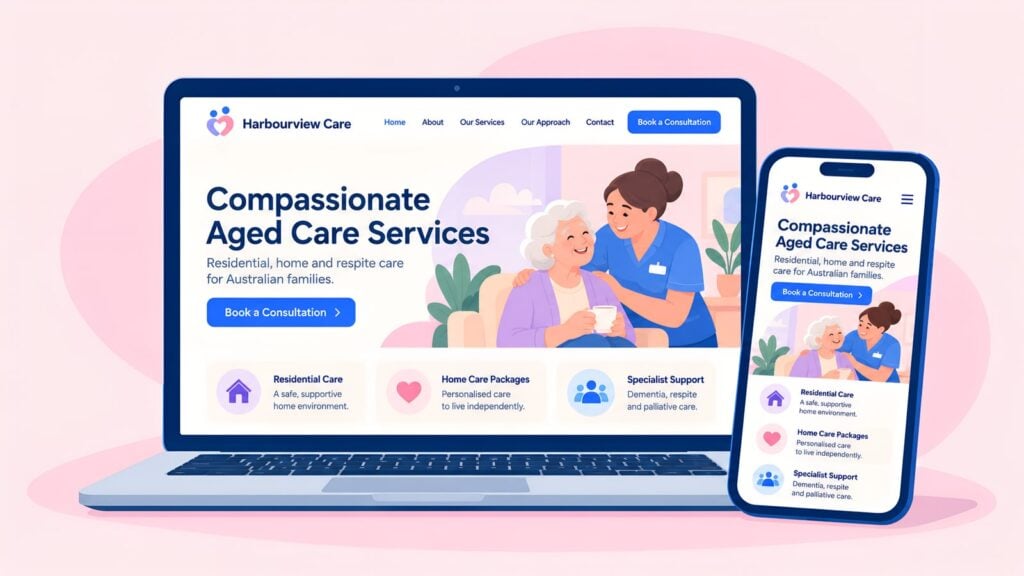
By the shortlist stage, a family is comparing three or four providers side by side, and a slow or confusing site makes that comparison harder. Common problems on aged care sites are out-of-date program details, pages Google has not indexed and layouts that work poorly on phones.
A typical visitor might be a daughter using her phone at 10pm after a hard conversation with her father’s GP. She needs to find her way around your site, understand what you offer and get in touch easily.
Google Search Console and indexing
Google Search Console is Google’s free report on how your site is doing in search. Connect your domain to it and submit your XML sitemap, a file that lists every page on your site. Check your five most important service pages and confirm each one is indexed (saved in Google’s index). Fix blocked pages, errors and missing pages before anything else, because a page Google has not indexed cannot rank.
Mobile experience
Test the site on a phone by going through the whole enquiry as a family member looking for residential care for the first time. Small text, a fiddly form or a phone number you cannot tap will lose you enquiries, and Google ranks your site based on its mobile version.
Accessibility
Many visitors are older adults, or relatives who are not confident online. Help them with readable font sizes, strong colour contrast, visible form labels and error messages that say what went wrong. Run the site through a WCAG checker, which tests against the web accessibility standard, and fix the serious failures.
HTTPS and contact information
Every page must load securely over HTTPS. Your phone number, address and hours must be accurate and easy to find. They should also be identical to your My Aged Care listing (Shortlist: Local SEO and My Aged Care Listings explains why).
Schema for Nursing Homes and Home Care Services
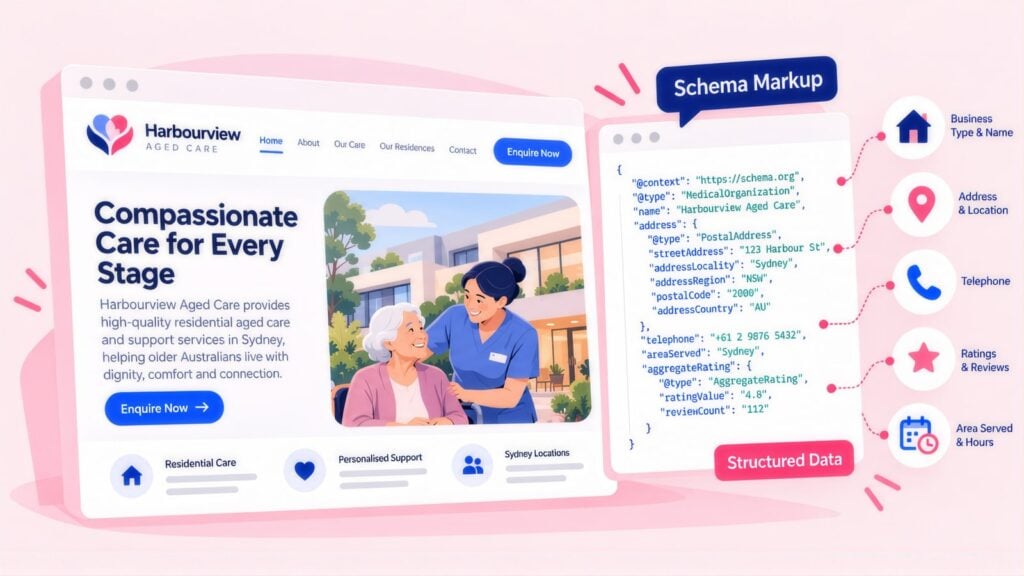
On a nursing home or home care site, schema markup is the code that tells search engines which text is your provider type, your address, your service area and your hours. Clear markup also makes it easier for AI tools to pick up your answers, which helps providers get cited in AI Overviews. These are the types that matter most for aged care.
| Schema type | Where to add it | What it does |
|---|---|---|
| LocalBusiness (NursingHome or HomeHealthCareService) | Homepage and each home’s own page | States your type of provider, location, service area, hours and contact details in a form Google reads reliably. |
| Service | Each care type page: residential, home care, respite, dementia | Describes that one service and the area it covers. Link it to your NursingHome or HomeHealthCareService markup as the provider. |
| FAQPage | Every care type page with FAQs | Labels each question and answer so Google and AI tools can read them. Google no longer shows FAQ dropdowns in results, so do not expect one. |
| BreadcrumbList | All pages below the homepage | Shows where the page sits in your site, such as Home > Residential Care > Dementia Care. |
| Article | Blog posts and guides | States the author, the date and the type of content. |
FAQs that deserve schema in aged care
The FAQs worth marking up are the ones families hesitate to ask out loud:
- what care will really cost
- how long the wait is
- what happens if a parent’s needs change
- whether the family can visit first
- how Support at Home differs from residential care
Questions like these often turn up in Google’s “People Also Ask” boxes for aged care searches. Answer them plainly on the page and mark them up with FAQPage schema, although this will not add a dropdown under your listing. Google narrowed FAQ results to well-known government and health sites in August 2023, then retired them from Search from 7 May 2026. The markup is still worth keeping, because search engines and AI tools use it to pair each family question with your answer.
Linking Pages for Families, Carers and Referrers
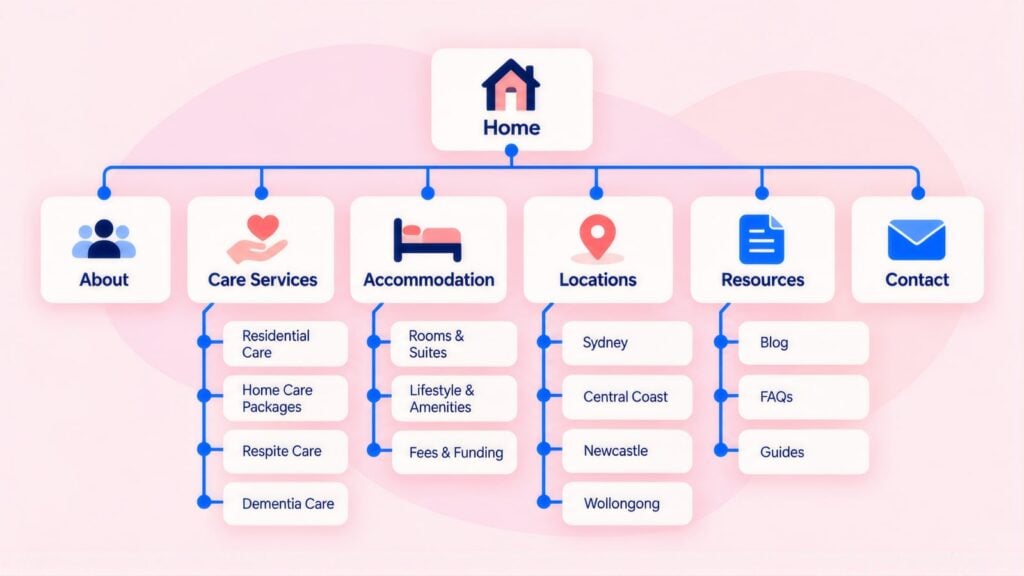
One aged care site serves several audiences at once. There are families of future residents, older people looking at home support, carers who need respite, and referrers such as GPs, hospital social workers and aged care assessors. Good links between your pages take each of them straight to what they need, without reading through pages meant for someone else.
Hub-and-spoke for aged care
Organise the site as a hub with spokes, with your services overview as the hub. Residential care, home care, respite and dementia care are the main spokes. Costs and fees, the getting-started guide and the about page are supporting spokes.
Each spoke links back to the hub, and the hub links to each spoke. Related spokes link to each other. A residential care page should point to the costs page, and a home care page to the getting-started guide. Word each link so it says where it goes, in two to five words, like the examples below. Link wording that names the page, sometimes called descriptive anchor text, helps families and Google alike.
Anchor text for aged care pages
| Destination page | Avoid | Use instead |
|---|---|---|
| Home care page | “home care” | “Support at Home services”, “in-home support for seniors”, “what our home care covers” |
| Residential care | “residential care” | “our residential aged care homes”, “24-hour nursing care”, “residential placement options” |
| Costs page | “costs” | “what aged care actually costs”, “how government subsidies work”, “understanding your co-contribution” |
| Getting started | “get started” | “starting an aged care assessment”, “using My Aged Care”, “steps to starting care” |
Tour: Google Ads, Meta and Referrers That Fill Places
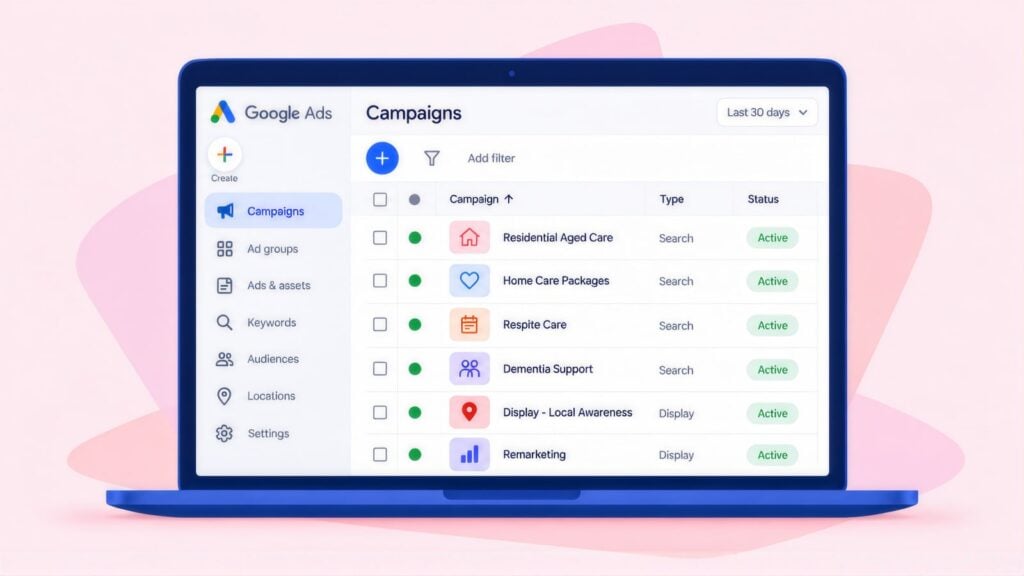
The third stage is the tour or first conversation, and paid search is how many families get there. Google Ads campaigns work well when you build them around one type of care and one area at a time. Searchers are ready to act, families in urgent need decide fairly fast and the cost per enquiry is manageable, although the compliance obligations are heavy.
Advertising compliance for aged care
Aged care ads must follow the ACCC’s rules on false or misleading claims. They must also meet the duties of registered providers under the Aged Care Act 2024. In practice:
- Do not advertise beds you do not have, because a false “beds available” claim can breach consumer law and harm your reputation.
- Do not make quality claims you cannot prove, such as “best dementia care in Sydney” or “highest-rated facility in [area]”.
- Do not use images that suggest current residents or care results without written consent from the people shown.
- Fee claims must include any compulsory co-contributions or means-tested amounts, not just the subsidised part.
Campaign structure
| Choice | Our starting point for a provider |
|---|---|
| Campaign type | One Search campaign per type of care. You can see the actual searches, so you can keep job seekers out and check that no ad promises a bed you lack. Performance Max, Google’s automated campaign across all its channels, can wait until tours are tracked. |
| Location targeting | Show ads only to people in your actual service area. For residential care, set a radius around the home that matches how far families really travel. For home care, use the postcodes you actually serve. |
| Ad schedule | Run ads only when your intake team can answer calls and reply to forms. These calls are often emotional, and a missed call can mean a family moves on to the next provider. |
| Bidding | For the first few weeks, set your own maximum cost per click (manual CPC) or let Google get the most clicks for your budget. Once about 30 tours or intake calls are recorded, switch to a set cost per enquiry (target CPA). Setting a tight cost target with no data will restrict how often your ads show before you know what an enquiry is worth. |
| Main conversion | A conversion is the action you count as a result. Make it a booked tour (residential) or a completed intake call (home care). Count form fills and calls as secondary actions, so Google learns from the step that leads to admission. |
Facebook or Google Ads for aged care?
The two platforms do different jobs. Google Ads reaches families who are already searching, such as “nursing home ” or “Support at Home provider”, so start your tour campaigns there. Meta ads on Facebook and Instagram reach adult children before they search. Try a short video tour of the home, a Support at Home explainer or an open day invitation, shown to the suburbs around your home. Judge Meta on tours booked and on how many later Google searches include your name, rather than on the cost of a click.
For a single home, put most of the budget on Search and add a smaller Meta test once tracking works. Keep the same compliance rules on both: no availability claims you cannot back up, and no resident images without consent.
Referrers: GPs and hospital discharge teams
Many placements start with a health professional rather than a family search. A GP, or a hospital discharge planner, can refer a patient to My Aged Care for assessment with the patient’s consent. They can use the online referral form, a phone call or e-Referral from GP software. When a patient needs care urgently, My Aged Care can refer them straight to a provider.
Those referrers want three things fast: which services you run in which areas, what is available now, and who to call. Give them their own referrer page with your intake phone and email, response times, current availability and what you need to accept a hospital discharge. Use the same page when you reach out to local practices and hospital social work teams. Track referrer enquiries as their own conversion, so you can see which channel fills places. NDIS providers win work from coordinators in a similar way, so NDIS provider SEO also relies on dedicated referrer pages.
Aged Care Keywords, Negatives and Ad Copy
Bid on searches where the type of care and the area are clear. Block job and training searches before launch so your budget reaches families. Write ads that use both Support at Home and the older Home Care Package wording.
Keyword selection
| Intent level | Example keywords | What to do |
|---|---|---|
| High (type of care is clear) | “nursing home “, “home care provider [area]”, “respite care [city]” | Include these as your main terms. |
| Medium (learning the system) | “how to get aged care”, “support at home assessment”, “my aged care help” | Include, and send them to a helpful page that builds trust before it asks for an enquiry. |
| Low / unsuitable | “aged care jobs”, “aged care course”, “nursing home staff”, “carers allowance ATO” | Block these before launch. |
| Government / free services | “my aged care”, “government home care”, “ACAT assessment” | Some are families who want help with the system, which your guides can give. Others want a government service you do not provide, so check each one. |
A negative keyword stops your ad from showing when a search contains that word. Before launch, add these as exact or phrase match negatives: aged care jobs, carer employment, carer salary, aged care course, aged care training and aged care certificate. Add aged care software, My Aged Care login, NDIS worker, and competitor names where relevant. Check the search terms report weekly for the first 60 days and block anything that does not fit. Job seekers and people looking for government services will not become clients, so blocking them early keeps the budget for families. A wasted ad spend scorecard shows how much that is costing you.
Ad copy guidelines
| Ad part | Example |
|---|---|
| Headline 1 | Home Care Provider [Suburb] |
| Headline 2 | Support at Home Provider |
| Headline 3 | Personal Care and Respite |
| Headline 4 | Speak to Our Intake Team Today |
| Description 1 | Subsidised and self-funded home care in [Area]. We explain Support at Home costs. |
| Description 2 | Registered aged care provider in [Area]. Book a tour or call our intake team today. |
Landing Pages That Book Tours and Reassure Families
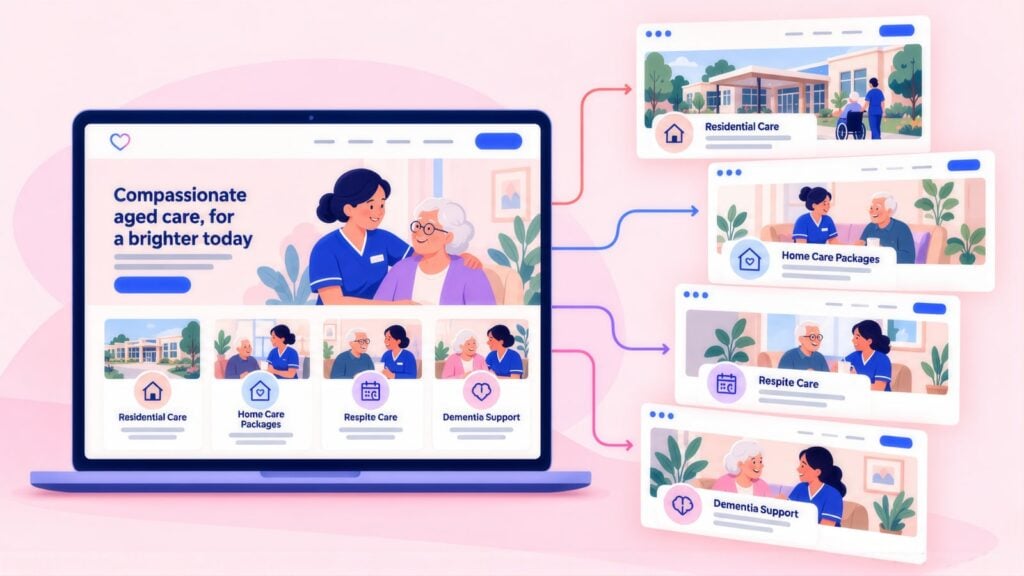
An aged care landing page should reassure first, then make the tour or intake call the obvious next step. The family clicking your ad is anxious and probably overwhelmed. A dedicated ad landing page works when it quickly answers what they are wondering. That usually means whether you can provide the care they need, what it will cost and what happens after they get in touch.
What a converting aged care landing page needs
- A headline that matches the search. If the ad said “Home Care Provider Parramatta”, the page should confirm straight away that they are in the right place.
- A plain description of your service, with no clinical terms or acronyms. Say what you do, who you help and where you work.
- Clear costs: the government subsidy, the co-contributions that apply, and how the means test affects fees. For residential care, set out the accommodation price as a lump sum (RAD), daily payments (DAP) or a mix. Add the basic daily fee and the contributions that apply from 1 November 2025. Link to the official aged care home fees page and the fee estimators on My Aged Care.
- A tour booking option, so families looking at residential care can pick a tour time on the page or ask for one in a short form. Say who will meet them and how long it takes.
- A clear next step: what happens after they call or send a message, and who they will speak to. Add how fast someone will reply and what details they will need.
- Your registered provider status, which families and referrers check, so showing it on the page saves them a step.
- Easy ways to get in touch: a phone number they can tap, a short form (name, phone, type of care) and an email address for families who prefer to write.
CCM does not yet publish an aged care result, so this is the nearest comparison. 1300 Smiles is a dental group with 26 locations. We rebuilt its site, connected the Centaur booking system and reworked the path to an appointment, lifting bookings by 66%. The result appears on CCM’s client results page. The same applies in aged care, where each extra step between a family’s first click and a booked tour loses some enquiries.
Admit: Tracking Enquiry to Care Commencement
The last stage is admission, and linking it back to the search that started it is harder in aged care than in most sectors. Decisions can take months, and the path usually runs through My Aged Care, an assessment and talks with several providers. You should still start tracking now. Set up Google Analytics 4 (GA4) properly, using Google Tag Manager to install the tracking. A sound GA4 and Tag Manager setup builds data over time and tells you where to put next year’s budget.
| Stage | What to record | How to use it |
|---|---|---|
| Enquiry received | The call, form or email, with the date, the type of care asked for and the source where you can track it. | Tells you enquiry volume and which channels send them. |
| Tour or assessment conversation | The date of the family meeting or assessment call, and whether the care type and location suit them. | When you have enough of them, make this the main result Google Ads aims for. |
| Care commencement | The date care started, the program, how it is funded and the care coordinator. | The result that proves the budget is working. |
| Admission or care start (residential) | Entry date, room type and how they pay for accommodation (RAD, DAP or a mix). Keep this in your CRM, not in ad platforms. | The result to judge residential campaigns on. |
| Ongoing retention | How long care lasts, any change in care level, clawback or early exit, and review dates. | Shows what a client is worth over time. |
Call recording and enquiry quality
Many aged care enquiries come by phone, so a form-only view misses part of the picture. Use call tracking with recording or transcripts, and play a consent message at the start of each call. Your intake manager can then tag each call: a real care enquiry, a job seeker, a supplier or a wrong number. Count only genuine care enquiries as conversions. Call tracking also shows which calls were missed or went to voicemail, and answering more of them adds enquiries without adding ad spend.
Under the Privacy Act 1988, health information is sensitive information, and the Aged Care Act adds its own duties. Keep assessment details, health information and means test results out of ad platform conversion data. Send only what tracking needs: the date, the type of care and, where consent allows, the lead source. Clinical assessments, means test results and care plans should never reach Google Ads or Meta. Keep call recordings in your call tracking system and out of ad platforms.
A Three-Phase Plan: Stabilise, Build, Scale
Work in phases rather than fixed weeks, and move on when you pass each phase’s exit test. For most providers with one home or one region, the first two phases take about three months.
Phase 1: Stabilise (fix what families already see)
- Connect Google Search Console, submit the sitemap and fix any important page that is not indexed.
- Make your My Aged Care listing, Google Business Profile and website match: name, phone, services and hours.
- Add Support at Home wording next to every Home Care Package mention. Replace “Approved Provider” with registered provider.
- Put your Star Rating and My Aged Care link on every residential page.
- Set up call tracking with recording, form tracking and a tour-booked conversion.
Exit test: every listing matches, and a test call and a test tour booking both show up in your reports.
Phase 2: Build (pages and one campaign)
- Rewrite your main home care or residential page with full costs, registered provider status and FAQs.
- Publish the costs page, a plain “how to get started” guide and a referrer page for GPs and discharge planners.
- Launch one Google Ads Search campaign for one type of care in your main area, judged on tours or intake calls.
- Publish two articles for families still researching, such as “Support at Home explained” or “how aged care assessments work now”.
- Start sending the neutral review invitation at intake and after respite stays.
Exit test: at least a month of clean data showing what each tour or intake call costs for that type of care.
Phase 3: Scale (add what the data supports)
- Add a second type of care or area, whichever had more enquiries you could not serve.
- Test Meta ads in the suburbs around each home, judged on tours booked.
- Add suburb and dementia care pages where Google Search Console shows people seeing your pages in results but not clicking.
- Review every page that quotes Support at Home pricing or program rules at least every six months.
Aged Care SEO and Google Ads: Questions Providers Ask
How long does SEO take for an aged care provider?
The quickest gains come from fixing what families already see. Matching your Google Business Profile to your My Aged Care listing and adding Support at Home wording can lift local visibility within 3 to 4 months. A new residential or home care page up against large, long-listed providers usually needs 6 to 9 months. After the first year, plain guides for families start to support one another and your service pages.
How much does aged care SEO cost in Australia?
The price depends mainly on how many homes or home care regions need their own pages. It also depends on how many care types each one offers, such as residential, home care, respite and dementia. Content that still talks about Home Care Packages and Approved Provider status adds rewriting work. A single home with a tidy site sits near the lower end of agency fees, which run from $1,500 to over $10,000 a month. A group of homes rewriting for the Aged Care Act 2024 sits higher. Building the skills in-house costs $80,000 to $170,000-plus a year in salary, tools and training, according to this SEO cost breakdown. Weigh either option against what a care commencement is worth, using an SEO ROI calculator.
What do Google Ads clicks cost for aged care?
In CCM’s Google Keyword Planner pull of 1 October 2026 (Australia), top-of-page bids for aged care near me ran at about $1.45 to $5.70 a click. “Nursing home near me” sat at about $1.45 to $5.50, and “support at home” at about $1.90 to $6.80. CCM’s analysis of Keyword Planner data for the 12 months to July 2026 shows around 33,100 searches a month for aged care near me. Judge the account on the cost of each tour or assessment conversation rather than the cost of a click.
Should we still use “Home Care Package” on our website?
Yes, use it alongside Support at Home. Support at Home replaced Home Care Packages on 1 November 2025, and by July 2026 Keyword Planner showed about as many monthly searches for “home care packages” as for “support at home”, at 3,600 each. Explain the change on the page, so families using either term find you and understand what it means for them.
Are we still an “Approved Provider”?
No, the term has changed. Since the Aged Care Act 2024 started on 1 November 2025, providers are registered providers, registered with the Aged Care Quality and Safety Commission. Update your About page, landing pages and ads so your wording matches what families and referrers now see on government sites.
Is Facebook or Google Ads better for aged care marketing?
Google Ads usually comes first, because it reaches families already searching for care in your area. Facebook and Instagram ads work better as a second channel, reaching adult children with tour invitations and plain explanations before they search. Judge both on tours booked or intake calls rather than clicks.
How do we reach GPs and hospital discharge planners?
Build a referrer page and use it when you contact them directly. GPs and other health professionals refer patients to My Aged Care for assessment. They need your services, areas, current availability and intake contacts in one place. Track referrer enquiries separately so you can see what that channel is worth.
Can we send enquiry details to Google Ads for tracking?
Send only the minimum. Health details count as sensitive information under the Privacy Act 1988, so the rule in Admit: Tracking Enquiry to Care Commencement applies. An ad platform needs the date, the type of care and, with consent, the lead source. It should get nothing about care needs or means testing.
Andrei Jach is Senior Manager, SEO and Analytics Specialist at Click Click Media in Sydney. In over 15 years in digital marketing and strategy he has led SEO across health, retail, professional services and manufacturing, and he oversees CCM’s strategic SEO planning, analytics implementation and technical audits. Before joining CCM he worked at Agent 6 Marketing and Red Propaganda.
Research led by Phillip Wendell, with Google search, advertising and keyword data first captured on 3 September 2026, and click costs refreshed on 1 October 2026. Written by Andrei Jach between 15 September and 2 October 2026, and published on 13 October 2026.
Figures are a snapshot: rankings, click prices and market conditions change.
Implement this playbook with AI
Opens your assistant with this playbook and seven questions about your business: services, area, website and ads. It then writes your keyword map, page plan and Google Ads starter build with your details filled in.
Copy the prompt for Gemini, Grok or any assistant that cannot open a prefilled link. The prompt points at this page, which is also served as Markdown to assistants that ask for it.
Work with Click Click Media
Families reading about Support at Home for the first time shortlist the providers that explain it clearly and show an honest Star Rating. Those providers also appear in local search results and make a tour easy to book.
Click Click Media is a Google Premier Partner. Since 2008 we have managed more than $115 million in Google Ads spend, and our health sector work is built around the ad and privacy rules care providers answer to. A free audit of your website, Google Business Profile and any Google Ads account ends with a priority list for your homes. It includes every page where Support at Home or Aged Care Act 2024 wording is missing.
There is no lock-in contract to sign. A senior strategist stays on your account from the audit onward.
Verified Sources and References
- AIHW GEN: People using aged care (updated May 2026)
- AIHW GEN: Providers of aged care
- KPMG: Aged care sector analysis 2026
- AIHW GEN: Spending on aged care
- Department of Health, Disability and Ageing: Support at Home program
- Department of Health, Disability and Ageing: Star Ratings for residential aged care
- My Aged Care: Find a provider
- My Aged Care: Aged care home costs and fees
- ACCC: False or misleading claims
- OAIC: Health information and your privacy
- Google Search Central: Changes to HowTo and FAQ rich results
- Google Search Central: Documentation updates (FAQ rich result removed, May and June 2026)
- Department of Health, Disability and Ageing: About the new Aged Care Act
- Aged Care Quality and Safety Commission: The new Aged Care Act and key changes for providers
- Department of Health, Disability and Ageing: Single Assessment System
- My Aged Care: For health professionals (referrals)
- Ageing Australia: New aged care organisation formed by ACSA and LASA members
- Ageing Australia: ACCPA rebrand to Ageing Australia
Last checked October 2026 · next review January 2027
