
Written by Andrei Jach, Senior Manager, SEO and Analytics Specialist at Click Click Media · Research led by Phillip Wendell · Published 13 October 2026
Participants, families and the coordinators who refer them all need a provider they can find quickly and trust. SEO for NDIS providers puts your site in front of them when they search. At 31 March 2026 the NDIS had 774,456 participants with approved plans, served by 277,376 active providers. Payments reached $50.1 billion in the 12 months to March, says the NDIA quarterly report. Participant numbers are still growing by about 1.7% a quarter.
Many people find a provider through someone else, such as a support coordinator, a plan manager or a family member doing the research. This guide therefore starts with that referral network, then moves on to search, ads and tracking. What you say about registration, supports and funding must be right in each channel. The rules changed on 1 July 2026, when mandatory registration commenced for supported independent living providers and NDIS digital platforms. A site written to 2024 rules may now be non-compliant without anyone having noticed.
Implement this playbook with AI
Opens your assistant with this playbook and seven questions about your business: services, area, website and ads. It then writes your keyword map, page plan and Google Ads starter build with your details filled in.
Copy the prompt for Gemini, Grok or any assistant that cannot open a prefilled link. The prompt points at this page, which is also served as Markdown to assistants that ask for it.
CCM Research: What NDIS Searches and Ads Show
No NDIS ad in the sample named the funding types a provider accepts.
In CCM’s analysis of Semrush ad history for four Australian NDIS searches from September 2025 to August 2026, none of 71 distinct ads from 28 advertisers named the funding types the provider accepts, and none showed an ABN. On the two searches families use, ndis provider and ndis providers near me, 14 of 26 ads named a support type, 5 named a place and 2 mentioned openings. Put your supports, funding types and suburbs in the ad and on the page, because families and coordinators check them before they call.
An ad can leave out a detail that the provider’s website includes. The 71 ads also cover plan management and registration searches, which families use less.
Source: CCM analysis of Semrush ad history, Australia, September 2025 to August 2026
Directories held few page-one places on family searches.
In CCM’s captures of six Australia-wide searches by NDIS participants and families on 3 September 2026, government pages held 18 of the 60 page-one places (17 on ndis.gov.au). Pages classed as providers held 33 and directories only 3. The places left after the NDIA’s own pages mostly go to providers, so pages that answer participants’ questions are worth the effort. Two of the six searches, ndis support coordinator and ndis support worker rates, also draw job seekers, and search share does not show how many referrals a directory or the Provider Finder sends you.
Source: CCM search captures, Australia, 3 September 2026
On ndis registration, 6 of the 7 advertisers in CCM’s analysis of Semrush ad history were consultants selling registration help, and 10 of their 22 ads promised a guarantee or money back.
Only the NDIS Commission can approve registration, so read what a guarantee actually covers before you sign up.
These ads are aimed at people setting up as providers, not at participants or families.
Source: CCM analysis of Semrush ad history, Australia, September 2025 to August 2026
Method: The page-one finding uses CCM’s Australia-wide desktop captures (DataForSEO, Google location 2036) on 3 September 2026 of six participant and family searches: ndis providers near me, ndis provider, ndis plan management, ndis support coordinator, best ndis plan manager and ndis support worker rates. Page one means the top 10 organic results, and two further captures (ndis marketing and how to become an ndis provider) are left out. The ad findings use CCM’s analysis of Semrush ad history for ndis provider, ndis providers near me, ndis plan management and ndis registration, from monthly snapshots taken on the 15th between September 2025 and August 2026. An ad is a distinct pairing of advertiser, headline and description (71 from 96 monthly records), and an advertiser is one website domain.
SEO for NDIS Providers: Start With the People Who Refer
Support coordinators and plan managers sit between many participants and their providers. When they trust a provider, they refer to it again. The NDIA says a support coordinator’s job is to help people use their plan and choose the right providers. A plan manager checks and pays provider claims and tracks the budget. Both judge you on clear scope, current capacity and quick replies.
Participants and families search too, and each group uses different words. Someone looking for community access support wants different facts from a plan manager who needs a behaviour support practitioner. Your website has to work for the referrer and the participant at the same time.
The rules changed on 1 July 2026, and some are still moving. For now, mandatory registration for support coordination is paused. Before a page, post or ad mentions registration, funding type or eligibility, check the NDIS Commission’s mandatory registration page. A misleading or outdated claim is a Commission compliance issue. It can also breach the Australian Consumer Law, as the ACCC explains in its guidance on false or misleading claims.
We have no NDIS case study to show yet. The closest match is Integricare, a childcare provider whose families research care suburb by suburb. We rebuilt its location pages, and that delivered +69% organic traffic growth and +23% more family enquiries. Both figures are recorded on the AI search optimisation page. 1300 Smiles is a dental group with 26 locations. We reworked its path to an appointment and connected its booking system, lifting bookings by 66%. Neither client is a disability service, but both deal with care choices that families make location by location.
A Referrer Page Coordinators Can Act On
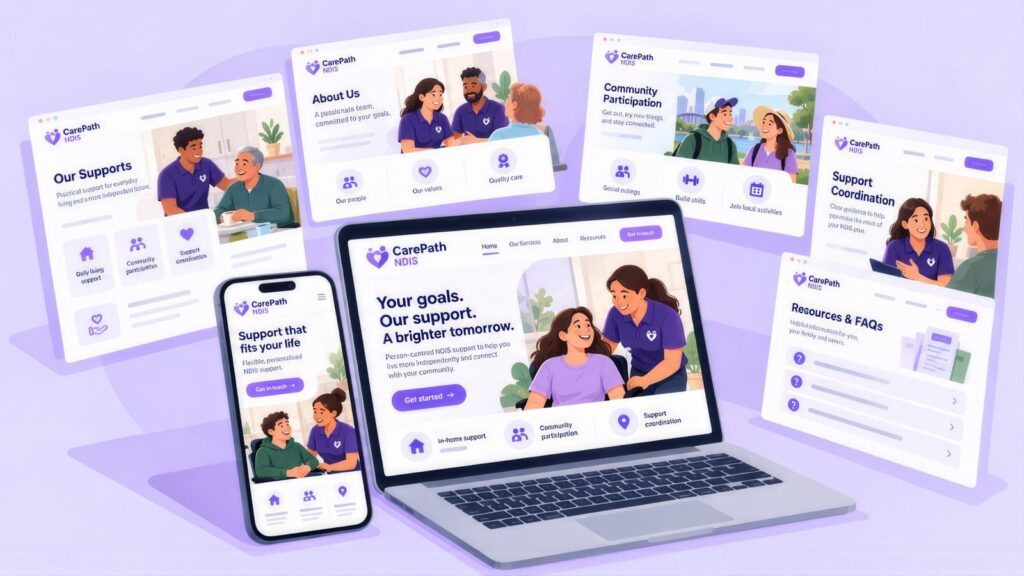
A coordinator wants to know in under a minute whether you can take someone on. Publish one page written for them, and keep it up to date.
- List your supports, the suburbs you cover and your current capacity, and update the page whenever capacity changes. If there is a waitlist, say so.
- Say what you need to start: support type, suburb, how the plan is managed and a contact. Add a short referral form, a named intake contact and a direct phone number.
- Publish your response time and stick to it. Within one working day is a fair standard.
- Send plan managers invoices that match the current NDIS Pricing Arrangements, so claims get paid without queries.
- With the person’s consent, tell their coordinator about start dates and any change to supports.
Aim the page at searches such as NDIS support coordinator referral. Link to it from each support page, with link text like “refer a participant” or “check our current capacity”.
NDIS Provider Finder, Business Profile and Directories
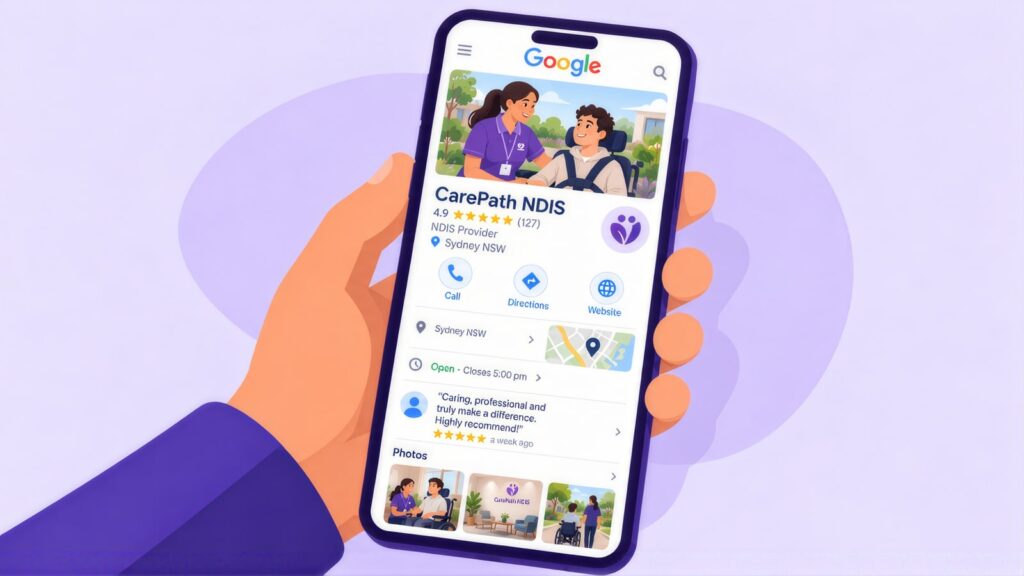
Coordinators use the NDIS Provider Finder and directories to find providers. Families search locally, because they need someone who works in their area. That is why local SEO works well for providers, and why suburb-level support pages can outrank directories for many searches.
| Listing | What to do |
|---|---|
| NDIS Provider Finder | Keep it complete and current, with a business name that matches your Google Business Profile exactly. |
| Business Profile main category | Choose Disability services and support organization. |
| Business Profile services | List each support type you are registered for, and nothing outside it. |
| Service area | Add each suburb, council area or region where you deliver supports. A suburb lookup tool helps you build the list. |
| Other directories | Use the same name, address, phone, registration status and supports as your website. |
Reviews on your Business Profile help families choose between providers. Ask for one when a support is going well, and send a direct link to make it easy. Reply to each review without confirming that the reviewer, or anyone else, is a participant, because that would reveal private health details. Check all your listings once a quarter too. If your name, phone or registration details differ between Google, the Provider Finder and directories, families cannot tell which one is right.
Social Media, Local Groups and Email Nurture
Families and coordinators also find providers through local Facebook groups, community pages and newsletters. They ask the same things there that they type into Google: what you offer, whether you have room and how fast you reply.
- Many suburbs have local disability, carer and parent groups on Facebook. Read each group’s rules first. Answer questions helpfully, and only post about your services where the admins allow it.
- Your own page. Post capacity updates, team introductions and plain-English notes when NDIS rules change. Share photos from community events only when everyone shown has agreed.
- A coordinator newsletter. Send a short monthly email to coordinators and plan managers that lists capacity by suburb and support type. It keeps you in mind when a referral comes up. The ACMA’s spam rules set three conditions: you need consent, you must say who you are, and unsubscribing must be easy.
Participant stories, with consent
A participant’s own story of what changed for them is strong proof. When it touches on health or disability, it is also sensitive information under the Privacy Act 1988. Get explicit written consent for each use and each channel. Let them check the final wording. Use first names only, unless they ask otherwise. If they withdraw consent, take the story down promptly.
Keywords Participants and Families Use
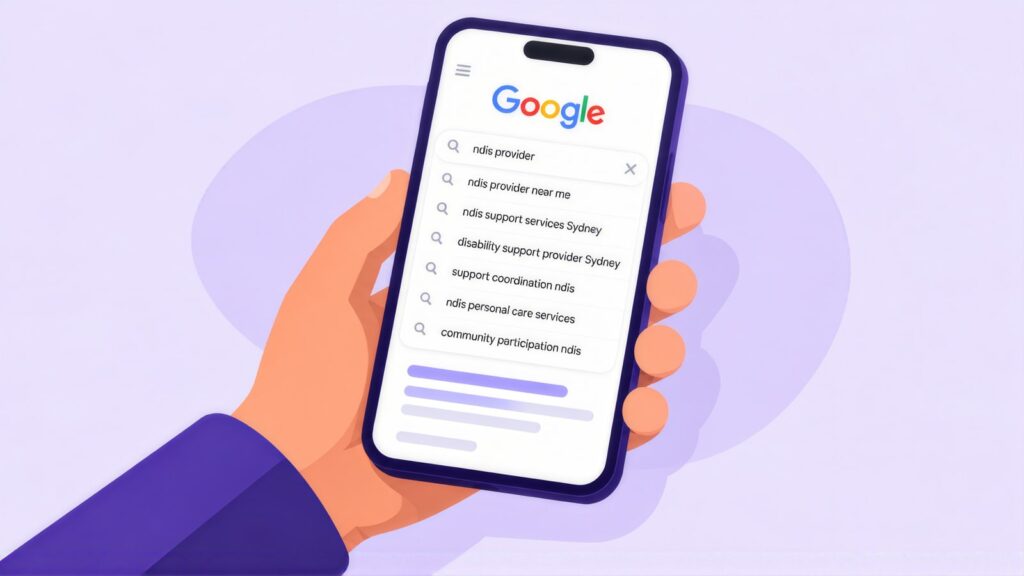
Participants and families search by support type and suburb. Coordinators also search for plan managers and support coordination. In CCM’s analysis of Google Keyword Planner data (Australia, 12 months to August 2026), NDIS provider averages about 6,600 searches a month. NDIS support coordinator averages 4,400 and NDIS support worker 3,600. That last term mixes people who need support with people looking for work. Your ads therefore need a strong list of negative keywords, which are words that stop your ad showing on the wrong searches.
Support Type
NDIS support worker [suburb]
NDIS personal care [area]
NDIS community access [city]
NDIS daily activities support
Living and Accommodation
NDIS SIL provider [state]
NDIS supported accommodation
NDIS group home [city]
SDA housing NDIS
Allied Health
NDIS physiotherapist [suburb]
NDIS occupational therapist
NDIS speech pathology [city]
NDIS behaviour support
Plan Management
NDIS plan manager [state]
NDIS plan management fees
registered plan manager [city]
plan management NDIS
Support Coordination
NDIS support coordinator [suburb]
specialist support coordination
NDIS coordinator [city]
support coordination [area]
Provider Discovery
NDIS provider near me
NDIS provider [suburb]
registered NDIS provider [state]
disability support services [city]
NDIS Compliance, Registration and E-E-A-T
Google puts NDIS content in its YMYL group, short for “your money or your life”. These are pages that can affect a person’s safety or wellbeing, and a choice of disability support fits that. Google holds such pages to higher E-E-A-T quality standards: experience, expertise, authority and trust. The Commission’s rules set similar expectations. Aged care providers face their own wording rules under the Aged Care Act, which aged care SEO has to respect alongside the keywords families use.
| Obligation | What it means | How to meet it |
|---|---|---|
| Registration accuracy | What you say about registration must match your actual status. Claiming registration you do not hold breaches Commission rules. | Confirm your status through NDIS Commission provider registration. Show your registration number and groups on your About page and each service page. The NDIA’s guide on how to register as a provider covers the steps if you are not yet registered. |
| Funding type clarity | People whose plans the NDIA manages generally need registered providers. The NDIA notes that unregistered providers can only be paid through a plan manager or by the participant directly. | Say which funding types you take on each service page. |
| Support scope | Only advertise supports you are registered for. | Check your certificate before you publish a new service page. |
| Pricing accuracy | NDIS Pricing Arrangements and Price Limits apply to most funded supports. | Check the current arrangements before you publish a price. Update it when the NDIA releases new ones. |
| Privacy | Disability and health details are sensitive information, which the law guards more closely. | Put a clear privacy notice on the enquiry page. Keep participant details out of case studies unless you have written consent. |
An Accessible Site With Clear Support and Funding Pages
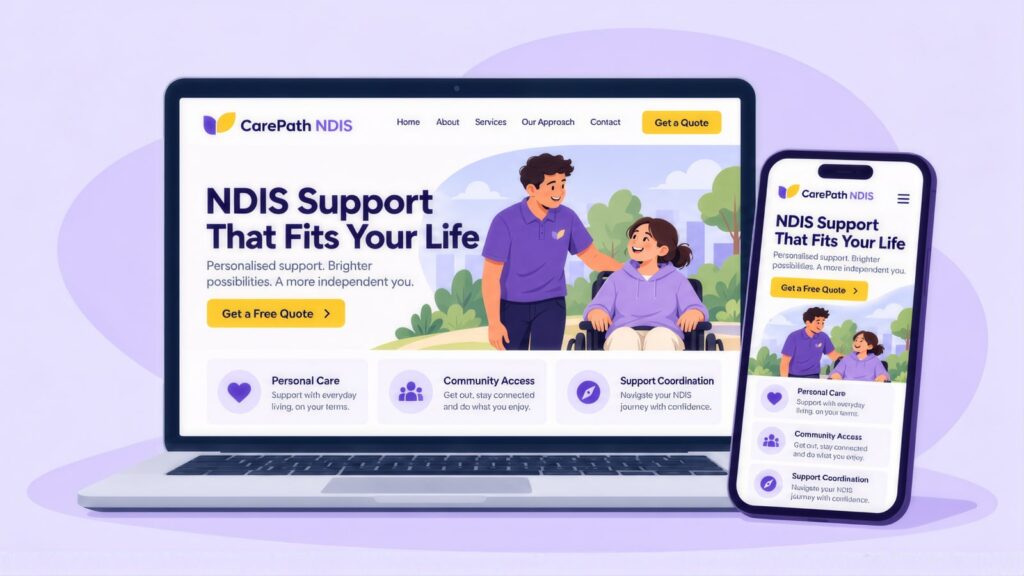
People with disability need a site that is easy to use. Start with good user experience design, and check each page against WCAG 2.1 AA as a minimum. The W3C accessibility guidelines cover text descriptions for images, keyboard access, colour contrast and captions on video.
Next, build a page for each support type, a plain guide to funding types, a credentials page and the referrer page described in A Referrer Page Coordinators Can Act On. Each page should state your registration status, the areas you cover and when you can start.
| Page | Focus keyword | What to include |
|---|---|---|
| Main provider page | NDIS provider [city/state] | Registration number, funding types, support types, areas covered, an enquiry form and an FAQ |
| Support type pages | NDIS [support type] | What the support includes, who it suits, which funding types work, openings and an FAQ |
| How the NDIS works | NDIS funding types | Plans, funding types, and how to find or change providers, in plain English |
| About and credentials | NDIS registered provider | Your registration details, Commission number, team skills and who you mainly support |
Link each support page to the how-the-NDIS-works page with text such as “understanding NDIS funding types”. Link each page to the enquiry form with “check openings in your area”.
Titles, Meta Descriptions and Schema for Support Pages
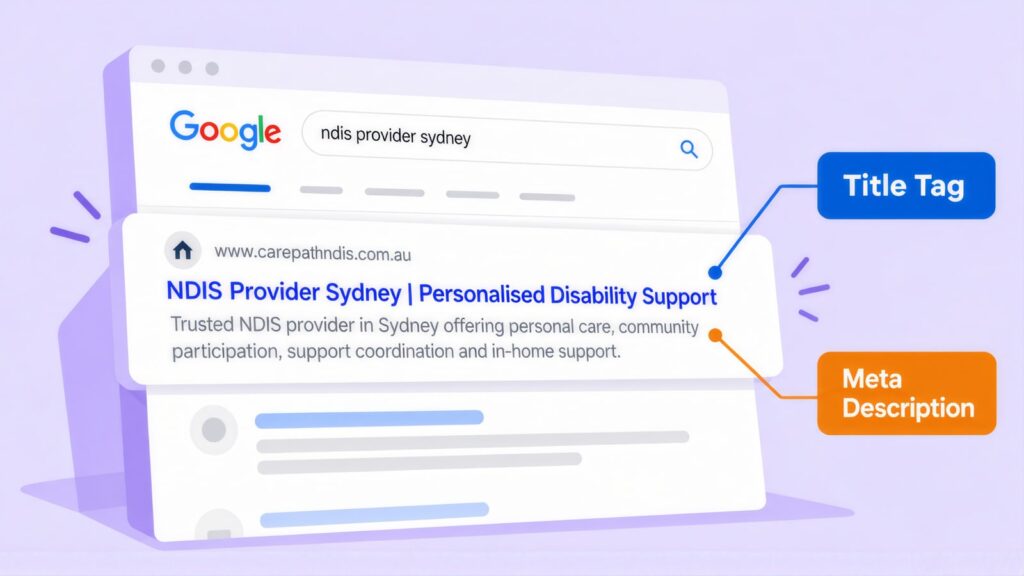
The title tag is the blue, clickable headline Google shows for your page. Start each one with the support type and suburb. Mention registration only if it is accurate. Here are three examples, with their length in characters:
- NDIS Community Access Support in [Suburb] (41)
- NDIS Provider in [City] | Daily Living Support (46)
- NDIS Personal Care [Suburb] | Registered Provider (49), for registered providers only
Your brand name can go on the end, but only if the full title still fits in 55 characters. Google tends to show your site name next to the listing, so cut the brand first when space is tight.
Under the title, Google often shows your meta description, a one or two line summary. Name the support, the funding types you take and an invitation to check availability. For example: “NDIS personal care in from a registered provider. We support NDIA-managed, plan-managed and self-managed participants. Check availability.” (147 characters)
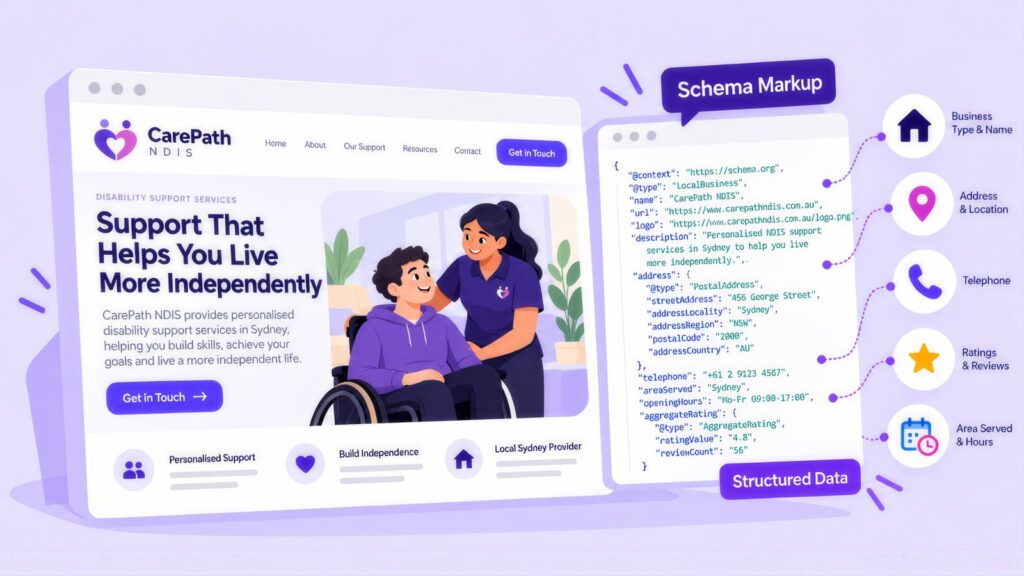
Schema markup is code that tells search engines a page belongs to a disability service, with its address, areas and supports. Use LocalBusiness, or the closest sub-type for disability services, on the homepage and service pages. Add BreadcrumbList to each page below the homepage. Google cut FAQ rich results back to government and health sites in August 2023 and dropped them on 7 May 2026, as its Search Central updates log records. FAQPage markup will therefore not add a dropdown to your result. On a support page, it only labels your questions and answers for search engines and AI tools. Keep each value the same as your registration details and Business Profile.
Explainers Participants and Families Trust
Plain-English guides help families before they choose a provider. Write those guides, and date each one. Good topics include:
- what to look for in an NDIS provider
- how to change providers without a gap in supports
- the three ways a plan can be managed: by the NDIA, by a plan manager or by the participant
- what happens to unspent funds at plan review
- what this year’s Pricing Arrangements changes mean for participants.
Check each guide again when the NDIA or the Commission makes a big change. An old guide that misleads people can breach your Commission obligations.
Being cited in AI search answers
Google’s AI Overviews and AI Mode can answer NDIS questions above the normal results. Google’s page on AI features and your website says there are no extra steps or special schema needed to appear in them. Standard SEO practice still applies, and Google adds that your Business Profile details should be up to date. For a provider, that comes down to three habits:
- Keep your registration details, supports and areas the same on your site, the Provider Finder and directories.
- Open each guide with a one or two sentence answer, then the detail. Show the date it was last checked.
- Search your main questions each month and note which pages the AI answers cite.
Clear, dated guides like these are also more likely to earn AI Overview citations.
Google Ads for NDIS Providers
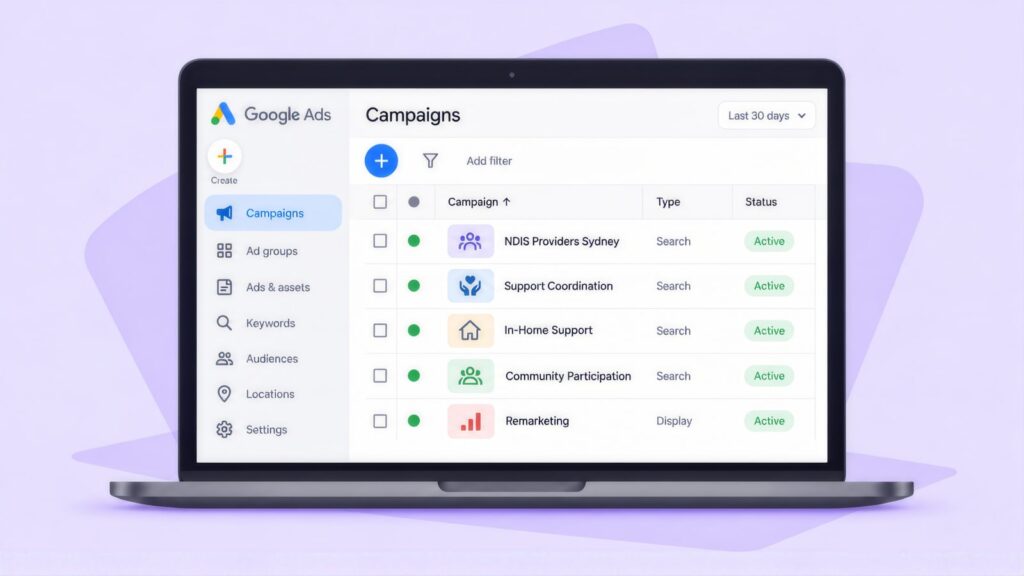
Run Search campaigns on support type and suburb keywords, with separate campaigns for participants and referrers. Target people by where they are, so your ads reach people in your area rather than people who are only interested in it. Keywords and locations matter most here, because Google restricts audience targeting for health. Allied health clinics have their own advertising rules set by AHPRA, and allied health SEO has to respect them while targeting funding keywords.
| Setting | For an NDIS provider |
|---|---|
| Campaigns | Two Search campaigns: one for participants and families, one for referrers. |
| Location targeting | People who are in the suburbs and council areas where you can take new participants. |
| Ad schedule | The hours your intake team answers enquiries. |
| Bidding | Start with manual bids, where you set the most you will pay per click. Learn how many enquiries become active participants before you move to smart bidding strategies such as target cost per acquisition. |
Remarketing means showing ads to people who have been to your site before. Google lists health as a sensitive interest category in its personalised advertising policy. If you promote services in these categories, you cannot use advertiser-curated audiences, such as remarketing lists and Customer Match. Google’s own predefined audiences are still available. Because most NDIS ads relate to a person’s health or disability, plan as if remarketing is unavailable, and never build audiences from participant data.
Keywords, negatives and ad copy
Bid on searches such as “NDIS provider “, “NDIS support worker [city]” and “NDIS [support type] near me”. Before launch, add negative keywords for jobs, worker pay rates, employment, “apply for”, NDIS portal login, participant forms and NDIS software. These keep your ads away from job seekers and people who want admin help.
| Component | Example ad copy |
|---|---|
| Headline 1 | NDIS Provider [Suburb] |
| Headline 2 | Registered NDIS Provider |
| Headline 3 | Community Access Support |
| Description | Personal care and community access in . NDIA and plan-managed welcome. |
Use the “Registered” headline only if you are registered for the supports in the ad. Training providers face a similar test with their RTO number, which SEO for RTOs has to meet on course pages and in ads.
Landing Pages That Convert
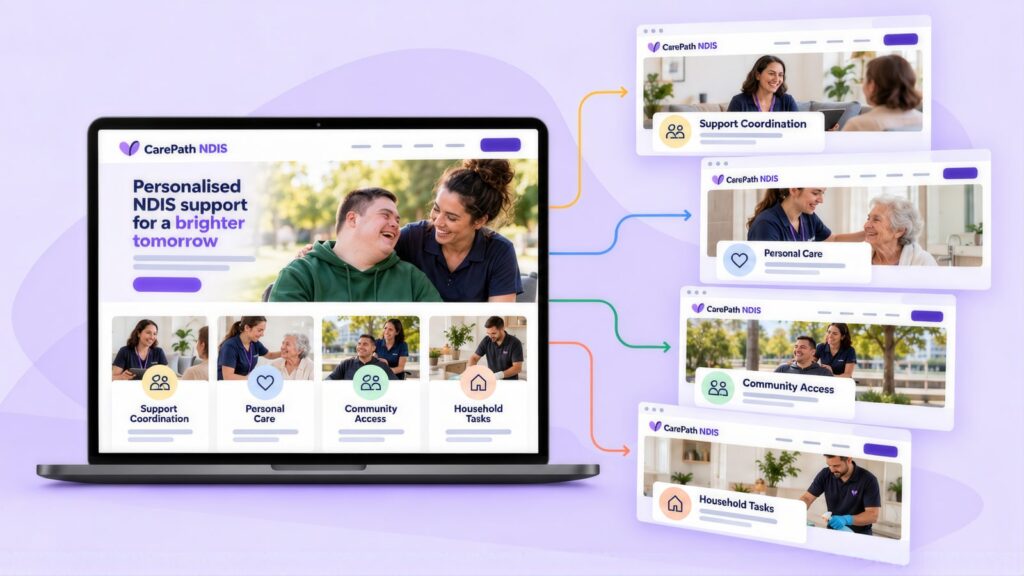
A landing page is the page someone reaches when they click your ad. Give each support its own custom landing page. It should answer what a participant or coordinator needs to know before they enquire:
- Your registration status, and what it means for each funding type.
- Only the supports you are registered for.
- The suburbs or regions where you deliver.
- Current openings, with any waitlist stated before someone sends the form.
- A short form for name, support type, suburb, funding type and contact details. Ask for no medical or disability details on a public form.
- A clear, accessible privacy notice.
Tracking an Enquiry to an Active Participant
Follow each enquiry from its source to a signed service agreement and the first support delivered. Record event types and dates only. In Google Ads, each stage can be a conversion, which is simply an action you count as a result.
| Stage | What to record |
|---|---|
| Enquiry received | Support type, suburb, funding type, date, and whether it came from a participant or a referrer |
| Fit confirmed | That you cover the area and have capacity, and the date |
| Service agreement signed | Support type, funding arrangement and source |
| First support delivered | The date, and whether supports are still going at 30 days |
Do not upload participant names, disability types, plan details or support histories to an ad platform. This is sensitive information under the Privacy Act 1988, and the NDIS Act protects it too. Count conversions by type and date only. Set up Google Analytics 4 (GA4) and Google Tag Manager so no form answers pass through to them. A GA4 and Tag Manager review can check that nothing leaks.
A 12-Week Checklist for an NDIS Provider’s Website
Work through the list in order, with the compliance checks first so that no campaign sends people to an out-of-date claim.
- Weeks 1 to 2: confirm your registration status and scope. Check each page against the current mandatory registration rules. Update your Provider Finder listing.
- Weeks 3 to 4: run a WCAG 2.1 AA accessibility check and fix the worst problems. Add a privacy notice to the enquiry page.
- Weeks 5 to 6: publish the referrer page with capacity, areas and response time. Email it to the coordinators and plan managers you already work with.
- Weeks 7 to 8: rebuild your main support pages with registration status, areas and funding types. Make your Business Profile and directories match.
- Weeks 9 to 10: launch one Search campaign for your main support in your main area. Check that intake replies within one working day.
- Weeks 11 to 12: work out what each qualified enquiry and each new active participant costs you. Check prices against the current Pricing Arrangements. Send the first coordinator newsletter.
NDIS Provider SEO and Google Ads: Common Questions
How do NDIS providers get new clients?
New clients come through referrals from support coordinators and plan managers, through local search and through listings such as the NDIS Provider Finder. A referrer page with current capacity helps with each of these, as do support pages that state your areas and funding types. Local community groups and a coordinator newsletter can bring in more.
How long does SEO take for an NDIS provider?
Support pages for suburbs you already serve usually rank first. A broad term such as NDIS provider takes longer, because large national groups compete for it. Results are slower when pages wait on checks of registration and funding claims. A Provider Finder listing or Business Profile that does not match your website also slows things down. Expect early traction at three to four months and real gains by six to nine months. Results then keep building after twelve months.
Do AI Overviews change SEO for NDIS providers?
The basics stay the same, because Google says there are no extra requirements and no special schema for AI Overviews or AI Mode. Keep your registration details the same on your site, the Provider Finder and directories. Open each guide with a short, dated answer, and check each month which pages the AI answers cite.
What does SEO cost for an NDIS provider?
Cost depends mostly on how many support types and service areas need pages. Each page also needs a compliance check before it goes live, since registration, scope and funding claims must match your certificate. Metro areas with many registered providers take longer to win. In general, an agency charges $1,500 to $10,000+ a month. An in-house hire costs $80,000 to $170,000+ a year once tools and training are counted. Those ranges come from this agency versus in-house comparison. The SEO ROI calculator shows how many active participants you need to cover the cost.
What do Google Ads clicks cost for NDIS searches?
Top-of-page bids for NDIS provider run from about $2.40 to $9.48 in Australia, and for NDIS support coordination from $1.99 to $7.10. NDIS plan manager costs far more, at $6.05 to $26.87. These bid ranges come from CCM’s Keyword Planner pull of 1 October 2026, which is separate from the search volumes in Keywords Participants and Families Use. Your actual cost per click changes with your bid, the quality of your ad and how many other providers bid in your area.
Can NDIS providers use remarketing in Google Ads?
Usually not, because Google treats health as a sensitive interest category, and services in those categories cannot use remarketing lists or Customer Match. Build NDIS campaigns on keywords and location targeting instead.
Can an unregistered NDIS provider advertise?
Yes, as long as each claim about registration is accurate. Because unregistered providers can only be paid through a plan manager or by self-managed participants, say which funding types you take on each service page. Check the NDIS Commission’s current mandatory registration rules before you publish.
Can we use participant stories in our marketing?
Yes, with explicit written consent for each use and each channel. Health and disability details are sensitive information under the Privacy Act 1988. Let them approve the final wording, and remove the story if they withdraw consent.
Andrei Jach is Senior Manager, SEO and Analytics Specialist at Click Click Media in Sydney, with more than 15 years in digital marketing and strategy. He has led SEO for health, retail and professional services businesses, and oversees strategic SEO planning, analytics implementation and technical audits. He previously held roles at Agent 6 Marketing and Red Propaganda.
Research led by Phillip Wendell, with Google search, advertising and keyword data first captured on 3 September 2026, and click costs refreshed on 1 October 2026. Written by Andrei Jach between 15 September and 2 October 2026, and published on 13 October 2026.
Figures are a snapshot: rankings, click prices and market conditions change.
Implement this playbook with AI
Opens your assistant with this playbook and seven questions about your business: services, area, website and ads. It then writes your keyword map, page plan and Google Ads starter build with your details filled in.
Copy the prompt for Gemini, Grok or any assistant that cannot open a prefilled link. The prompt points at this page, which is also served as Markdown to assistants that ask for it.
Work with Click Click Media
When a participant is waiting, a coordinator needs to confirm a provider’s capacity and areas quickly. Our free audit checks whether your website, Business Profile and Google Ads account make that quick. It also checks that every registration and funding claim still matches the Commission’s current rules.
We run SEO services and Google Ads management for care providers. That work is backed by Google Premier Partner status, search marketing since 2008 and more than $115 million in Google Ads spend managed for Australian organisations.
NDIS rules change often, so we suggest the audit before any paid campaign starts. There is no lock-in contract, and a senior strategist looks after your account.
Verified Sources and References
- NDIA: Quarterly Report Q3 2025-26 (PDF)
- NDIA: Quarterly reports
- NDIS: How to register as a provider
- NDIS: Provider Finder
- NDIS Commission: Provider registration
- NDIS Commission: Mandatory registration
- NDIS: Pricing Arrangements and Price Limits
- NDIS: What is a support coordinator
- NDIS: What is a plan manager
- Google Ads policy: Restricted targeting in personalised advertising
- Google Search Central: AI features and your website
- OAIC: What is personal and sensitive information
- ACMA: Avoid sending spam (Spam Act 2003)
- W3C: Web Content Accessibility Guidelines 2.1
- Google Search Central: Documentation updates (FAQ rich results deprecated 7 May 2026)
- ACCC: False or misleading claims
- Click Click Media: AI search optimisation (Integricare result)
- Click Click Media: Clients (1300 Smiles result)
Last checked October 2026 · next review January 2027
