
SaaS SEO and Google Ads for Australian Software Companies
Written by Andrei Jach, Senior Manager, SEO and Analytics Specialist at Click Click Media · Research led by Phillip Wendell · Published 13 October 2026
Australia’s SaaS market was worth USD $10.7 billion in 2024 and is forecast to grow about 10% a year to 2030, so SaaS SEO and Google Ads here mean competing with global and local products at once. Australian software suppliers turn over about $33.8 billion, and around 203,000 people work as software and applications programmers. Atlassian, Canva, Xero and WiseTech Global are the largest names, alongside many SaaS businesses built for a single industry.
Software buyers search with four different aims. Some name a category, such as project management software for a 50-person agency. Others compare two products or look for an alternative to a tool they already pay for. A fourth group reads setup docs and API references before committing. Each aim needs its own page type, keywords and ad group.
This playbook works through the funnel one intent at a time. It then covers B2B SaaS marketing channels, unit economics and the tracking that ties an ad click to a paying account.
Implement this playbook with AI
Opens your assistant with this playbook and seven questions about your business: services, area, website and ads. It then writes your keyword map, page plan and Google Ads starter build with your details filled in.
Copy the prompt for Gemini, Grok or any assistant that cannot open a prefilled link. The prompt points at this page, which is also served as Markdown to assistants that ask for it.
What Our Research Found in Software Search
In CCM’s Australia-wide desktop captures of eight software and software marketing searches on 3 September 2026, Google showed an AI Overview on all 8, and the site ranked first was cited in that search’s AI Overview on only 2 of the 8. A top ranking did not bring an AI Overview citation with it, so track both for your category terms.
None of the 40 page-one results on the four software and comparison searches was a location page. Category, comparison and feature pages deserve your effort before any city pages, unless Google Search Console shows your own buyers searching by city.
Source: CCM search captures, Australia, 3 September 2026
On myob vs xero, 9 of the 10 page-one results in CCM’s capture of 3 September 2026 were comparison pages. CCM’s analysis of Semrush ad history from September 2025 to July 2026 found only two advertisers on that search, Xero and MYOB themselves. Buyers comparing two products mostly read comparison pages, and the brands being compared were the only ones bidding. If buyers often compare your product with a larger rival, build a fair, detailed comparison page of your own early.
Source: CCM search captures, Australia, 3 September 2026; CCM analysis of Semrush ad history, September 2025 to July 2026
None of the 49 ad records in CCM’s analysis of Semrush ad history for six software searches, September 2025 to July 2026, named a security credential such as ISO 27001, SOC 2 or IRAP. The records came from 21 advertisers, including 4 marketing agencies bidding on saas marketing agency. If you hold a certification, naming it in your ads gives procurement teams a reason to click that no ad in this sample offered. State the scope of the certification accurately, and keep the lines your own trial-to-paid data supports.
Source: CCM analysis of Semrush ad history, September 2025 to July 2026
CCM captured eight Google searches on desktop through the DataForSEO SERP API, run Australia-wide on 3 September 2026: accounting software australia, hr software australia, best accounting software australia, myob vs xero and what is saas, plus three searches businesses use to find marketing help (saas marketing agency, technology marketing agency and saas seo agency). A page-one result is one of the top 10 organic results, and an AI Overview citation is a link to the site inside the AI Overview. For the ad findings, CCM analysed Semrush ad history for Australia from monthly snapshots on the 15th, September 2025 to July 2026, for accounting, hr, payroll and crm software australia, myob vs xero and saas marketing agency. Each ad record counts one advertiser and one ad in a single monthly snapshot.
Four Buyer Intents in Software Search
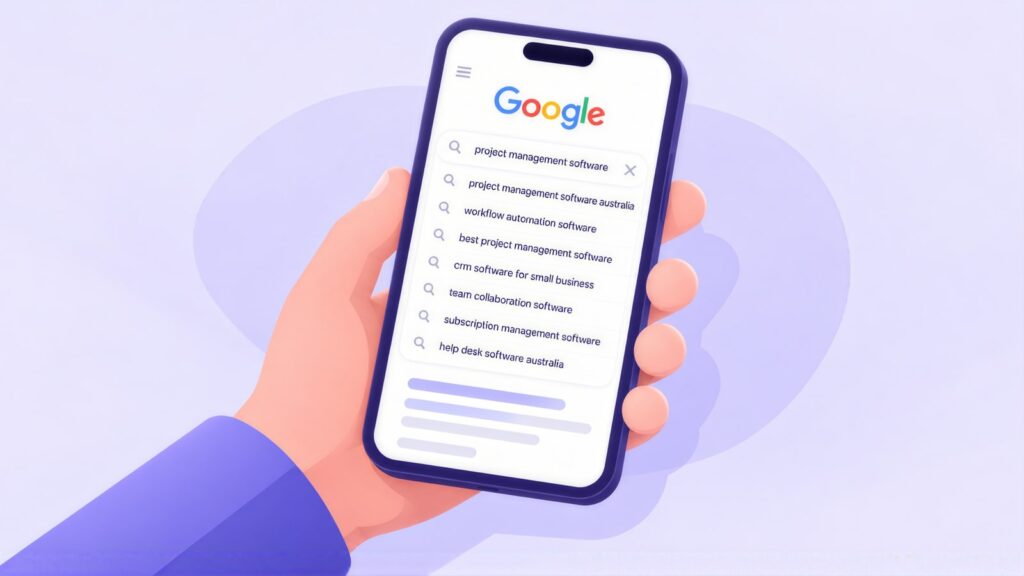
Australian software buyers choose between global competitors and local specialists. They research across search, review platforms (G2, Capterra, GetApp), LinkedIn and peer communities. In search, what they want falls into four groups:
- Category: “[category] software Australia”, “best [category] tool for [industry]”.
- Comparison: “[your product] vs [competitor]”, “[product] review”.
- Alternative: “[competitor] alternative”, often from someone unhappy with a tool they pay for.
- Docs and implementation: “[product] API”, “how to set up [product]”, “[product] integration [tool]”.
Most campaigns aim for a free trial or demo request, but the business needs paying accounts. The two campaigns below use assumed signup numbers and paid rates to show the difference:
| Campaign | Trial signups a month | Share that pay | Paying customers |
|---|---|---|---|
| A: broad, cheap signups | 500 | 3% | 15 |
| B: fewer, high-intent signups | 100 | 30% | 30 |
Campaign B produces twice as many paying customers from a fifth of the signups. Track signup, activation, first payment and retention as separate events, and aim your bidding at the trial-to-paid rate.
Keyword Clusters Mapped to Intent
Match each keyword group to a page type, so every intent has somewhere to land. Pricing and local compliance searches cut across all four.
Category
[software type] software Australia
best [category] tool
[category] software for [industry]
[category] software small business
Use Case
[feature] software
how to [task] with software
[industry] [function] tool
[workflow] automation software
Comparison
[your product] vs [competitor]
best [category] tool comparison
[your product] review
[product] vs [product] pricing
Alternative
[competitor] alternative
[competitor] alternative Australia
switch from [competitor]
cheaper [competitor] alternative
Docs and Implementation
how to set up [product]
[product] integration [other tool]
[product] API
[product] migration
Pricing and Compliance
[product] pricing
[category] software cost
Australian data residency [category]
[category] software free trial
Category Intent: Pages and Authority
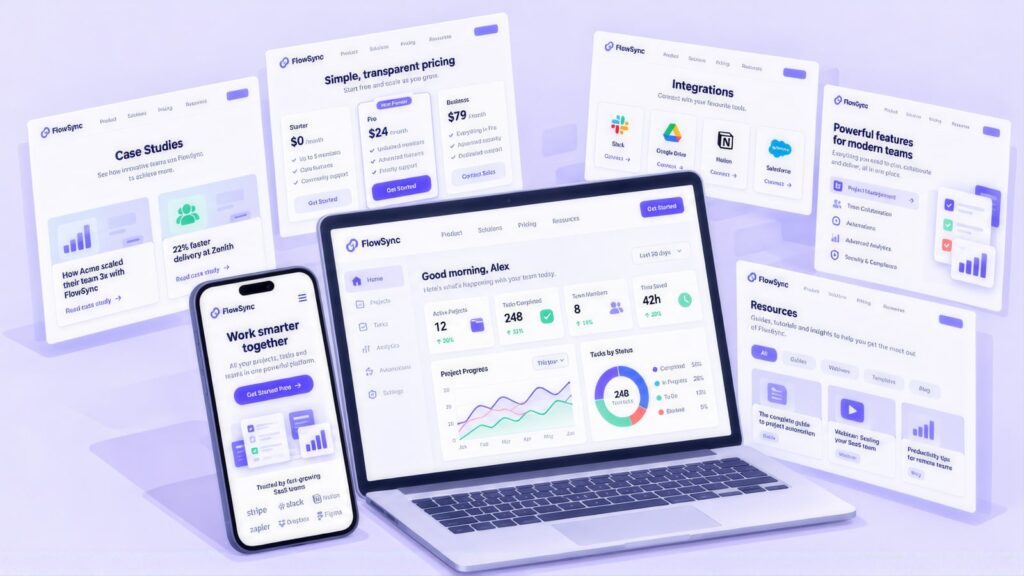
Category searches are the widest and most contested part of the funnel. Ranking for them takes a strong category page, a feature page for each use case and a pricing page that answers the cost question. The title tag is the clickable headline Google shows for each page:
| Page | Focus keyword | Example title tag | Characters |
|---|---|---|---|
| Category page | [category] software Australia | Project Management Software for Australian Teams | 48 |
| Feature pages | [specific feature] or [use case] | [Feature] Software for [Team Type] Teams | 40 |
| Pricing | [product] pricing | [Product] Pricing & Plans | Starts at $[X]/month | 48 |
| Case studies | [customer industry] [product] | [Customer] Case Study: [Outcome] With [Product] | 47 |
Software titles carry a category and an audience, which leaves little room for a product name, so add yours only if the title still fits in 55 characters. Search results normally display your site name already, which makes the brand the easiest part to cut. A keyword and meta planner keeps titles within length and on target.
If your pricing is complex, publish a starting price and say where it turns custom. A line such as Starts at $X per month for up to N users gives buyers more to go on than “contact us for pricing”.
Building category authority
Category authority comes from steady, expert content about the problem your software solves. A project management tool that ranks for “how to run effective sprints”, for example, is a name buyers already know when they start comparing software. Problem-focused articles help product keywords rank over time, especially alongside work on earning authoritative links. They also give AI assistants material to draw on when they describe your category, a topic covered in this guide to ranking in ChatGPT answers.
Your own data is one of the easiest ways to earn links. If your product holds anonymised usage data, publish a yearly benchmark report on figures such as average time to close a ticket or typical project overrun. Journalists and bloggers then have a reason to cite you.
Comparison Intent: Honest Comparison Pages and Trust Signals
Someone comparing two products already has a shortlist. Comparison pages carry legal risk under the Australian Consumer Law. The ACCC lists inaccurate comparative advertising as misleading conduct. Date each page, explain how you compared, compare equivalent plans and include your own product’s limits.
| Trust signal | How to use it |
|---|---|
| G2 and Capterra ratings | Review platforms let buyers check your product before they talk to you. Ask for reviews on the platform that matters most in your category. Show the rating and review count, with a link, on your homepage and pricing page. |
| Security and compliance | Buyers’ procurement teams check ISO 27001, SOC 2 Type II, Privacy Act compliance and where data is stored. State your certification scope, hosting location and third-party processors accurately. Hosting data offshore brings obligations under APP 8 on cross-border disclosure. |
| Named case studies | Name the customer, the use case and a measurable result, with a quote from a named person. Buyers cannot check a claim like “reduced costs by 30%” with no name on it, so give the source. |
Alternative Intent: Winning Switchers
Someone searching [competitor] alternative already pays for software and is unhappy with it. They want to know who switches, why, and how painful the move is. An alternative page should cover:
- Who usually switches, and the problems that push them.
- A dated feature comparison of equivalent plans.
- Migration steps, data import options and how long a move takes.
- The honest limits of your own product, then a trial offer for switchers.
In Google Ads, run competitor and alternative searches as their own campaign with their own landing pages. Under Google’s trademarks policy, a trademark owner can complain about their name appearing in your ad text. Keep competitor names out of headlines unless you have checked the restrictions.
Integration and marketplace listings
Some buyers find software through the app stores of tools they already use, such as the Xero App Store and the Atlassian Marketplace. A listing there puts you in front of people who are already shopping for an add-on. Treat each listing like a landing page, with a clear name, screenshots, a plain description of what the integration does and recent reviews. Build a matching integration page on your own site for searches like [product] integration [tool], and link the listing and the page to each other.
Docs Intent: Technical SEO for Help Docs and App URLs
Most SaaS sites mix three kinds of web address: the marketing site, the help docs and the app itself. Search engines should see the first two clearly and stay out of the third.
JavaScript rendering
Google handles JavaScript pages in three steps: crawling, rendering and indexing. Its JavaScript SEO basics guide calls server-side rendering or pre-rendering “still a great idea”, because it is faster and not every bot runs JavaScript. Give each page of a single-page app its own URL through the History API. Return a real 404 error for missing pages. Treat dynamic rendering as a workaround rather than a permanent fix.
Help docs behind a login
Google cannot index pages behind a login. Help articles on integrations, setup and security often answer questions buyers ask before they sign up, so publish those on public URLs. If you gate content for visitors but let Googlebot see it, use Google’s paywalled content markup. That stops the setup being mistaken for cloaking (showing Google different content from visitors).
Keeping app URLs out of the index
Add a noindex rule to login screens, dashboards and session URLs that Google can reach, which tells Google not to list them. Do not also block them in robots.txt, because Google’s noindex guidance warns that Google never sees the noindex on a blocked page. For URLs with extra parameters, use a canonical tag to point Google to the clean version of the page.
Schema markup
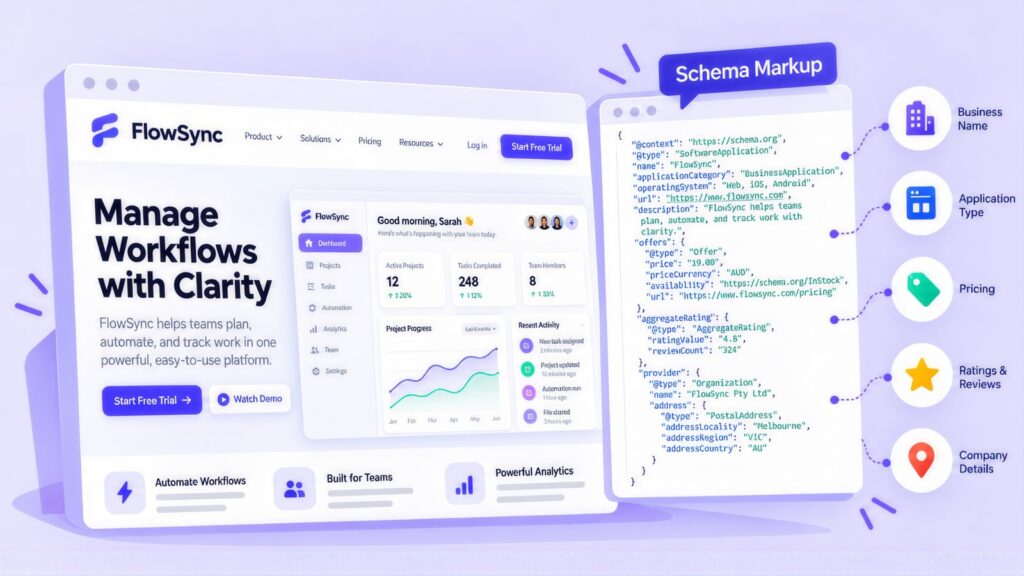
Schema.org has a SoftwareApplication type built for products like yours, so use it in the code of product and feature pages. Use Article with a named author on the blog, and BreadcrumbList below the homepage. On help centre FAQs, FAQPage markup now only tells search engines and AI tools which text is the question and which is the answer. Google cut FAQ rich results back to government and health sites in August 2023 and stopped showing them from 7 May 2026, so the markup no longer adds a dropdown.
Google Ads for SaaS: Campaign Structure and Click Costs
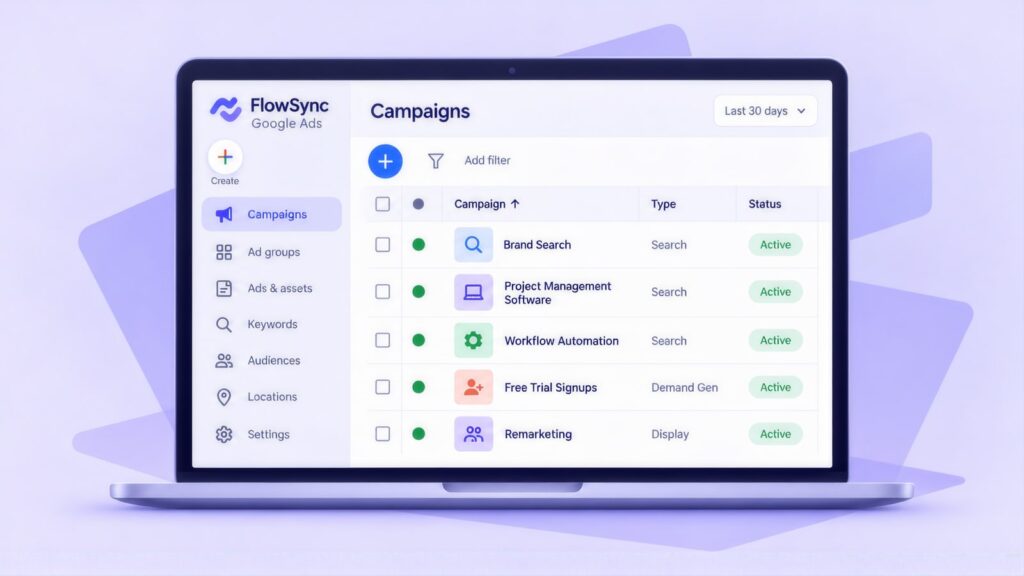
Split branded, category and competitor searches into separate campaigns, and judge each one on paid accounts. Start by setting your own maximum cost per click (CPC). Once you have 30 or more trial-to-paid conversions a month, switch to a target cost per paying account (target CPA). Trial signups alone are not enough to bid on. Target all of Australia for most products, and run B2B campaigns in business hours. Manufacturers selling to other businesses face a similar wait between click and sale, and Google Ads for manufacturers includes tracking each request for quote.
Click prices for software are high and vary widely. Across Australia the average CPC runs from about $18 for xero alternative to about $116 for hr software.
| Keyword (Australia) | Monthly searches | Top-of-page bid range | Average CPC |
|---|---|---|---|
| project management software | 5,400 | $10.28 to $30.00 | $33.36 |
| crm software | 4,400 | $5.56 to $33.62 | $33.46 |
| accounting software | 2,900 | $6.01 to $62.39 | $50.58 |
| payroll software | 1,600 | $13.38 to $75.11 | $58.86 |
| hr software | 1,000 | $16.32 to $83.65 | $116.36 |
| help desk software | 260 | $28.21 to $80.00 | $82.75 |
| xero alternative | 210 | $4.27 to $29.28 | $18.36 |
Source: CCM analysis of Google Keyword Planner data, Australia, 12 months to August 2026; average CPC is a historical average and can sit above the top-of-page bid range, as it does for project management, hr and help desk software. At these prices, a campaign judged on trial signups can look cheap while losing money, as the worked example in SaaS Unit Economics: CAC, LTV and Payback Worked Through below shows.
LiteracyPlanet is an online literacy platform. For this client, “Restructuring Google Ads campaigns by service rather than geography doubled clicks and cut average CPC by 50%.” In February 2026 the account recorded clicks up 98.8% year on year and conversions up 20.4%. Average CPC fell 50.4%, on total spend down 1.3%. The LiteracyPlanet case study sets out the restructure.
Ad Copy, Negatives and Trial Landing Pages
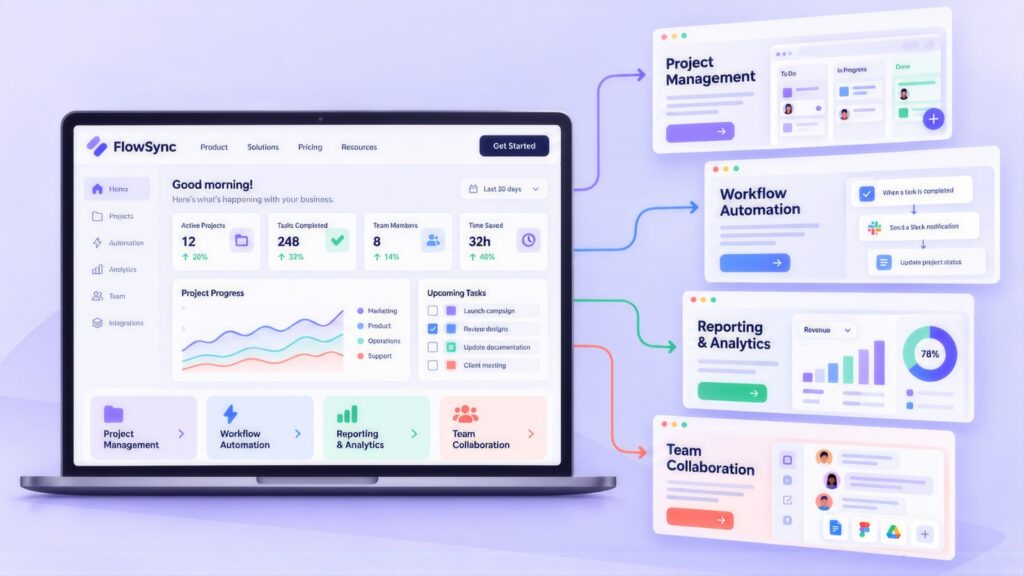
Bid on category, alternative and free trial searches, and set up negative keywords before launch. Negative keywords stop your ads showing on searches you would rather not pay for. Use them to block job seekers and people hunting for free or pirated versions.
- Include: “[category] software Australia”, “[competitor] alternative”, “best [category] tool [industry]”, “[product] free trial”.
- Exclude: jobs at [company], open source (if your product is not), free forever (if you have no free plan), crack, hack, plus your login and support terms.
| Component | Example |
|---|---|
| Headline 1 | [Category] Software |
| Headline 2 | Free 14-Day Trial |
| Headline 3 | Built for Australian Teams |
| Headline 4 | Australian Data Hosting |
| Description 1 | [Product] helps [target user] [key outcome]. Hosted in Australia. |
| Description 2 | ISO 27001 certified. From $[X]/month. Start a free trial, no credit card needed. |
Only claim hosting, certification and pricing details that are true today. Send each ad group to a dedicated trial landing page whose headline echoes the search, with a G2 rating or customer logos near the top. Keep the form to work email, name and company size, and say plainly where customer data is stored. Careful UX design helps you balance form length against trial quality.
Link feature, comparison and case study pages to the trial. Use short link text such as “start a free trial”, “compare [product] and [competitor]” or “read the [industry] case study”.
Channel Mix: Google, Microsoft, LinkedIn and Remarketing
Google Search reaches buyers who already know the category, while other channels reach them earlier or bring back trials that stalled. The table shows what each channel suits.
| Channel | Best used for | Watch out for |
|---|---|---|
| Google Search | Category, comparison and alternative searches | Category clicks cost a lot, so judge on paid accounts |
| Microsoft Advertising | People searching on Bing, including Edge users on work computers. You can import your Google Search campaigns. | Smaller volume, so test before you scale |
| LinkedIn Ads | Reaching people by job title, company size and industry before they search | Costs can run high, so use it for demos and content rather than broad traffic |
| Meta Ads | Self-serve and small business products, and showing ads again to site visitors | Weaker for enterprise buyers |
| Remarketing and Performance Max | Bringing back trial users who did not activate, and people who viewed your pricing page | Exclude paying customers, and feed it paid-account conversions rather than signups. |
For trial nurture, build a remarketing audience of trial users who have not hit your activation event. Show them setup help or a case study instead of another “start your trial” ad.
SaaS Unit Economics: CAC, LTV and Payback Worked Through
Three numbers show whether paid search is profitable for a SaaS product:
- CAC, or customer acquisition cost, is what you spend to win one paying account.
- LTV, or lifetime value, is monthly revenue per account × gross margin ÷ monthly churn rate.
- The payback period is CAC ÷ (monthly revenue per account × gross margin), in months.
The two click prices are Keyword Planner averages, and every other number is an illustrative assumption:
- 5% of clicks start a trial.
- 15% of trials become paying accounts.
- Each account brings $150 a month at an 80% gross margin.
- 2% of accounts cancel each month.
- That gives an LTV of $150 × 0.8 ÷ 0.02 = $6,000.
| Keyword | You pay per click | Each trial costs | Each paying account costs (CAC) | LTV to CAC | Months to pay back |
|---|---|---|---|---|---|
| crm software | $33.46 | About $669 | About $4,461 | About 1.3 to 1 | About 37 |
| xero alternative | $18.36 | About $367 | About $2,448 | About 2.5 to 1 | About 20 |
On these assumptions, the cheaper alternative search pays back in just over half the time. Raising the trial-to-paid rate or the revenue per account improves both rows quickly, which is why bidding on paid accounts works better than bidding on signups.
Tracking Signup to Paid, and Importing Paid Accounts
Send each stage back to your ad platforms as its own event. Start with conversion tracking in Google Analytics 4 (GA4) and Google Tag Manager (GTM), then add product events from your app or CRM. A clean GA4 and GTM conversion setup makes every later step easier. Activation here means the in-product action that best predicts a customer will stay.
| Stage | Event to track | Why it matters |
|---|---|---|
| Trial signup | Form submitted, with source, plan tier and company size | Shows volume and lead quality |
| Activation | The key in-product action you define for your product | Predicts who will go on to pay |
| First payment | Subscription started, with plan, term and source | This is the result the business needs |
| Retention at 90 days | Still subscribed | Feeds LTV and tells you what CAC you can afford |
Importing paid accounts into Google Ads, step by step
Payment usually happens in your billing system or CRM, days after the click. Google’s offline conversion imports close that gap:
- Capture the Google Click ID (GCLID) from the landing page URL. Store it in a hidden field on the trial form, and save it against the new account in your CRM.
- Turn on enhanced conversions for leads, so a hashed work email can match accounts where the GCLID is missing.
- Create a “Paid account” conversion action in Google Ads, using the first payment or annual contract value as its value.
- Send paid accounts back through a CRM connection such as Salesforce or Zapier, the Data Manager API or a scheduled file upload.
- Once 30 or more paid accounts a month flow back, make that action your main bidding goal and keep signups as a secondary goal.
Existing customers search your product name to log in or find support. That inflates branded traffic and can muddy your conversion data. Add your login URL, support subdomain and common support terms as negative keywords. Also exclude current customers from remarketing audiences through your CRM.
For Vocus, an ASX-listed telco, fixing the GA4 channel setup meant “Email sessions jumped from 409 to 1,824, a 4.5x improvement in attribution accuracy”. The result is recorded on the analytics consulting page.
A First-Year Quarterly Plan for a SaaS Growth Team
The plan sets up tracking before spend and the core intent pages before scaling, and each quarter ends with a check against lifetime value.
| Quarter | Focus | SEO | Paid channels | Measure |
|---|---|---|---|---|
| Q1 | Tracking and foundations | Connect Google Search Console, fix rendering and noindex issues, and rewrite the category and pricing pages | Run branded and category Search campaigns with negatives, and capture the GCLID on forms. | Signup, activation and first payment as separate events |
| Q2 | Comparison and alternative intent | A dated comparison page for your main rival, two alternative pages and public setup docs | Launch a competitor campaign and import paid accounts offline. | Cost per paying account by campaign |
| Q3 | Authority and channel tests | Problem-focused articles, your first named case study and a data report to earn links | Test Microsoft Advertising and LinkedIn, and remarket to trials that did not activate. | Trial-to-paid rate by channel |
| Q4 | Scale what pays | Integration pages from a template, marketplace listings and refreshed comparisons | Move bidding to paid-account conversions and shift budget to the campaigns with the best LTV to CAC. | Payback period and 90-day retention |
SaaS SEO and Google Ads: Common Questions
What is SaaS SEO?
SaaS SEO is the work of getting a software product’s pages to rank for the searches buyers make before they sign up. Those pages cover the category, comparisons, alternatives and help docs. It differs from local SEO because buyers are national or global, the buying cycle is longer and the site often runs on JavaScript.
How long does SaaS SEO take?
SaaS SEO usually takes longer than local SEO, because global brands compete for software categories. Rendering fixes, public setup docs and niche integration pages tend to move first, often within 3 to 4 months. Comparison and alternative pages usually need 6 to 9 months to bring in a real share of trials. A broad term like crm software can take a year or more, especially on a JavaScript site that Google renders slowly. Once category content and links are in place, results compound past the 12-month mark. CCM’s agency vs in-house cost comparison, linked in the next answer, describes the same pattern.
How much does SEO for a SaaS company cost?
Cost for a software company comes from the number of pages across the funnel and the engineering behind them. A single product in a niche category might need a category page, a pricing page and a few comparisons. A platform with dozens of integrations, several rivals and a JavaScript front end needs far more, plus developer time for rendering and indexing fixes. As a range, this SEO pricing comparison gives $1,500 to $10,000+ a month through an agency. A dedicated in-house SEO costs $80,000 to $170,000+ a year, counting salary, platforms and training. Size the return on that spend with the SEO ROI calculator.
What do Google Ads clicks cost for SaaS in Australia?
Category clicks commonly cost $30 to $120. CCM’s analysis of Google Keyword Planner data for Australia, 12 months to August 2026, shows average clicks of about $33 for crm software and project management software. Payroll software averages about $59, and hr software about $116.
Should Google Ads optimise for trial signups or paid accounts?
Google Ads should optimise for paid accounts, because bidding on signups alone rewards low-quality trials. Import paid accounts as an offline conversion. Set your own cost per click until you have at least 30 trial-to-paid conversions, then move to a target cost per paying account.
Is SEO dead now with AI search?
No, Google says the best practices for SEO remain relevant for its AI features. To appear as a supporting link in AI Overviews or AI Mode, a page must be indexed and eligible to show a snippet in Search, with no additional technical requirements. A good ranking does not guarantee a citation, though. In CCM’s September 2026 captures of eight software searches, the site ranked first was cited in the AI Overview on only 2 of the 8, so track rankings and AI Overview citations separately.
Should our help docs be public?
Make public any article that answers a question buyers ask before signing up, such as integrations, setup steps or security. Google cannot index pages behind a login, so gated docs will not rank. Keep account-specific help behind the login.
Can we use competitor names in our ads?
You can, but under Google’s trademarks policy a trademark owner can complain about use of their name in ads, and Google may restrict it. Any comparison claim in your ads or on your pages must also be accurate under the Australian Consumer Law.
Andrei Jach is Senior Manager, SEO and Analytics Specialist at Click Click Media in Sydney, where he oversees strategic SEO planning, analytics implementation and technical audits. He has over 15 years in digital marketing and strategy, has led SEO across professional services, retail and manufacturing, and previously worked at Agent 6 Marketing and Red Propaganda.
Research led by Phillip Wendell, with Google search, advertising and keyword data first captured on 3 September 2026. Written by Andrei Jach between 15 September and 2 October 2026, and published on 13 October 2026.
Figures are a snapshot: rankings, click prices and market conditions change.
Implement this playbook with AI
Opens your assistant with this playbook and seven questions about your business: services, area, website and ads. It then writes your keyword map, page plan and Google Ads starter build with your details filled in.
Copy the prompt for Gemini, Grok or any assistant that cannot open a prefilled link. The prompt points at this page, which is also served as Markdown to assistants that ask for it.
Work with Click Click Media
Our free audit is built for software companies whose reports stop at trial signups. We review your website, Ads account and tracking, trace how signups turn into paying accounts, and list which keywords and pages to fund first.
Click Click Media is a Google Premier Partner and has done search work for Australian companies since 2008. We have managed more than $115 million in Google Ads spend to date. Our software clients include B2B and B2C SaaS businesses on both SEO and Google Ads, and Phriendly Phishing, whose site we rebuilt.
Growth teams can scale us up or down month to month, since there are no lock-in contracts. A senior strategist owns the account and works through the numbers with your product and finance people.
Verified Sources and References
- Grand View Research: Australia SaaS market outlook
- IBISWorld: Software Suppliers in Australia
- Jobs and Skills Australia: Software and applications programmers
- Gartner: IT spending in Australia to exceed $172 billion in 2026
- techpartner.news: Gartner Australian IT spending forecast 2026
- OAIC: APP 8, cross-border disclosure of personal information
- Google Ads: Trademarks policy
- Google Ads Help: About offline conversion imports
- ACCC: False or misleading claims
- Google Search Central: JavaScript SEO basics
- Google Search Central: Dynamic rendering as a workaround
- Google Search Central: Block search indexing with noindex
- Google Search Central: Consolidate duplicate URLs
- Google Search Central: Subscription and paywalled content markup
- Google Search Central: AI features and your website
- Google Search Central: Removal of FAQ rich results (2026)
- CCM analysis of Google Keyword Planner data: Australian search volumes and CPCs, 12 months to August 2026
- CCM search captures (DataForSEO SERP API), Australia, desktop, 3 September 2026
- CCM analysis of Semrush ad history, Australia, monthly snapshots September 2025 to July 2026
- Click Click Media: SEO cost comparison, agency vs in-house
- Click Click Media: SEO services
- Click Click Media: Google Ads management
Last checked October 2026 · next review January 2027
